8
ENGLISH
Radio operations
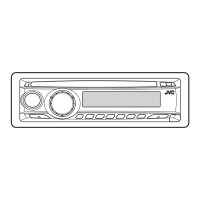
Listening to the radio
~
Lights up when receiving an FM stereo
broadcast with sufficient signal strength.
Selected band appears.
Ÿ Start searching for a station.
When a station is received, searching
stops.
To stop searching, press the same
button again.
Note:
FM1 and FM2: 87.5 MHz – 108.0 MHz
FM3: 65.00 MHz – 74.00 MHz
To tune in to a station manually
In step Ÿ on the left...
1
2 Select the desired station frequencies.
EN06-11_KD-G317[EE]_f.indd 8EN06-11_KD-G317[EE]_f.indd 8 10/27/04 10:39:13 AM10/27/04 10:39:13 AM



 To Next Page