EasyManua.ls Logo

JVC GET0564-006A - User Manual

JVC GET0564-006A
152 pages
To Next Page IconTo Next Page
Loading...
ENGLISHFRANÇAIS
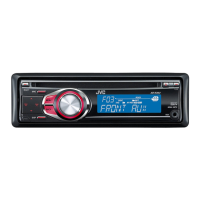
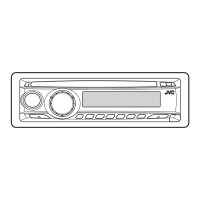
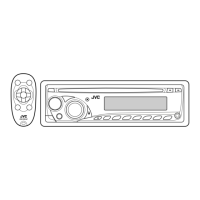
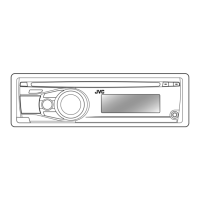
CD RECEIVER
RÉCEPTEUR CD
KD-R303/KD-R302/KD-R301
For installation and connections, refer to the separate manual.
Pour l’installation et les raccordements, se référer au manuel séparé.
INSTRUCTIONS
MANUEL D’INSTRUCTIONS
GET0568-003A
[EX/EU]
For canceling the display demonstration, see page 6.
Pour annuler la démonstration des affichages, référez-vous à la page 6.
Cover_KD-R303_003A_2.indd 1Cover_KD-R303_003A_2.indd 1 20/8/08 11:31:12 AM20/8/08 11:31:12 AM

Table of Contents

Question and Answer IconNeed help?

Do you have a question about the JVC GET0564-006A and is the answer not in the manual?

JVC GET0564-006A Specifications

General IconGeneral
BrandJVC
ModelGET0564-006A
CategoryCar Receiver
LanguageEnglish

Summary

Basic Operations and Display

Control Panel Functions

Detailed explanation of the unit's control panel buttons and their functions.

Radio Operations

Tuning and Receiving Radio Stations

Guides on selecting FM/AM, auto/manual search, and improving reception.

Disc Operations

Disc Playback Control Functions

Procedures for playing, stopping, ejecting discs, and prohibiting ejection.

Track and Folder Navigation

How to navigate and select tracks or folders on MP3/WMA discs.

Settings

Menu Navigation and System Settings

Comprehensive guide to accessing and configuring various unit settings through the menu.

Disc Playback Details

MP3;WMA File Playback Requirements

Specifications and guidelines for playing MP3 and WMA files from discs.

Troubleshooting

General Unit Troubleshooting Steps

Solutions for common problems like no sound, unit not working, or input selection issues.

Disc and Media Playback Issues

Troubleshooting steps for problems encountered with disc playback and MP3/WMA files.

Electrical Connections

Installation Guide

Wiring Connections

External Amplifier Connection

Troubleshooting External Amplifier Setup

Solutions for common issues related to connecting and operating an external amplifier.

Related product manuals