35
1 3 2
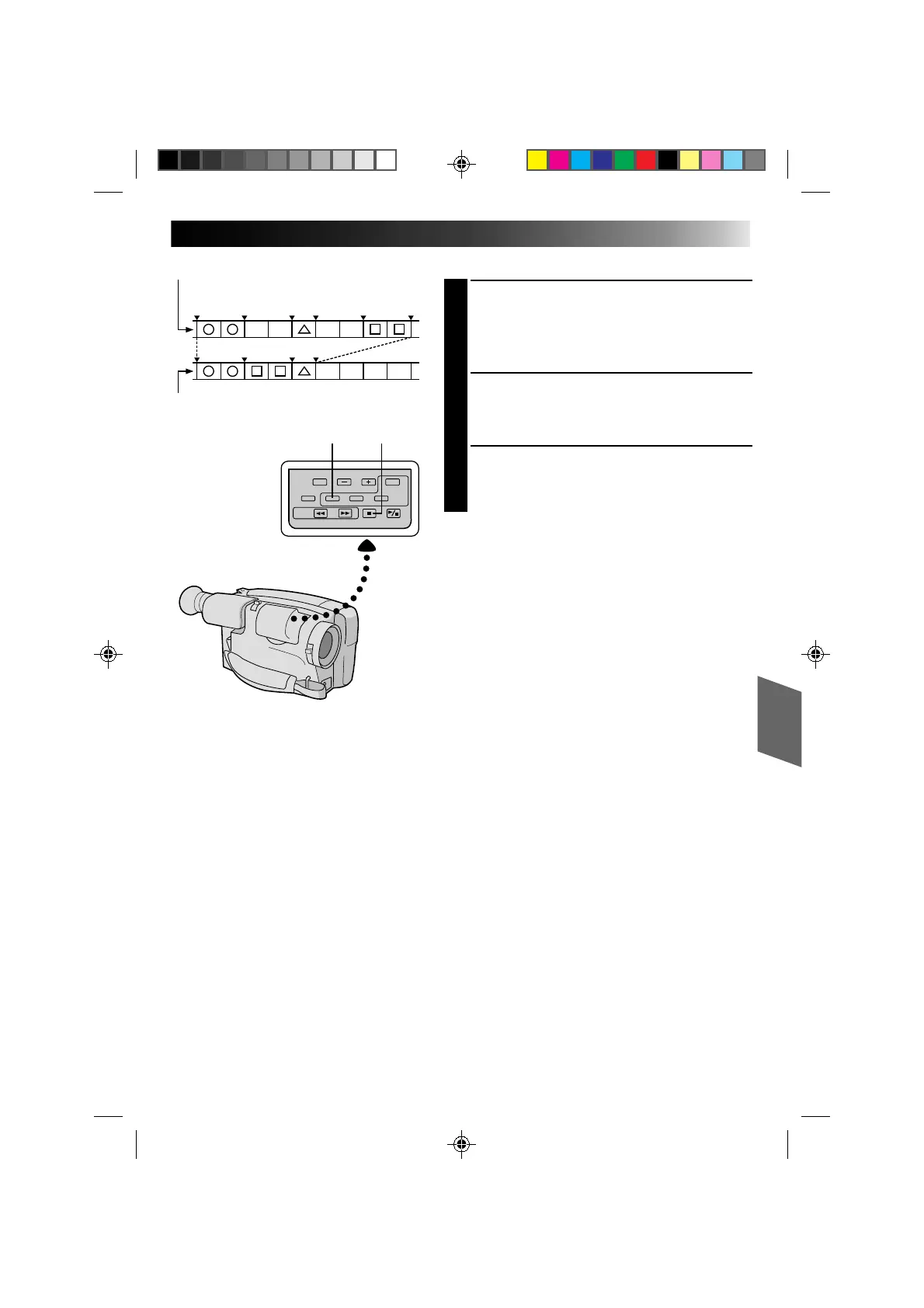
IN OUT IN OUT IN OUT
AUTOMATIC EDITING TO VCR
ENGAGE VCR’S RECORD–PAUSE
MODE
1
Point the remote control toward the VCR’s infrared
sensor and press VCR REC STBY, or manually
engage the VCR’s Record-Pause mode.
BEGIN AUTOMATIC EDITING
2
Press EDIT on the camcorder, and the previously
selected scenes are copied to the VCR in the
specified order.
END AUTOMATIC EDITING
3
When all selected scenes have been copied, the
camcorder and VCR enter the still or pause mode.
Press STOP on both units.
NOTES:
●
If you performed step 1C on page 33, keep the remote
control pointed at the VCR during editing.
●
The on-screen display only appears while the
camcorder searches for each scene.
●
To dub a copy of the camcorder’s (source) tape,
perform R.A.EDIT by specifying only one in-point
(and no out-point). The contents of the tape from the
specified in-point to the end of the tape are
automatically copied.
●
There may be noise at in- or out-points on the edited
tape with certain VCRs.
ORIGINAL TAPE (camcorder)
EDITED TAPE (VCR)
EDIT STOP
Downloaded from: https://www.usersmanualguide.com/


 To Next Page
 Loading...