EasyManua.ls Logo

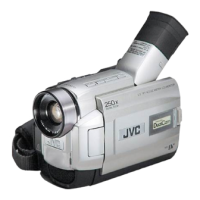
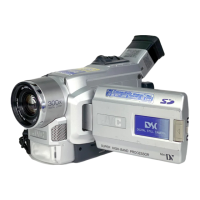
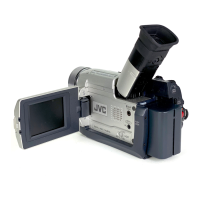
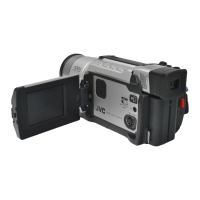
JVC GR-DVL220 - User Manual

JVC GR-DVL220
68 pages
Print Icon
To Next Page IconTo Next Page
Loading...
Please visit our Homepage on the World Wide Web and
answer our Consumer Survey (in English only):
http://www.jvc-victor.co.jp/english/index-e.html
For Accessories:
http://www.jvc-victor.co.jp/english/accessory/
ENGLISH
CONTENTS
AUTOMATIC DEMONSTRATION
6
GETTING STARTED
7 – 13
RECORDING & PLAYBACK
14 – 22
RECORDING .................................
15 – 18
PLAYBACK ...................................
19 – 22
ADVANCED FEATURES
23 – 50
FOR RECORDING ...........................
24 – 31
USING THE MENU FOR
DETAILED ADJUSTMENT ..............
32 – 37
DUBBING .....................................
38 – 39
USING THE REMOTE CONTROL UNIT
...
40 – 49
SYSTEM CONNECTIONS .........................
50
REFERENCES
51 –
Back Cover
DETAILS .............................................
52
TROUBLESHOOTING ......................
53 – 57
USER MAINTENANCE ............................
58
CAUTIONS ....................................
59 – 61
SPECIFICATIONS ..................................
62
INDEX ..........................................
63– 67
TERMS ......................................
Back Cover
For Customer Use:
Enter below the Model No. and Serial
No. which is located on the bottom of the
camcorder. Retain this information for
future reference.
Model No.
Serial No.
INSTRUCTIONS
EN
LYT0946-001A
GR-DVL220
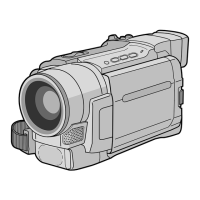
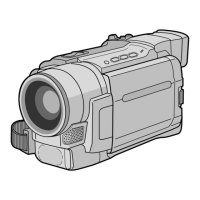
DIGITAL VIDEO CAMERA

Questions and Answers

  • D
    Daniel BatesJul 29, 2025
    What to do if my JVC GR-DVL220 has no power?
    • J
      jerryjohnsonJul 29, 2025
      If your JVC Camcorder has no power, it could be due to the AC adapter not being connected properly. Ensure you securely connect the AC Adapter. Alternatively, the battery might be dead. Try replacing the dead battery with a fully charged one.
  • H
    Heather HarrisAug 12, 2025
    Why does “SET DATE/TIME!” appear on my JVC Camcorder?
    • T
      Terry ChandlerAug 12, 2025
      If your JVC Camcorder displays “SET DATE/TIME!”, it means that the date and time have not been set. You should set the date/time. Alternatively, the built-in clock battery may have run out, erasing the previously set date/time. In this case, consult your nearest JVC dealer for a replacement.

Summary

Getting Started

Power

Instructions for charging the battery pack and using AC power for the camcorder.

Loading;Unloading A Cassette

Step-by-step guide on how to load and unload Mini DV cassettes.

Recording & Playback

Recording

Covers basic recording procedures, shooting modes, and time code.

Playback

Details on playing back recorded tapes, including different search methods.

References

Troubleshooting

Guide to diagnosing and resolving common camcorder issues.

Cautions

Important safety warnings and precautions for using the camcorder and accessories.

JVC GR-DVL220 Specifications

General IconGeneral
BrandJVC
ModelGR-DVL220
CategoryCamcorder
LanguageEnglish

Related product manuals