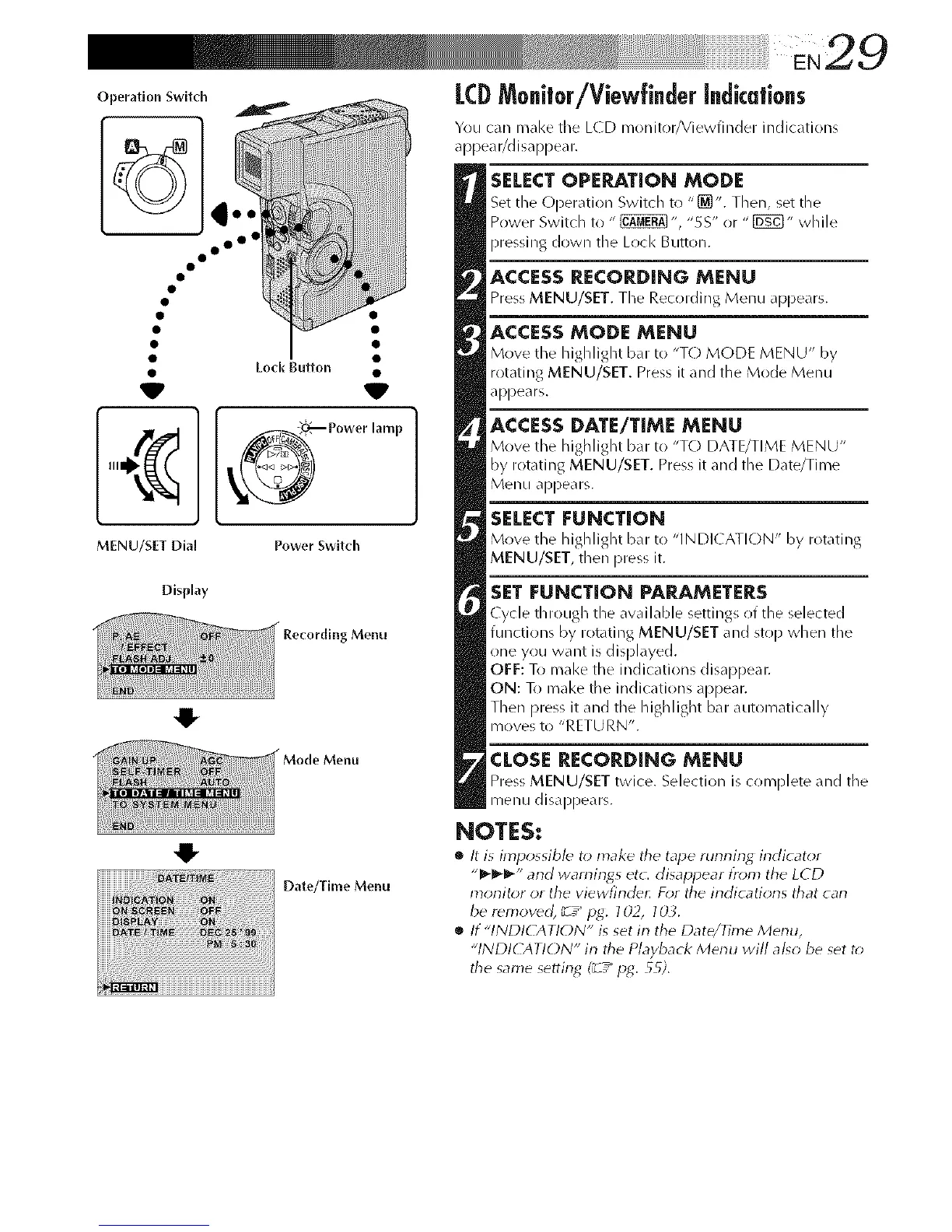
Operation Switch
o o°
MENU/SET Dial
Display
0
Lock Button •
I Power' mP
Power Switch
Menu
Menu
Date/Time Menu
LCDMo@or/Viewffnder[ndkafions
Yrlu can m_ll<e the L(D monitor/Viewfinder indications
appear/disappear.
SELECT OPERATION MODE
Set tile Operation Switch to "[_". Then, set the
Power Switch to " _ ", "SS" or " [_" while
pressing down the Lock Button.
ACCESS RECORDING MENU
Press MENU/SET. The Recording Menu appe0rs.
ACCESSMODE MENU
Move the highlight bar :o "TO MODE MENU" by
rotating MENU/SET. Press it and the Mode Menu
appears.
ACCESS DATE/TIME MENU
Move the highlight bar to "TO DATE/TI,ME MENU"
by rotating MENU/SET. Press it and the Date/Time
Menu appears.
SELECT FUNCTION
Move the highlight bar to "INDI(ATION" by rotating
MENU/SET, then press it.
SET FUNCTION PARAMETERS
Cycle througb the available settings of the selected
functions by rotating MENU/SET and stop when the
one yrlu want is displayed.
OFF: To make the indications disappear.
ON: To make the indications appear.
Then press it and the highlight bar automatically
moves to "RETURN'.
CLOSE RECORDING MENU
Press MENU/SET twice. Selection is complete and tile
menu disappears.
NOTES:
• It is impossible to make tile tape running indicator
"_'_-_'" and warnings etc. disappear l}'om the LCD
monitor or the viewfinde_ For the indications that can
be removed, _7 _ Pg. 702, IOL
• If "INDICATION" is set in the Date/Time Menu,
"INDI(AT!ON" in the P/ayback Menu wi// also be set t*>
the same setting (_ / lag. 55).



 To Next Page