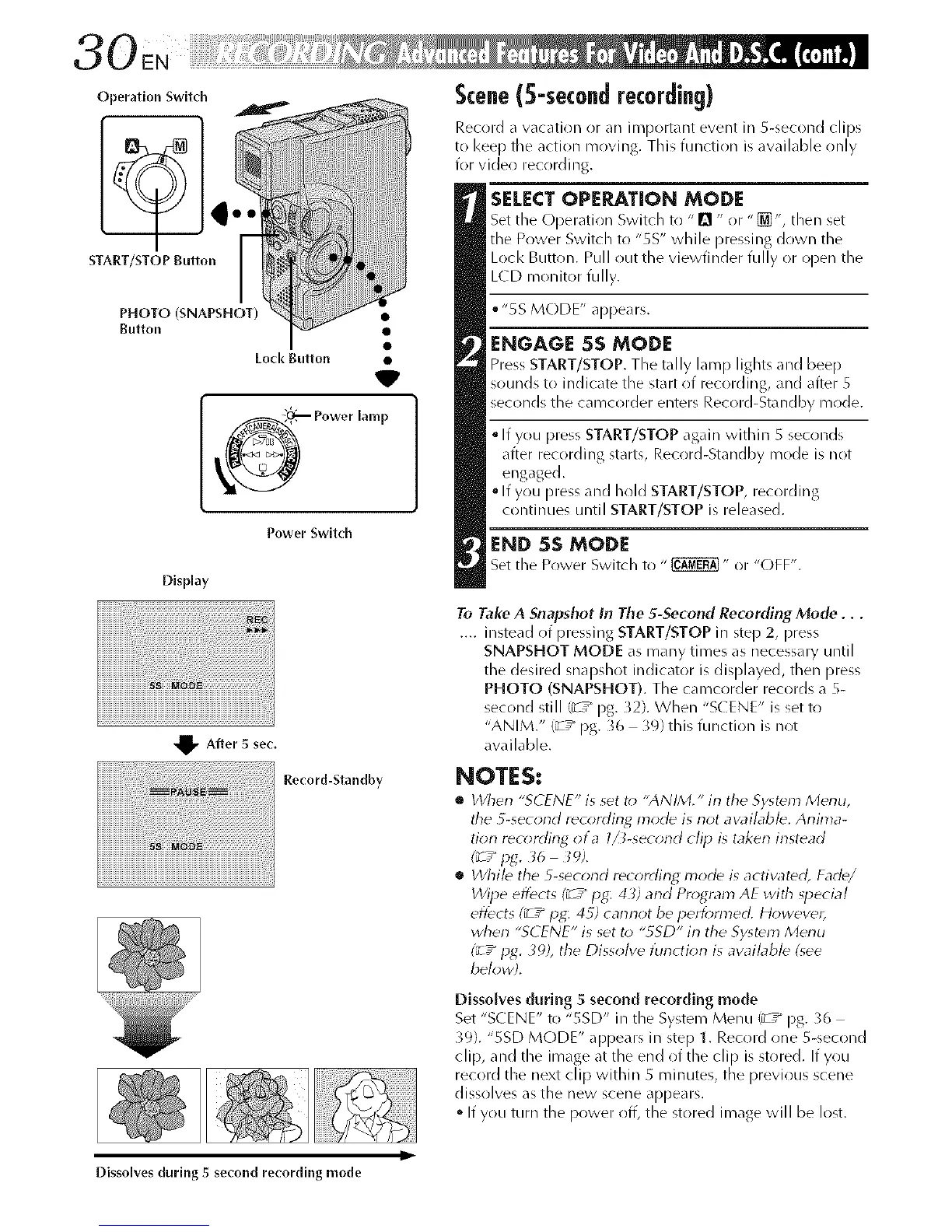
Operation Switch
STArT/STOP Button
PHOTO (SNAPSHOT) •
Button •
Lock Button •
V
_ Power lamp
Power Switch
Display
Scene(5-secondrecording)
Record a vacation or an ilqqportant event in S-second clips
to I<eep the action moving. This function is available only
for video recrlrding.
SELECT OPE_TION MODE
Set the Operation Switch to "!_ " r)r "_ % then set
the Power Switch t(! "5S" while pressing down the
Lock Button. Pull out the viewfinder fully or open the
LCD monitor fully.
• "5S MODE" appears.
ENGAGE 5S MODE
Press START/STOP. The tally lamp lights and beep
sounds to indicate the start of recording, and after S
seconds the camcorder enters Record-Standby m(ide.
If you press START/STOP again within S sec(inds
after recording starts, Record-Standby mode is not
engaged.
• If you press and hold START/STOP, recording
continues until START/STOP is released.
END 5S MODE
Set the Power Switch to " _" or "(-)FF".
_v After 5 sec,
Record-Standby
To Take A Snapshot in The 5-Second Recording Mode...
.... instead of pressing START/STOP in step 2, press
SNAPSHOT MODE as many times as necessary until
the desired snapshot indicator is displayed, then press
PHOTO (SNAPSHOT). The camcorder records a S-
second still (3-7_ pg. )2). When "S( ENE" is set to
"ANIM." (_'7" pg. 36 39) this function is not
available.
NOTES:
• When "SCENE" is set t_; "ANIM." in the Sy<_m Menu,
the 5-second recording mode is not availabb. Anima-
tion recorrlin_ ota l_-second clip is taken instead
• While the 5-second recording mode is activatdd, Fade/
Wipe eflbcts (_ / IJg: 43) and Program AE with _pecial
effects (_ 7" pg,: 4S) cannot be i_erff;nned. However,
when "SCENE" is set to "gSD" in the Sy_tdm Menu
(_7" pg. 39), the Dissolve [unction is awd/abb (_ee
below;.
Dissolves during 5 second recording mode
Set "SCENE" to "SSD" in the System Menu 13-7_ pg. 36
39}. "SSD MODE" appears in step 1. Record one 5-second
clip, and the image at the end of the clip is stored. If you
record the next clip within 5 minutes, the previous scene
dissolves as the new scene appears.
• If you turn the power off, the stored image will be lost.
Ii
Dissolves during 5 second recording mode



 To Next Page