oo O!
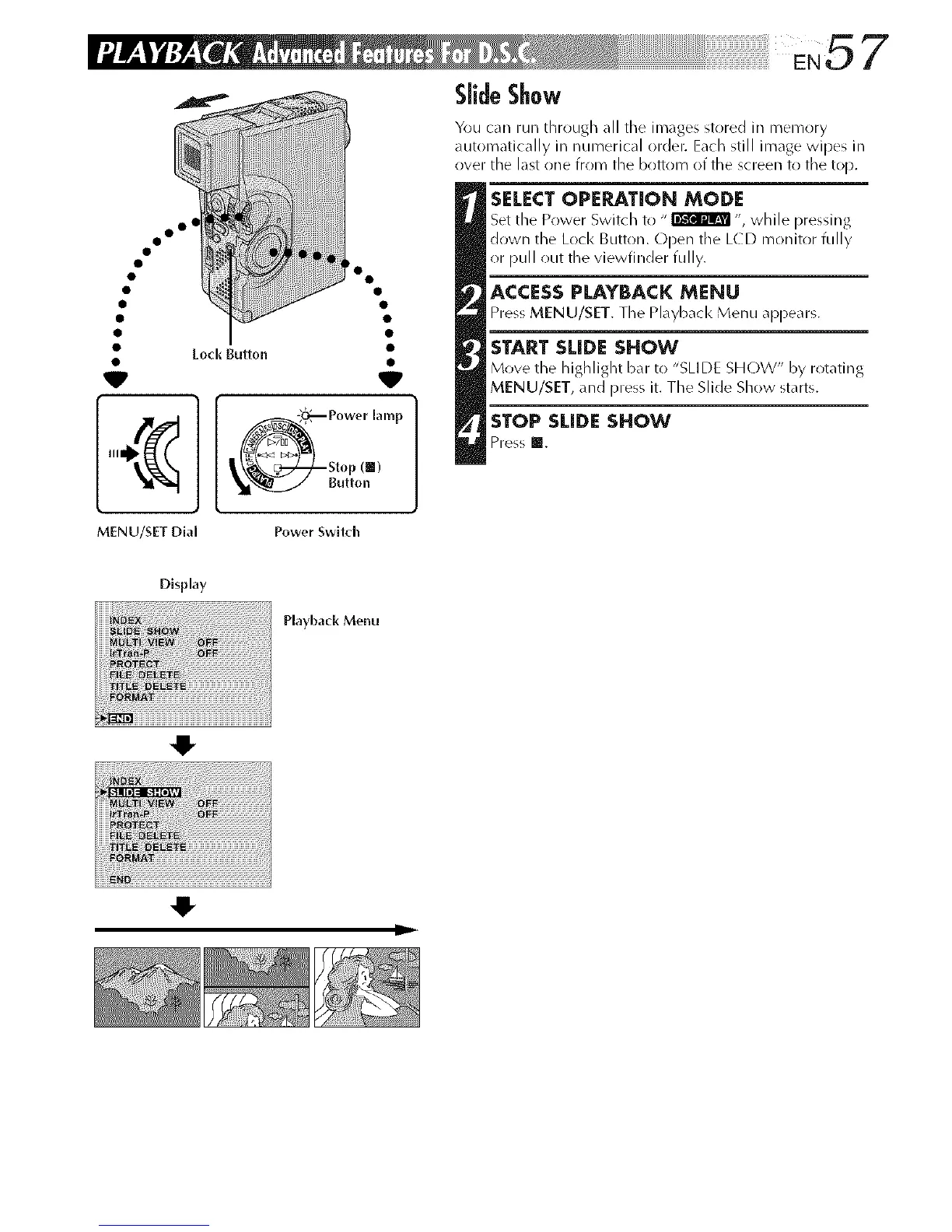
Power lamp
Stop (|)
Button
You can run through all tile images stored in memory
automatically in numerical order. Each still image wipes in
over the last one from the bottom of the screen to the top.
SELECTOPERATION MODE
Set the Power Switch to " _ ", while pressing
down the Loci< Button. Open the LCD monitor fully
or pull out the viewfinder fully.
ACCESSPLAYBACK MENU
Press MENU/SET. The Playbacl< Menu appears.
START SLIDE SHOW
Move the h ighlight bar to "SLl DE SHOW" by rot_fi ng
MENU/SET, and press it. The Slide Show starts.
STOP SLIDESHOW
Press m.
MENU/SET Dial Power Swltch
O
-IF



 To Next Page