¢1'
MENU/SET Dial
Lock Button •
Power Switch
Button
Multi-imageScreen
There are 3 MultJdmage screens that can be created: 4-
split screens composed ot the same image, 16-split screens
composed of the same image and 4-split screens crlm-
posed of different, user-selected images.
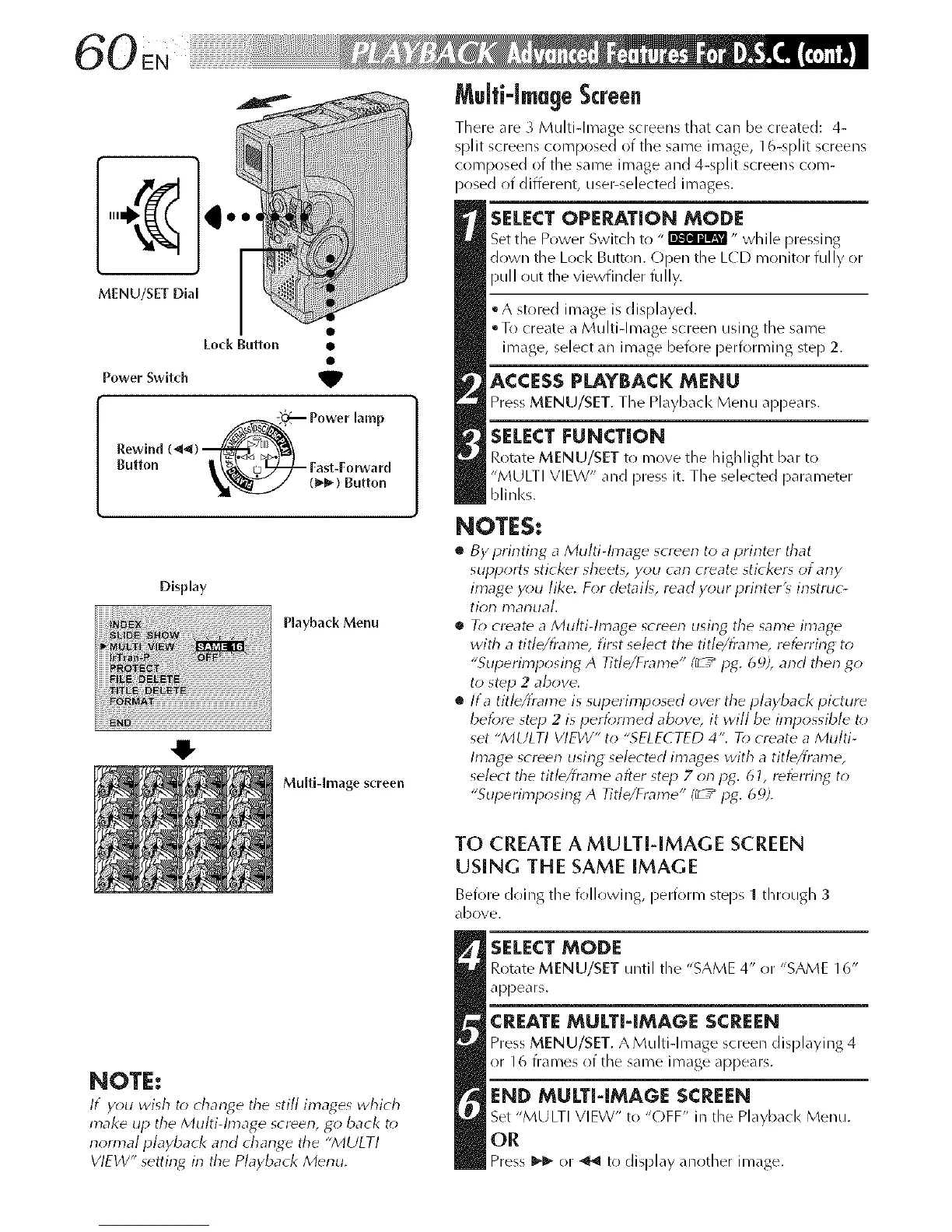
SELECTOPERATION MODE
Set the Power Switch to "_" while pressing
down the Loci< Button. Open the L(D monitor fully or
pull out the viewfinder fully,
• A stored image is displayed.
oTo create a Multi-Image screen using the same
image, select an image before performing step 2.
ACCESSPLAYBACK MENU
Press MENU/SET. The Playback Menu appears.
SELECT FUNCTION
Rotate MENU/SET to move the highlight bar to
"MULTI VIEW" and press it. The selected parameter
blinl<s.
Display
Playback Menu
Multi-Image screen
NOTES,*
• By i_rintir_g a Multi-Image screen to a printer that
supports sticker sheet_, you can create sticker_ of any
image y_;u like. For detail_, read your printer'_ instruc-
tion manual.
• T_; create a Multi-Image screen using the same image
with a title/frame, first select the title/frame, referring to
"Sul_erimposing A Title/Frame" (_ / pg. 6 c_),and therl go
to step 2 above.
• lta title/frame is superimposed owr the playback picture
beibre step 2 is peribm_ed above, it will be impossible to
set "MULTI VIEW" to "SELECTED 4". To create a Multi-
Image screen using selected images with a title/frame,
select the titb/fmme after step 7 on pg. 61, referring to
"Sul_erimposing A Title/Frame" I_ / p_. 69).
NOTE:
If you wish to d_ant4e the still imat4es which
make up the Multi-Image screen, go back to
normal playbacl< and change the "MULTI
VIEW" setting in the Playback Merlu.
TO CREATE A MULTI-IMAGE SCREEN
USING THE SAME IMAGE
Before doing the following, perforl_/steps 1 tJlrr!tlgh 3
dbove.
SELECT MODE
Rotate MENU/SET until the "SAME 4" or "SAME 16"
appears.
CREATE MULTI-IMAGE SCREEN
Press MENU/SET. A Multi-Image screen displaying 4
or 16 frames of the same image appears.
END MULTI-IMAGE SCREEN
Set "MULTI VIEW" to "OFF" in the Playbacl< Menu.
OR
Press I_- or _ to display another image.



 To Next Page