oo 0°
° o
V
o._Power [amp
MENU/SET Dial Power Switch
Display
Playback Menu
Normal playback
Padlock marl(
ProtectingImages
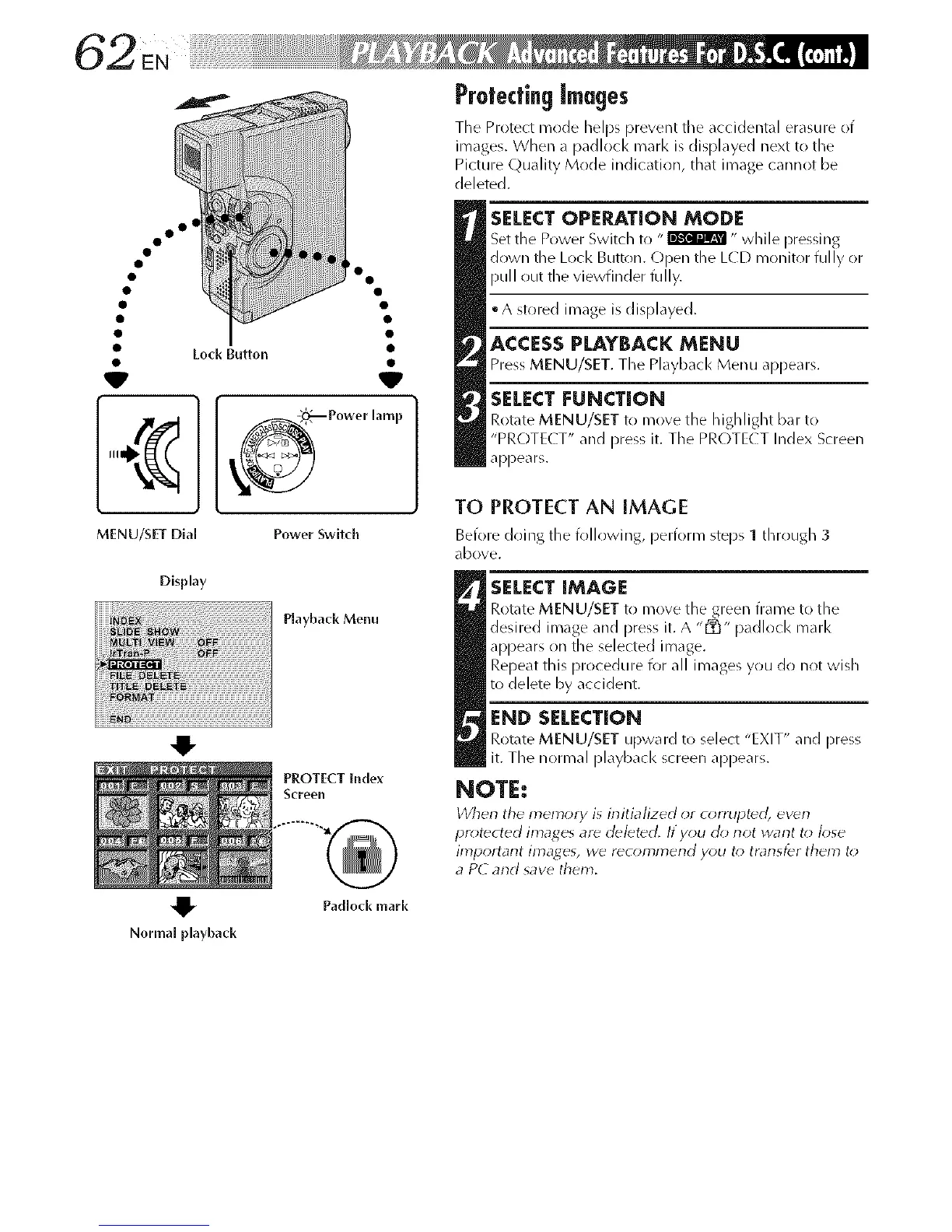
The Protect mode helps prevent the accidental erasure of
images. When a padlock marl< is displayed next to the
Picture Quality Mode indication, that image cannot be
deleted.
SELECTOPERATION MODE
Set the Power Switch to "_ " while pressing
down the Lock Button. C)pen the L(D monitor fully or
pull out the viewfinder fully.
• A stored image is displayed.
ACCESSPLAYBACK MENU
Press MENU/SET. The Playback Menu appears.
SELECT FUNCTION
Rotate MENU/SET to move the highlight bar to
"PROTE( T" and pres_ it. The PROTE( T Index Screen
appears.
TO PROTECT AN IMAGE
Before doing the following, perform steps 1 through 3
(IbOVe.
SELECT IMAGE
Rotate MENU/SET to move the green frame to the
desired inlage and Dress it. A "[_" padlock marl<
appears on the selected image.
Repeat this procedure for all images you do not wish
to delete by accident.
END SELECTION
Rotate MENU/SET upward to select "EXIT" and press
it. The normal playback screen appears.
NOTE:
When the memo_ i_ initialized or c_;rrup_ ewn
pr_)tected images ar_ deleted. If y_u oh) not want t_) k)se
iml_ortarlt images, wd rdc_)mn_erld y_)u t_; trarlsfdr them t_;
a PC and save them.



 To Next Page