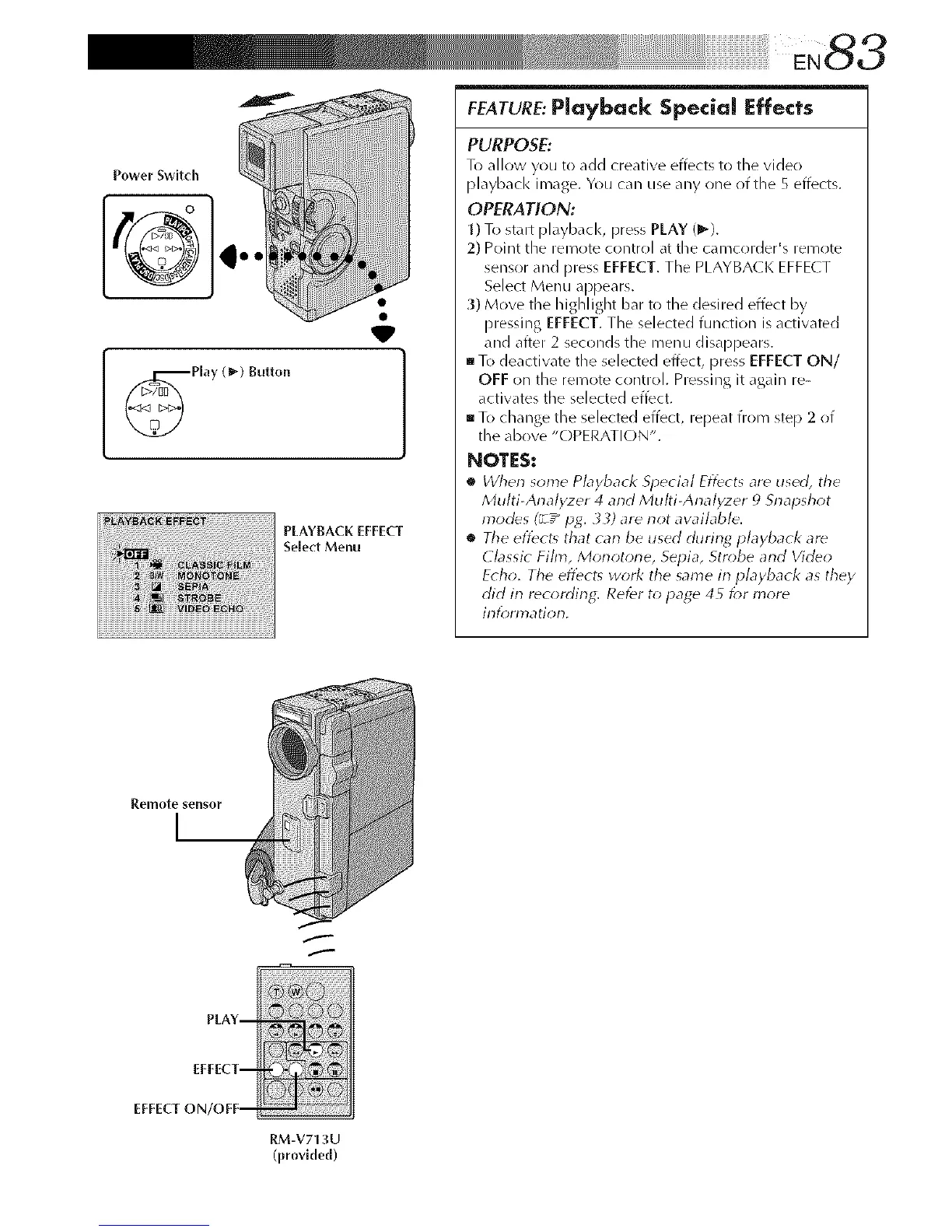
Power Switch
...
Play (_) Button
PLAYBACK EFFECT
Select Menu
FEATURE:Playback Special Effects
PURPOSE:
To allow you to add creative effects to the video
playback image. You can use any one of the 5 effects.
OPERATION:
1) To start playback, press PLAY (1_).
2) Point the remote control at the camcorder's remote
sensor and press EFFECT. The PLAYBA( K EFFE(T
Select Menu appears.
3) Move the highlight bar to the desired effect by
pressing EFFECT. The selected function is activated
and after 2 seconds the menu disappears.
To deactivate the selected effect, press EFFECT ON/
OFF on the remote control. Pressing it again re-
activates the selected effect.
To change the selected effect, repeat from step 2 of
the above "OPERATION".
NOTES:
• Wherl some Playback Special Effects are used, the
Multi-Analyzer 4 and Multi-Analyzer _)Snapshot
modes (_ -" pg. 33) are riot awfflable.
• The efl_ct_ that can be used during playback are
Classic Film, Morlotorle, Sepia, Strobe arid Video
Echo. The effects work the same in playback as they
did in recording: Ref¢r to page 45 _;r more
information.
f
f
PLAY--
EFFECT--
EFFECT ON/OFF--
RM-V713U
(provMed)



 To Next Page