66
EN ‘-
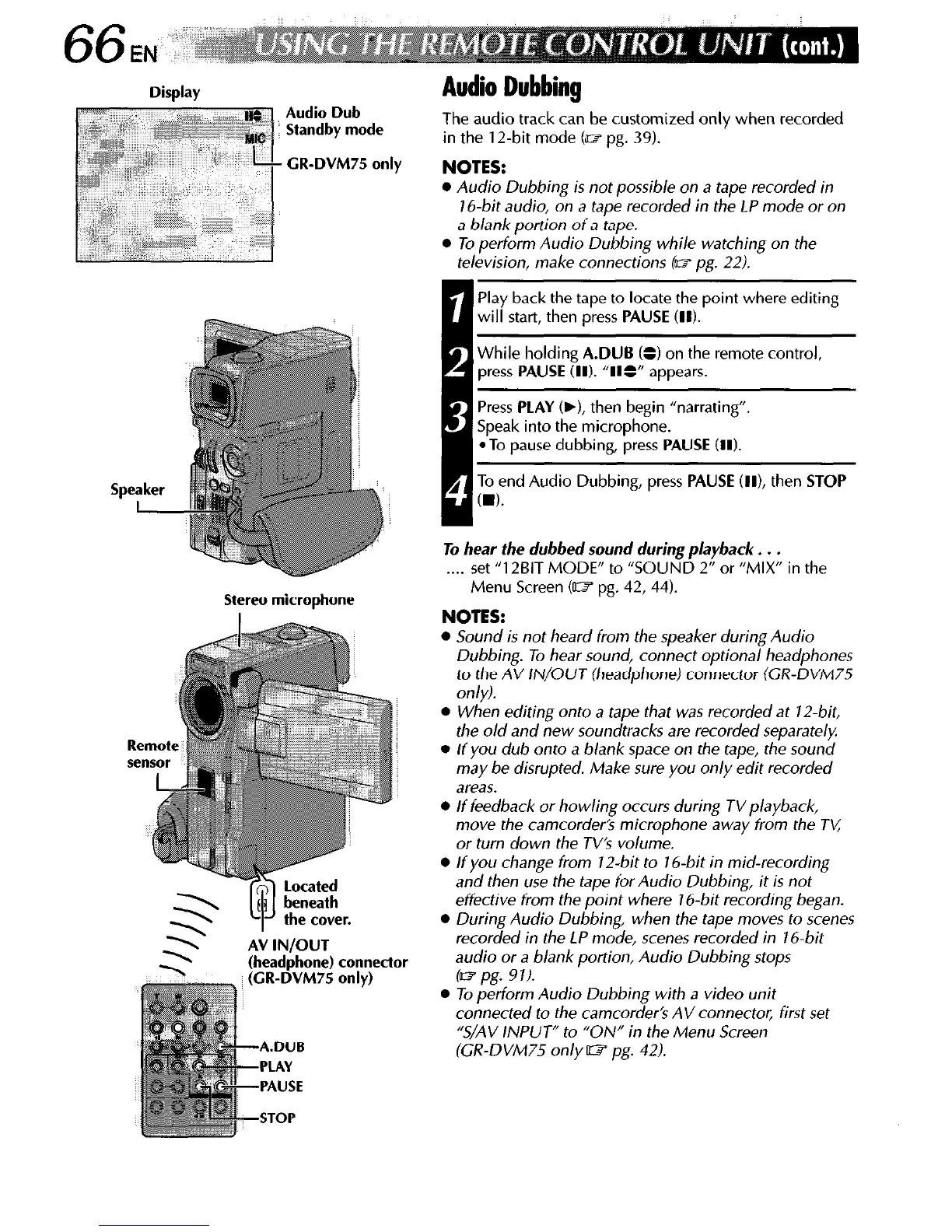
Display
Audio Dub
Standby mode
CR-DVM75 only
Stereo microphone
(headohone) connector
-PLAY
-PAUSE
-STOP
Audio Dubbing
The audio track can be customized only when recorded
in the 12-bit mode (m pg. 39).
NOTES:
l
Audio Dubbing is not possible on a tape recorded in
16-bit audio, on a tape recorded in the LP mode or on
a blank portion of a tape.
l
To perform Audio Dubbing while watching on the
television, make connections (w pg. 22).
I
Play back the tape to locate the point where editing
will start, then press PAUSE (II).
While holding A.DUB (=I on the remote control,
press PAUSE (II). “II=” appears.
Press PLAY (b), then begin “narrating”.
Speak into the microphone.
*To pause dubbing, press PAUSE (II).
1 To end Audio Dubbing, press PAUSE (II), then STOP
CD).
To hear the dubbed sound during playback. . .
. . . .
set “12BIT MODE” to “SOUND 2” or “MIX” in the
Menu Screen Cm pg. 42, 44).
NOTES:
l
Sound is not heard from the speaker during Audio
Dubbing. To hear sound, connect optional headphones
to the AV IN/OUT (headphone) connector (GR-DVM75
only).
l
When editing onto a tape that was recorded at 12.bit,
the old and new soundtracks are recorded separately.
l
If you dub onto a blank space on the tape, the sound
may be disrupted. Make sure you only edit recorded
areas.
l
If feedback or howling occurs during TVplayback,
move the camcorder’s microphone away from the TL:
or turn down the TV’s volume.
l
If you change from 12-bit to 16-bit in mid-recording
and then use the tape ior Audio Dubbing, it is not
effective from the point where 1 B-bit recording began.
l
During Audio Dubbing, when the tape moves to scenes
recorded in the LP mode, scenes recorded in 16.bit
audio or a blank portion, Audio Dubbing stops
(w pg. 91).
l
To perform Audio Dubbing with a video unit
connected to the camcorder’s AV connector, first set
“S/AV /NPUT” to “ON” in the Menu Screen
(GR-DVM75 only W pg. 42).



 To Next Page