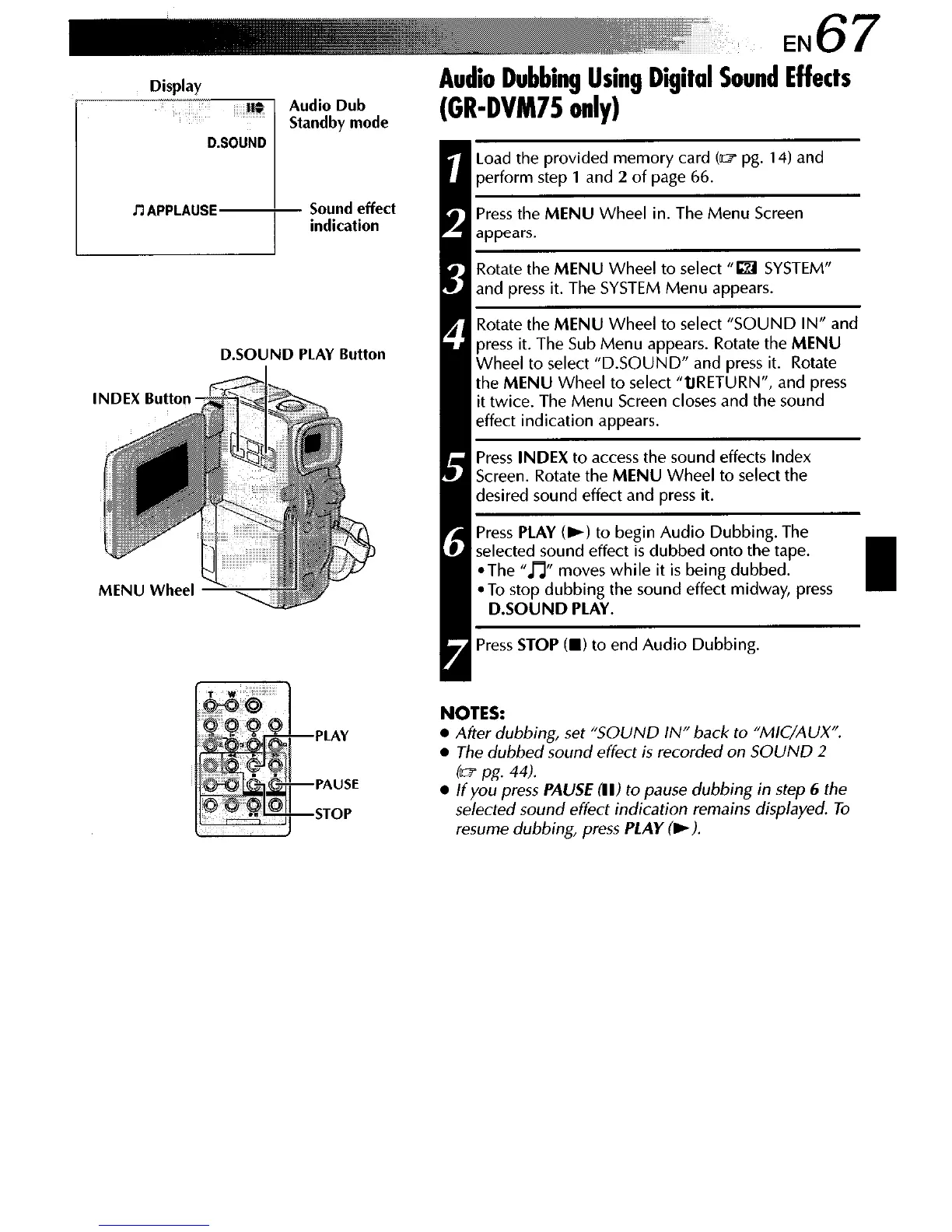
Display
Audio Dub
Standby mode
~7 APPLAUSE
Sound effect
indication
D.SOUND PLAY Button
PLAY
PAUSE
STOP
Audio Dubbing Using Digital Sound Effects
(GR-DVM75 only)
Load the provided memory card Cm pg. 14) and
perform step 1 and 2 of page 66.
Press the MENU Wheel in. The Menu Screen
Rotate the MENU Wheel to select “m SYSTEM”
and press it. The SYSTEM Menu appears.
, Rotate the MENU Wheel to select “SOUND IN” and
press it. The Sub Menu appears. Rotate the MENU
Wheel to select “D.SOUND” and press it. Rotate
the MENU Wheel to select “tlRETURN”, and press
it twice. The Menu Screen closes and the sound
effect indication appears.
Press INDEX to access the sound effects Index
Screen. Rotate the MENU Wheel to select the
desired sound effect and press it.
Press PLAY (b) to begin Audio Dubbing. The
@ - selected sound effect is dubbed onto the tape.
*The “m moves while it is being dubbed.
*To stop dubbing the sound effect midway, press
D.SOUND PLAY.
Press STOP Cm) to end Audio Dubbing.
NOTES:
l
After dubbing, set “SOUND IN” back to “MIC/AUX”.
l
The dubbed sound effect is recorded on SOUND 2
(w pg. 44).
l
If you press
PAUSE
RI) to pause dubbing in step 6 the
selected sound effect indication remains displayed. To
resume dubbing, press
PLAY (,I.



 To Next Page