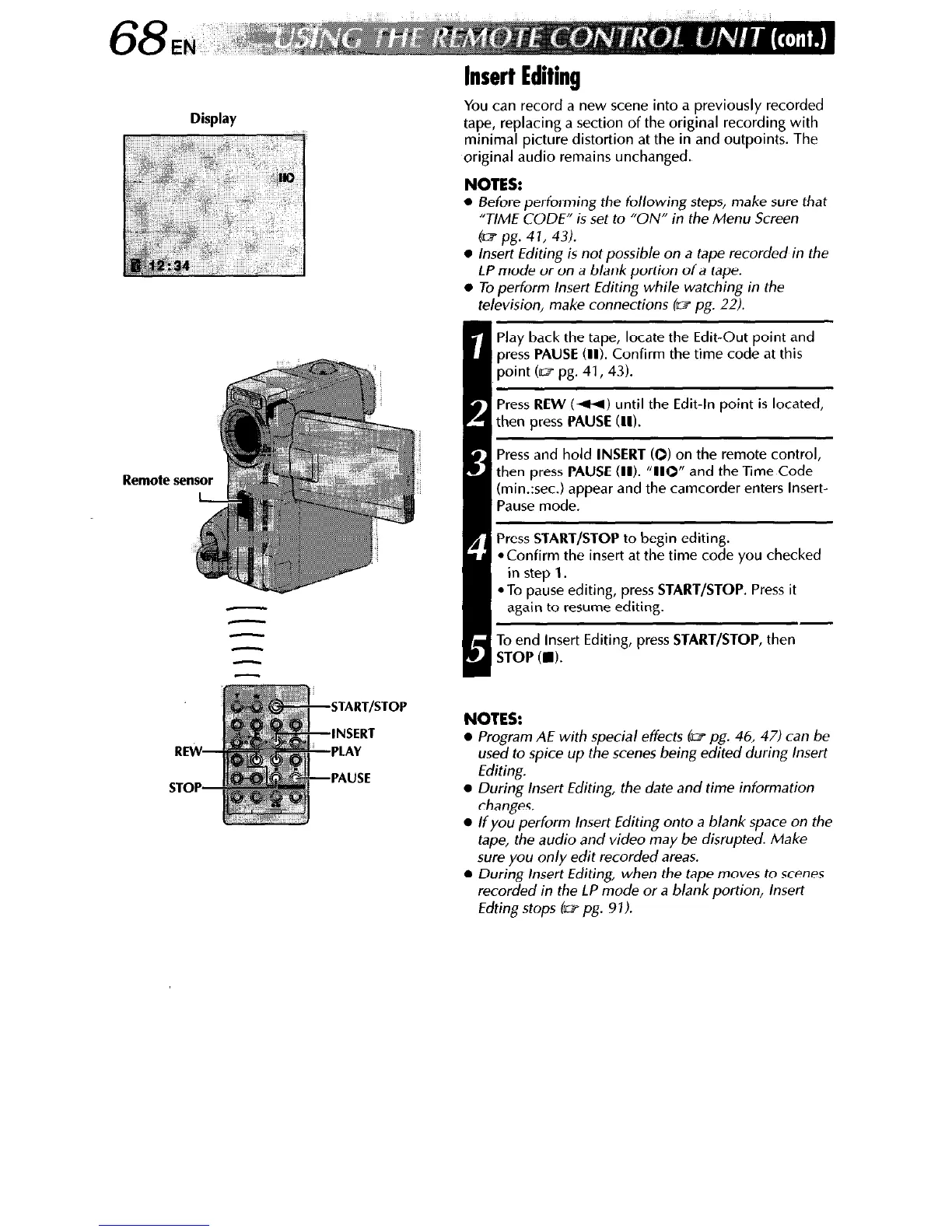
Display
Insert Editing
You can record a new scene into a previously recorded
tape, replacing a section of the original recording with
minimal picture distortion at the in and outpoints. The
original audio remains unchanged.
NOTES:
l
Before performing the following steps, make sure that
“TIME CODE” is set to “ON” in the Menu Screen
(a2 pg. 4 1, 43).
l
Insert Editing is not possible on a tape recorded in the
LP mode or on a blank portion of a tape.
l
To perform Insert Editing while watching in the
television, make connections (w pg. 22).
Remote sen
f-ITART,STOP
-INSERT
1
PLAY
PAUSE
Play back the tape, locate the Edit-Out point and
press
PAUSE
(II). Confirm the time code at this
point (rcz pg. 41,43).
Press
REW
(W) until the Edit-In point is located,
then press
PAUSE (II).
Press and hold
INSERT
(0) on the remote control,
then press
PAUSE (II). “110”
and the Time Code
(min.:sec.) appear and the camcorder enters Insert-
Pause mode.
Press
START/STOP
to begin editing.
*Confirm the insert at the time code you checked
in step 1.
*To pause editing, press
START/STOP.
Press it
again to resume editing.
To end Insert Editing, press
START/STOP,
then
STOP Cm).
NOTES:
l
Program AE with special effects (w pg. 46, 471 can be
used to spice up the scenes being edited during Insert
Editing.
l
During Insert Editing, the date and time information
changes.
l
If you perform Insert Editing onto a blank space on the
tape, the audio and video may be disrupted. Make
sure you only edit recorded areas.
l
During insert Editing, when the tape moves to scenes
recorded in the LP mode or a blank portion, Insert
Edting stops I= pg. 91).



 To Next Page