EasyManua.ls Logo

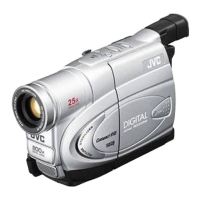
JVC GR-FXM41 - User Manual

JVC GR-FXM41
24 pages
Print Icon
To Next Page IconTo Next Page
Loading...
ENGLISH INSTRUCTIONS
PAL
AUTOMATIC DEMONSTRATION
Automatic Demonstration takes
place when “DEMO MODE” is set to
“ON” (factory-preset).
Available when the Power Switch is set to
or “ ”.
To cancel Automatic Demonstration, set
"DEMO MODE" to "OFF" ( pg. 14).
Dear Customer,
Thank you for purchasing the JVC Compact
VHS camcorder. Before use, please read
“SAFETY PRECAUTIONS” ( pg. 2, 3) to
ensure safe use of this product.
LYT1359-001B
COMPACT VHS CAMCORDER
GR-FXM41
GR-FX17
CONTENTS
GETTING STARTED 4 ~ 8
RECORDING/PLAYBACK 9
BASIC FEATURES 9 ~ 11
MENU SETTINGS 12 ~ 15
TERMS 20
GR-FXM41EN(EK).fm Page 1 Monday, November 8, 2004 10:03 AM
Question and Answer IconNeed help?

Do you have a question about the JVC GR-FXM41 and is the answer not in the manual?

Overview

This document is a user manual for the JVC Compact VHS Camcorder models GR-FXM41 and GR-FX17. It provides instructions for operation, technical specifications, and safety precautions.

Function Description

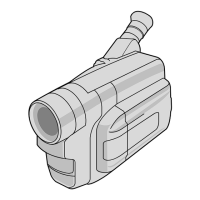
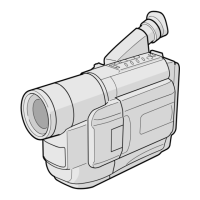
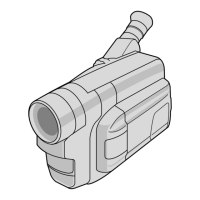
The JVC Compact VHS Camcorder is designed for recording and playing back video using VHS-C PAL-type cassettes. It features both recording and playback capabilities, with various settings and digital effects to enhance video capture. The camcorder can be connected to a TV or VCR for viewing recorded footage.

Important Technical Specifications

General:

  • Format: VHS PAL standard
  • Power source: DC 11 V (using AC Adapter), DC 6 V (using battery pack)
  • Power consumption:
    • Viewfinder on: 3.7 W (GR-FXM41 only), 3.5 W (GR-FX17 only)
    • LCD monitor on: 4.3 W (GR-FXM41 only)
  • Signal system: PAL-type
  • Video recording system: FM recording, converted sub-carrier direct recording, conforms to VHS standard
  • Cassette: VHS-C cassette
  • Tape speed: SP (23.39 mm/sec.), LP (11.70 mm/sec.)
  • Recording time (max.): SP (60 minutes), LP (120 minutes with EC-60 cassette)
  • Operating temperature: 0°C to 40°C
  • Operating humidity: 35% to 80%
  • Storage temperature: -20°C to 50°C
  • Weight: Approx. 768 g (GR-FXM41 only), Approx. 690 g (GR-FX17 only)
  • Dimensions (W x H x D):
    • GR-FXM41: 81 mm x 125 mm x 216 mm (with LCD monitor closed and viewfinder fully tilted downward)
    • GR-FX17: 75 mm x 124 mm x 221 mm (with LCD monitor closed and viewfinder fully tilted downward)

Pickup:

  • Lens: F1.8, f = 2.2 mm to 55 mm, 25:1 power zoom lens with auto iris and macro control
  • Filter diameter: ø 30.5mm (GR-FXM41 only), ø 40.5mm (GR-FX17 only)
  • Viewfinder: Electronic viewfinder with 0.24" black/white LCD
  • White balance adjustment: Auto/Manual adjustment
  • LCD monitor (GR-FXM41 only): 2.50" diagonally measured, LCD panel/TFT active matrix system
  • Speaker (GR-FXM41 only): Monaural

Connectors:

  • Video: 1 V (p-p), 75 Ω unbalanced, analogue output (via Video output connector)
  • Audio: 300 mV (rms), 1 KΩ, analogue output (via Audio output connector)

AC Adapter:

  • Power requirement: AC 110 V – 240 V~, 50 Hz/60 Hz
  • Output: DC 11 V, 1 A

Usage Features

Automatic Demonstration:

  • The camcorder features an automatic demonstration mode, which is factory-preset to "ON".
  • It activates when the Power Switch is set to "A" or "M".
  • To cancel, users can set "DEMO MODE" to "OFF" in the menu settings (pg. 14).

Battery and Power:

  • Uses JVC BN-V10U/V12U/V20U/V400U battery packs.
  • The provided multi-voltage AC Adapter is used for recharging batteries and supplying power.
  • Battery charging times vary by model and battery type (e.g., BN-V10U: approx. 1 hr. 30 min., BN-V400U: approx. 5 hrs. 10 min.).
  • A "REFRESH" function is available to fully discharge and recharge the battery, which can help extend battery life.
  • The camcorder cannot be operated during charging or discharging.
  • The CHARGE lamp indicates charging status and blinks when charging is complete.

Date/Time Settings:

  • Users can set the year, month, day, hour, and minute through the "DATE/TIME SET" menu.
  • The date/time can be displayed on the camcorder's screen and a connected TV.
  • A built-in clock battery stores date/time settings; if it runs out, settings must be reset.

Ergonomics and Adjustments:

  • Grip Adjustment: Allows users to adjust the grip strap for comfortable handling.
  • Viewfinder Adjustment: The viewfinder can be adjusted for optimal viewing, including dioptre adjustment.
  • Shoulder Strap Attachment: Eyelets are provided for attaching a shoulder strap.
  • Tripod Mounting: A tripod mounting socket is available for stable recording.

Cassette Handling:

  • Loading/Unloading: Cassettes are inserted into a holder, and a close button secures them. An erase protection tab prevents accidental erasure.
  • Tape Dubbing: Allows dubbing from the camcorder to a VCR.
  • Using the Tape Adapter (Optional): For playing VHS-C tapes on a standard VHS VCR.

Recording Features:

  • 5-Second Recording (5 SEC. REC): Allows quick, short recordings.
  • Power Zoom Lever (T/W): Controls optical and digital zoom.
  • Recording Start/Stop Button: Initiates and stops recording.
  • Manual Focus (M FOCUS): Allows manual adjustment of focus.
  • Time Base Corrector (TBC): Stabilizes playback picture, especially from older tapes.
  • Backlight Compensation: Adjusts exposure for backlit subjects.
  • Digital Effects (DIGIFECT): Includes Sepia, B/W Mono, B. Filter, R. Filter, and Solari for creative video effects.
  • Fade/Wipe: Allows fade-in/out or wipe-in/out effects (e.g., BK FADER, WH FADER, MOSAIC, SHUTTER, SLIDE, DOOR, CORNER, WINDOW, SCROLL).
  • Recording Mode (REC MODE): Users can select between "SP" (Standard Play) and "LP" (Long Play) for recording time.
  • Stabilizer: Compensates for camera shake, especially at high magnification.
  • S.LX (Super LoLux): Enhances brightness in dimly lit environments (MAX, NORMAL, OFF).
  • D. ZOOM (Digital Zoom): Extends zoom magnification beyond optical limits (up to 50X or 800X). Can be turned off.
  • WIDE: Records with black bars at the top and bottom for a cinema-like wide-screen effect.
  • TELE MACRO: Allows shooting subjects as close as 40 cm.
  • M.W.B. (Manual White Balance): Allows manual white balance adjustment using a plain white sheet of paper. Also includes AUTO, FINE, CLOUD, and HALOGEN presets.
  • P.AE (Programme AE): Offers special effects modes like SPORTS, ND EFFECT, FOG, TWILIGHT, 1/2000 (High Speed Shutter), SUNSET, and SURF&SNOW.
  • REC TIME (Animation): Enables shooting a series of slightly different pictures for a brief animation.
  • INT. TIME (Time-Lapse): Records sequentially at preset time spans for time-lapse effects.

Playback Features:

  • Play/Pause Button: Controls playback and pause.
  • Stop Button: Stops playback.
  • Fast-Forward/Rewind Buttons: For navigating through the tape.
  • Quick Review: Rewinds tape for approx. 1 second and plays back the last recorded segment.
  • Retake: Allows re-recording over existing segments.
  • Tracking: Eliminates noise bars during playback. Manual tracking adjustment is available.
  • Counter Memory: Helps locate specific tape segments by stopping at a preset counter value.

Display and Indicators:

  • LCD Monitor/Viewfinder Indications: Displays various information during recording and playback, including tape length, zoom level, recording indicator, digital effect indicator, program AE indicator, picture stabilizer, date/time, bright level, focus, exposure control, white balance, record-standby, cassette indicator, TBC indicator, tape counter, recording mode, tape running indicator, tracking indicator, and speaker volume.
  • OSD (On-Screen Display): On-screen indications for various settings and warnings.
  • Warning Indications: Alerts users to issues like low battery, no cassette, tape end, lens cap, condensation, head cleaning required, and safeguard mode errors.

Maintenance Features

Cleaning the Camcorder:

  • Exterior: Wipe with a soft, dry cloth. For stubborn dirt, use a cloth dampened with mild soap and water, then wipe with a dry cloth.
  • Lens: Use a blower brush to remove dust. For stubborn dirt, use a lens cleaning paper.
  • Viewfinder/LCD Monitor: Use a blower brush.
  • Heads: If dirt is detected on the heads, a "HEAD CLEANING REQUIRED" warning appears. Use an optional cleaning cassette. If the warning persists, consult a JVC dealer.

Battery Care:

  • The "REFRESH" function helps maintain battery performance by fully discharging before recharging.
  • Store batteries in a cool, dry place.
  • If a fully-charged battery's operation time remains short, it may be worn out and require replacement.
  • Nickel Cadmium (Ni-Cd) battery packs must be recycled or disposed of properly.

General Care:

  • Avoid exposing the camcorder to rain or moisture.
  • Do not block ventilation holes.
  • When installing in a cabinet, ensure at least 10cm space on all sides for ventilation.
  • Avoid placing naked flame sources near the apparatus.
  • If condensation occurs, a "CONDENSATION OPERATION PAUSED PLEASE WAIT" warning appears. Remove the tape, turn off the unit, and wait a few minutes before turning it on again.
  • If error indications (E01-E06) appear, turn off the unit, remove the power supply, wait a few minutes, and then resume use. If the indication remains, consult a JVC dealer.
  • To avoid interference, do not place the AC Adapter near a radio.
  • Do not place unshielded speakers adjacent to the TV during playback to prevent interference.

JVC GR-FXM41 Specifications

General IconGeneral
BrandJVC
ModelGR-FXM41
CategoryCamcorder
LanguageEnglish

Related product manuals