24
Buttons
E
Infrared beam transmitting
window
R
ZOOM (T/W) Buttons
T
PLAY Button
Y
REW Button
U
STOP Button
I
INSERT Button
O
REC TIME Button
ANIM. Button
P
START/STOP Button
a
FF Button
s
PAUSE Button
d
A.DUB Button
f
INT. TIME Button
SELF TIMER Button*
g
PAUSE IN Connector
h
MBR SET Button
j
VISS Button
k
VCR CTL Button
l
IN/OUT Button
;
CANCEL Button
A
VCR REC STBY Button
S
ON/OFF Button
Functions
With the camcorder’s Power Switch
@
set to “ ” or “ ”.
Transmits the beam signal.
Zoom in/out ( pg. 13)
—
Retake (rewind), Quick Review
(
pg. 13)
—
—
Animation, Time-Lapse ( pg. 25)
Functions the same as the Recording Start/Stop Button on the camcorder.
Retake (forward) ( pg. 13)
—
—
Time-Lapse ( pg. 25)
—
—
Ineffective
—
—
—
—
—
With the camcorder’s Power Switch
@
set to “ ”.
Zoom in/out (
pg. 25)
Playback start (
pg. 11)
Rewind, Reverse Shuttle Search
(
pg. 11)
Stop (
pg. 11)
Insert Editing (
pg. 25)
—
Fast-Forward, Forward Shuttle Search
(
pg. 11)
Pause (
pg. 11)
Audio dubbing (
pg. 25)
—
pg. 27
pg. 26
pg. 26
pg. 28
pg. 28
pg. 28
pg. 28
E
g
E
R
T
Y
I
U
O
P
a
s
d
f
s
a
l
f
j
k
U
S
h
O
Y
T
P
R
d
I
;
A
RM-V715U
(provided)
* This function is unavailable with this camcorder.
g
–
l
: RM-V700U only
RM-V700U (optional)
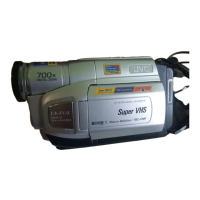
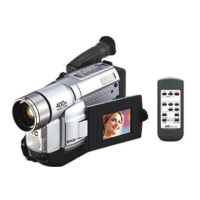
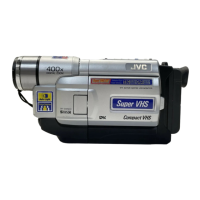
USING THE REMOTE CONTROL UNIT (GR-SXM78EA/SXM780A/SXM480A/SXM280A only)
The Full-Function Remote Control Unit can operate this camcorder from a distance as well as the basic
operations (Playback, Stop, Pause, Fast-Forward and Rewind) of your VCR. Make sure the remote control is
pointed at the remote sensor
p
.



 To Next Page