Introduction
3
Introduction/Preparation
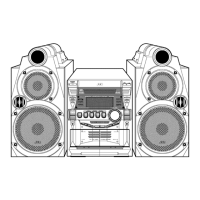
Part Identification
* When the power is turned off, the STANDBY lamp lights red. When the power is turned on, the STANDBY
lamp goes off.
** This terminal is for connecting a pair of headphones equipped with a stereo mini plug (not supplied).
While the headphones are connected, the speakers do not produce any sound.
10
9
9
19, 20 22 12 16, 17
9, 13
13 - 15, 17 13 - 15, 17
10
9, 15 - 17
15, 23
15
18
14
11, 22
Remote control
sensor: 4
7
15
11
9
9, 15, 23
Disc tray: 15
7
9,14
*
**
9, 18
The numbers in the figure indicate the
pages where the details of the parts are.
UX-QX3W_A[A].book Page 3 Friday, July 21, 2006 4:37 PM



 To Next Page