EasyManua.ls Logo

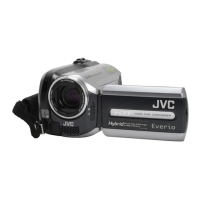
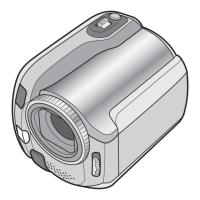
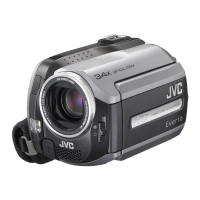
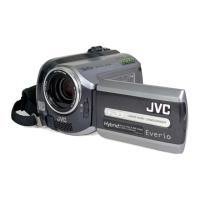
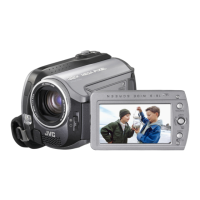
JVC GZ-MG135U - User Manual

JVC GZ-MG135U
120 pages
Print Icon
To Next Page IconTo Next Page
Loading...
ENGLISH
FRANÇAIS
EN FR
INSTRUCTIONS
MANUEL D’UTILISATION
HARD DISK CAMCORDER
CAMÉSCOPE À DISQUE DUR
GZ-MG135U
Dear Customer
Thank you for purchasing
this hard disk camera. Before
use, please read the safety
information and precautions
contained in pages 2 and 3 to
ensure safe use of this product.
For Future Reference:
Enter the Model No. (located on
the bottom of the camera) and
Serial No. (located on the battery
pack mount of the camera)
below.
Model No.
Serial No.
Cher client,
Nous vous remercions d’avoir
acheté cet appareil photo à
disque dur. Avant utilisation,
veuillez lire les informations
et les précautions de sécurité
présentées dans les pages 2 et 3
pour utiliser cet appareil en toute
sécurité.
Pour consultation ultérieure :
Noter ci-dessous le N° de
modèle (fi gurant sous l’appareil
photo) et le N° de série (fi gurant
sur le logement de la batterie de
l’appareil photo).
N° de modèle
N° de série
Downloaded From VideoCamera-Manual.com Manuals

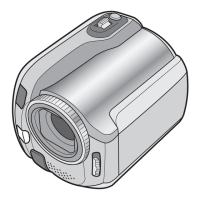
Table of Contents

Questions and Answers

  • M
    Marcia ThompsonSep 23, 2025
    Why white balance setting cannot be activated on JVC Camcorder?
    • G
      gabriel87Sep 23, 2025
      If the white balance setting cannot be activated on your JVC Camcorder, make sure you have not selected the sepia (SEPIA) or monotone (MONOTONE) mode before setting the white balance.
  • T
    Tiffany HarrisAug 23, 2025
    Why does the image aspect ratio look strange when watching images from my JVC Camcorder on TV?
    • D
      David MillerAug 25, 2025
      If your JVC Camcorder displays a strange aspect ratio when viewing images on your TV, adjust the [SELECT TV TYPE] settings to match the screen size of your connected TV.
  • J
    juarezjasonAug 25, 2025
    Why won't my JVC GZ-MG135U Camcorder turn on, or why is the battery life so short?
    • C
      Carrie ClarkAug 26, 2025
      If your JVC Camcorder isn't turning on, or the battery life is very short even after a full charge, ensure you're using the camera within appropriate operating temperatures. If the issue continues, the battery may be worn out and need replacing.
  • D
    Derek AvilaAug 27, 2025
    Why does the remaining battery power on my JVC Camcorder seem inaccurate?
    • L
      lucasjohnsonAug 27, 2025
      If the displayed amount of remaining battery power on your JVC Camcorder differs from the actual operating time, fully charge the battery and then let it run down completely. If the problem continues, the battery is likely worn out and needs replacing.
  • A
    Andrew DeleonAug 27, 2025
    How to fix JVC GZ-MG135U when no power is supplied?
    • D
      Douglas WatsonAug 27, 2025
      If your JVC Camcorder isn't getting power, make sure the AC adapter is securely connected. If you're using a battery, detach it and re-attach it firmly, or replace the dead battery with a fully charged one.
  • A
    Amy Riley MDSep 16, 2025
    Why access or charge lamp on JVC GZ-MG135U Camcorder doesn't light during charging?
    • R
      ryanortizSep 16, 2025
      If the access/charge lamp on your JVC Camcorder doesn't light during charging, it could be due to extremely high or low temperatures. It is recommended to charge the battery in temperatures between 10°C to 35°C (50°F to 95°F) to protect it. Also, the lamp will not light if the battery is already fully charged; check the remaining battery power.
  • M
    Mr. Miguel RichmondSep 13, 2025
    Why does JVC GZ-MG135U battery power differ from operating time?
    • A
      Anna HunterSep 13, 2025
      If the displayed amount of remaining battery power on your JVC Camcorder differs from the actual operating time, fully charge the battery and then run it down completely. If the problem continues, the battery may be worn out and need to be replaced.
  • J
    Jacqueline WestSep 15, 2025
    What to do if JVC GZ-MG135U Camcorder power was turned off accidentally?
    • R
      Robert HawkinsSep 15, 2025
      If your JVC Camcorder's power turned off accidentally, move to a place where there is no vibration or excessive sound. The drop detection function may have operated; set the power/mode switch to OFF, and then to ON again. To disable this function, set [DROP DETECTION] to [OFF].
  • T
    Troy SilvaSep 5, 2025
    How to display date and time during recording on JVC Camcorder?
    • J
      Janet MartinSep 5, 2025
      If the date/time isn't showing up during recording on your JVC Camcorder, make sure that [DATE/TIME] is set to [ON] in the settings.
  • R
    ryanduranSep 3, 2025
    Why does no display appear on my JVC GZ-MG135U?
    • C
      Colin TannerSep 3, 2025
      If your JVC Camcorder does not display anything on the LCD monitor, and the camera has been idle for 5 minutes, it may have turned off automatically to save power. When using the battery pack, set the power/mode switch to OFF, then to ON. When using the AC adapter, perform any operation such as zooming. You can also try adjusting the brightness of the LCD monitor.

JVC GZ-MG135U Specifications

General IconGeneral
TypeHard Disk Drive Camcorder
Video FormatMPEG-2
Optical Zoom32x
LCD Screen Size2.7 inches
Still Image CaptureYes
Weight380g (without battery)
Digital Zoom800x
Image StabilizerElectronic
Image Sensor Size1/6 inch
Still Image FormatJPEG
InterfaceUSB 2.0
Recording MediaHDD
Image SensorCCD

Related product manuals