EasyManua.ls Logo

JVC HR-J768EU - User Manual

JVC HR-J768EU
56 pages
Print Icon
To Next Page IconTo Next Page
Loading...
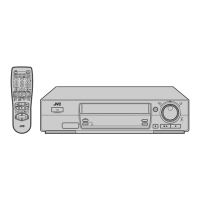
VIDEO CASSETTE RECORDER
INSTRUCTIONS
LPT0199-001A
PAL
HR-J768EU
T
V
P
R
O
G
+
T
V
P
R
O
G
T
V
T
V
+
TV
0000
START
DEBUT
STOP
FIN
DATE
MENU
OK
TV
PROG
TV/VCR
DAILY/QTDN.VPS/PDC
AUX
?
WEEKLY/HEBDO
PROG
30 SEC
– –:– –
AUDIO
123
456
7
89
0
2
4
1
3
EXPRESS
STANDBY/ON
TIMER
REC LINK
TV PROG
REW
FF
TV PROG/
JOG
SHUTTLE
FIRST
SEE
AUTO SET-UP
ON BACK
EN
CONTENTS
SAFETY FIRST 2
Safety Precautions.............................2
INSTALLING YOUR NEW RECORDER 3
Basic Connections ............................3
INITIAL SETTINGS 4
Auto Set Up ......................................4
Preset Download ..............................6
Language ..........................................8
On-Screen Displays ..........................9
Power Save Mode...........................10
T-V LINK 11
T-V Link Functions.......................... 11
INFORMATION ON COLOUR SYSTEM 12
Colour System Set...........................12
PLAYBACK 13
Basic Playback................................13
Playback Features...........................14
RECORDING 19
Basic Recording..............................19
Recording Features .........................20
B.E.S.T. Picture System....................22
TIMER RECORDING 24
SHOWVIEW Timer Programming.......24
Express Timer Programming............26
Automatic Satellite
Programme Recording ....................30
EDITING 31
Edit From A Camcorder...................31
Edit To Or From Another Video
Recorder.........................................32
SYSTEM CONNECTIONS 34
Connection To A Satellite Tuner ......34
Connecting/Using A Decoder .........36
Connecting/Using A Stereo System....37
SUBSIDIARY SETTINGS 38
Tuner Set.........................................38
Video Channel Set ..........................45
Clock Set ........................................46
SHOWVIEW Setup.............................48
TROUBLESHOOTING 49
QUESTIONS AND ANSWERS 51
INDEX 52
SPECIFICATIONS 55
ENGLISH
Question and Answer IconNeed help?

Do you have a question about the JVC HR-J768EU and is the answer not in the manual?

Summary

Safety First

Safety Precautions

Essential warnings to prevent fire, shock, and damage to the unit.

Important Precautions

Key safety advice regarding environment, voltage, and usage.

Installing Your New Recorder

Basic Connections

Step-by-step guide on connecting the recorder to a TV.

Initial Settings

Auto Set Up

Automatic setup for channels, clock, and program numbers.

Initial Settings (cont.)

Select Language

Choosing the on-screen display language for setup.

Perform Auto Set Up

Initiating the automatic setup process.

Confirm;Set Video Channel

Setting the video channel for RF or AV connections.

Initial Settings (cont.)

Preset Download

Downloading preset data from TV for tuner channels.

Set Video Channel

Setting the video channel for RF connection.

Initial Settings (cont.)

Results of Auto Set Up;Preset Download

Understanding the outcome of the setup process.

Just Clock

Automatic time adjustment feature.

Initial Settings (cont.)

Language

Manually changing the on-screen display language.

On-Screen Displays

Enable;Disable On-Screen Display

Controlling which operational indicators appear on screen.

Initial Settings (cont.)

Power Save Mode

Reducing power consumption when the recorder is off.

T-V Link Functions

Direct Rec

Starting recording by simple operation.

Information on Colour System

Colour System Set

Selecting the correct colour system for playback/recording.

Playback

Basic Playback

Loading a cassette and starting tape playback.

Playback Features

High-Speed Search

Activating forward or reverse high-speed tape search.

Still Picture;Frame-By-Frame Playback

Pausing or advancing frame-by-frame.

Playback (cont.)

Slow Motion

Activating slow-motion playback.

Variable-Speed Search

Performing variable-speed tape search.

Manual Tracking

Adjusting tape tracking manually.

Playback (cont.)

Index Search

Accessing recorded sections using index codes.

Skip Search

Skipping unwanted sections of a tape.

Playback (cont.)

Instant ReView

Quickly playing back the last recorded programme.

Repeat Playback

Playing back the entire tape repeatedly.

Playback (cont.)

Picture Control

Adjusting playback picture quality.

Soundtrack Selection

Choosing the audio track for playback.

Recording

Basic Recording

Recording TV signals onto a video tape.

Recording Features

Record One Programme While Watching Another

Recording one channel while viewing another.

Instant Timer Recording (ITR)

Recording for a set duration.

Recording (cont.)

Receiving Stereo And Bilingual Programmes

Understanding stereo and bilingual broadcast reception.

To Record Stereo And Bilingual Programmes

Recording stereo and bilingual broadcasts.

To Record NICAM Stereo And Bilingual Programmes

Recording NICAM stereo and bilingual broadcasts.

Recording (cont.)

B.E.S.T. Picture System

System for optimizing recording and playback picture quality.

Recording (cont.)

Start Recording

Initiating recording with B.E.S.T. system.

Start Playback

Starting playback and assessing tape quality.

Timer Recording

SHOWVIEW Timer Programming

Programming timer recordings using SHOWVIEW codes.

Timer Recording (cont.)

Set Tape Speed

Selecting the tape speed for recording.

Set VPS;PDC Mode

Activating or deactivating VPS/PDC for precise recording.

Timer Recording (cont.)

Express Timer Programming

Setting timer recordings without SHOWVIEW codes.

Timer Recording (cont.)

VPS;PDC Recording

How VPS/PDC ensures accurate timer recording.

Timer Recording (cont.)

Check, Cancel And Replace Programmes

Managing programmed timer recordings.

Timer Recording (cont.)

Auto SP→LP Timer

Automatically switching tape speed to complete recordings.

Auto Timer

Automatically engaging timer mode.

Automatic Satellite Programme Recording

Editing

Edit From A Camcorder

Connecting and using a camcorder as a source.

Editing (cont.)

Edit To Or From Another Video Recorder

Copying tapes between two video recorders.

AV2 SELECT Setting

System Connections

Connection To A Satellite Tuner

Connecting a satellite tuner to the recorder.

System Connections (cont.)

If you have a decoder

Connecting a decoder to the satellite tuner and recorder.

System Connections (cont.)

Connecting;Using A Decoder

Using the AV2 input for an external decoder.

Connecting;Using A Stereo System

Subsidiary Settings

Tuner Set

Setting up the recorder's tuner.

Auto Channel Set

Automatically assigning receivable stations.

Subsidiary Settings (cont.)

Perform Auto Channel Set

Executing the automatic channel scanning process.

View Confirmation Screen

Reviewing scanned channels and their details.

Subsidiary Settings (cont.)

Storing Channels Manually

Manually adding channels not found by auto-scan.

Subsidiary Settings (cont.)

Delete A Channel

Removing unwanted channels from the list.

When Receiving A Scrambled Broadcast

Setting up for scrambled channels using a decoder.

Change Station Channel Position

Rearranging stored channels.

Subsidiary Settings (cont.)

Set Stations (A)

Setting station names registered in the recorder.

Set Stations (B)

Setting station names not registered in the recorder.

Subsidiary Settings (cont.)

Fine-Tuning Channels Already Stored

Manually adjusting channel tuning for clarity.

Video Channel Set

Subsidiary Settings (cont.)

Clock Set

Setting the recorder's built-in clock.

Subsidiary Settings (cont.)

Set Just Clock

Configuring the automatic time adjustment feature.

Set Clock Data Source Channel Position

Specifying the channel for clock data.

SHOWVIEW Setup

Guide Program Number Set

Manually setting guide program numbers for SHOWVIEW.

Troubleshooting

Power Issues

Correcting problems related to power supply.

Tape Transport Issues

Troubleshooting tape not running or rewinding.

Playback Issues

Resolving picture and sound problems during playback.

Recording Issues

Fixing problems with starting recording or input.

Troubleshooting (cont.)

Timer Recording Issues

Diagnosing and fixing timer recording problems.

Other Problems

Addressing issues like audio noise and channel changes.

Questions and Answers

Playback Q&A

Answers to common playback queries.

Recording Q&A

Answers to common recording queries.

Timer Recording Q&A

Answers to common timer recording queries.

Front View

Rear View

Display Panel

Remote Control

Specifications

Summary

Safety First

Safety Precautions

Essential warnings to prevent fire, shock, and damage to the unit.

Important Precautions

Key safety advice regarding environment, voltage, and usage.

Installing Your New Recorder

Basic Connections

Step-by-step guide on connecting the recorder to a TV.

Initial Settings

Auto Set Up

Automatic setup for channels, clock, and program numbers.

Initial Settings (cont.)

Select Language

Choosing the on-screen display language for setup.

Perform Auto Set Up

Initiating the automatic setup process.

Confirm;Set Video Channel

Setting the video channel for RF or AV connections.

Initial Settings (cont.)

Preset Download

Downloading preset data from TV for tuner channels.

Set Video Channel

Setting the video channel for RF connection.

Initial Settings (cont.)

Results of Auto Set Up;Preset Download

Understanding the outcome of the setup process.

Just Clock

Automatic time adjustment feature.

Initial Settings (cont.)

Language

Manually changing the on-screen display language.

On-Screen Displays

Enable;Disable On-Screen Display

Controlling which operational indicators appear on screen.

Initial Settings (cont.)

Power Save Mode

Reducing power consumption when the recorder is off.

T-V Link Functions

Direct Rec

Starting recording by simple operation.

Information on Colour System

Colour System Set

Selecting the correct colour system for playback/recording.

Playback

Basic Playback

Loading a cassette and starting tape playback.

Playback Features

High-Speed Search

Activating forward or reverse high-speed tape search.

Still Picture;Frame-By-Frame Playback

Pausing or advancing frame-by-frame.

Playback (cont.)

Slow Motion

Activating slow-motion playback.

Variable-Speed Search

Performing variable-speed tape search.

Manual Tracking

Adjusting tape tracking manually.

Playback (cont.)

Index Search

Accessing recorded sections using index codes.

Skip Search

Skipping unwanted sections of a tape.

Playback (cont.)

Instant ReView

Quickly playing back the last recorded programme.

Repeat Playback

Playing back the entire tape repeatedly.

Playback (cont.)

Picture Control

Adjusting playback picture quality.

Soundtrack Selection

Choosing the audio track for playback.

Recording

Basic Recording

Recording TV signals onto a video tape.

Recording Features

Record One Programme While Watching Another

Recording one channel while viewing another.

Instant Timer Recording (ITR)

Recording for a set duration.

Recording (cont.)

Receiving Stereo And Bilingual Programmes

Understanding stereo and bilingual broadcast reception.

To Record Stereo And Bilingual Programmes

Recording stereo and bilingual broadcasts.

To Record NICAM Stereo And Bilingual Programmes

Recording NICAM stereo and bilingual broadcasts.

Recording (cont.)

B.E.S.T. Picture System

System for optimizing recording and playback picture quality.

Recording (cont.)

Start Recording

Initiating recording with B.E.S.T. system.

Start Playback

Starting playback and assessing tape quality.

Timer Recording

SHOWVIEW Timer Programming

Programming timer recordings using SHOWVIEW codes.

Timer Recording (cont.)

Set Tape Speed

Selecting the tape speed for recording.

Set VPS;PDC Mode

Activating or deactivating VPS/PDC for precise recording.

Timer Recording (cont.)

Express Timer Programming

Setting timer recordings without SHOWVIEW codes.

Timer Recording (cont.)

VPS;PDC Recording

How VPS/PDC ensures accurate timer recording.

Timer Recording (cont.)

Check, Cancel And Replace Programmes

Managing programmed timer recordings.

Timer Recording (cont.)

Auto SP→LP Timer

Automatically switching tape speed to complete recordings.

Auto Timer

Automatically engaging timer mode.

Automatic Satellite Programme Recording

Editing

Edit From A Camcorder

Connecting and using a camcorder as a source.

Editing (cont.)

Edit To Or From Another Video Recorder

Copying tapes between two video recorders.

AV2 SELECT Setting

System Connections

Connection To A Satellite Tuner

Connecting a satellite tuner to the recorder.

System Connections (cont.)

If you have a decoder

Connecting a decoder to the satellite tuner and recorder.

System Connections (cont.)

Connecting;Using A Decoder

Using the AV2 input for an external decoder.

Connecting;Using A Stereo System

Subsidiary Settings

Tuner Set

Setting up the recorder's tuner.

Auto Channel Set

Automatically assigning receivable stations.

Subsidiary Settings (cont.)

Perform Auto Channel Set

Executing the automatic channel scanning process.

View Confirmation Screen

Reviewing scanned channels and their details.

Subsidiary Settings (cont.)

Storing Channels Manually

Manually adding channels not found by auto-scan.

Subsidiary Settings (cont.)

Delete A Channel

Removing unwanted channels from the list.

When Receiving A Scrambled Broadcast

Setting up for scrambled channels using a decoder.

Change Station Channel Position

Rearranging stored channels.

Subsidiary Settings (cont.)

Set Stations (A)

Setting station names registered in the recorder.

Set Stations (B)

Setting station names not registered in the recorder.

Subsidiary Settings (cont.)

Fine-Tuning Channels Already Stored

Manually adjusting channel tuning for clarity.

Video Channel Set

Subsidiary Settings (cont.)

Clock Set

Setting the recorder's built-in clock.

Subsidiary Settings (cont.)

Set Just Clock

Configuring the automatic time adjustment feature.

Set Clock Data Source Channel Position

Specifying the channel for clock data.

SHOWVIEW Setup

Guide Program Number Set

Manually setting guide program numbers for SHOWVIEW.

Troubleshooting

Power Issues

Correcting problems related to power supply.

Tape Transport Issues

Troubleshooting tape not running or rewinding.

Playback Issues

Resolving picture and sound problems during playback.

Recording Issues

Fixing problems with starting recording or input.

Troubleshooting (cont.)

Timer Recording Issues

Diagnosing and fixing timer recording problems.

Other Problems

Addressing issues like audio noise and channel changes.

Questions and Answers

Playback Q&A

Answers to common playback queries.

Recording Q&A

Answers to common recording queries.

Timer Recording Q&A

Answers to common timer recording queries.

Front View

Rear View

Display Panel

Remote Control

Specifications

JVC HR-J768EU Specifications

General IconGeneral
TypeVCR
Video FormatPAL
Hi-Fi StereoYes
Number of Heads4
ShowViewYes
Remote ControlYes
TunerYes
TimerYes
Power SupplyAC 220-240V, 50Hz
Recording SpeedSP, LP
Playback FeaturesFrame Advance
ConnectionsScart
InputsSCART
OutputsSCART

Related product manuals