—1—
ENGLISH
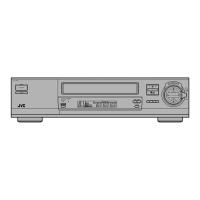
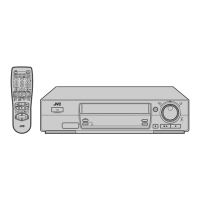
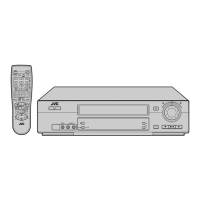
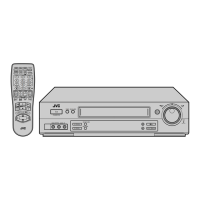
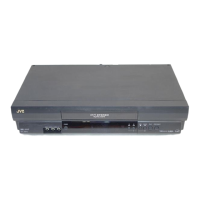
VIDEO CASSETTE RECORDER
HR-J790EU
HR-J794EU
INSTRUCTIONS
LPT0627-001C Printed in Germany
COPYRIGHT © 2002 VICTOR COMPANY OF JAPAN, LTD. 0302 MNVfIDfJVE
SAFETY FIRST............................................................................... 1
Buttons, Connectors and Indicators ................................................ 2
Basic Connections.......................................................................... 3
Initial Settings.............................................................................. 4
Auto Set Up............................................................................ 4
Preset Download.................................................................... 4
Language Set .......................................................................... 4
T-V Link Functions......................................................................... 5
Satellite Receiver Control Set ........................................................ 5
Playback ...................................................................................... 6
Recording..................................................................................... 7
S
HOW
V
IEW
®
System Setup ............................................................. 8
Timer Recording............................................................................ 9
S
HOW
V
IEW
®
Timer Programming............................................. 9
Express Timer Programming.................................................... 9
24 Hour Express Timer Programming.................................... 10
Checking, canceling or changing programme settings........... 10
Automatic Satellite Programme Recording............................ 10
Editing ....................................................................................... 11
Editing with another video recorder or a camcorder ............. 11
Audio Dubbing..................................................................... 11
System Connections .................................................................... 12
Connecting to a satellite receiver.......................................... 12
Connecting/Using a decoder ................................................ 12
Connecting/Using a stereo system ........................................ 12
Subsidiary Settings..................................................................... 12
Mode Set.............................................................................. 12
Clock Set.............................................................................. 13
Tuner Set .............................................................................. 13
Video Channel Set................................................................ 16
Specifications.............................................................................. 16
Safety Precautions
The rating plate and the safety caution are on the rear of the unit.
WARNING: DANGEROUS VOLTAGE INSIDE
WARNING: TO PREVENT FIRE OR SHOCK HAZARD, DO NOT
EXPOSE THIS UNIT TO RAIN OR MOISTURE.
● Cassettes marked “VHS” (or “S-VHS”) can be used with this
video cassette recorder. However, S-VHS recording is not
possible with this model.
● This model is equipped with SQPB (S-VHS QUASI PLAYBACK)
that makes it possible to play back S-VHS recordings in the SP
mode with regular VHS resolution.
● HQ VHS is compatible with existing VHS equipment.
● S
HOW
V
IEW
is a registered trademark of Gemstar Development
Corporation. The S
HOW
V
IEW
system is manufactured under
licence from Gemstar Development Corporation.
SAFETY FIRST
CAUTION
䡲 When you are not using the recorder for a long period of
time, it is recommended that you disconnect the power cord
from the mains outlet.
䡲 Dangerous voltage inside. Refer internal servicing to qualified
service personnel. To prevent electric shock or fire hazard,
remove the power cord from the mains outlet prior to
connecting or disconnecting any signal lead or aerial.
WARNING
There are two different types of SECAM colour systems:
SECAM-L, used in FRANCE (also called SECAM-West), and
SECAM-B, used in Eastern European countries (also called
SECAM-East).
1. This recorder can also receive SECAM-B colour television
signals for recording and playback.
2. Recordings made of SECAM-B television signals produce
monochrome pictures if played back on a video recorder of
SECAM-L standard, or do not produce normal colour
pictures if played back on a PAL video recorder with
SECAM-B system incorporated (even if the TV set is SECAM-
compatible).
3. SECAM-L prerecorded cassettes or recordings made with a
SECAM-L video recorder produce monochrome pictures
when played back with this recorder.
4. This recorder cannot be used for the SECAM-L standard. Use
a SECAM-L recorder to record SECAM-L signals.
IMPORTANT
䡲 Please read the various precautions on pages 1 and 2 before
installing or operating the recorder.
䡲 It should be noted that it may be unlawful to re-record pre-
recorded tapes, records, or discs without the consent of the
owner of copyright in the sound or video recording, broadcast
or cable programme and in any literary, dramatic, musical, or
artistic work embodied therein.
For Italy:
“It is declared that this product, brand JVC, conforms to the
Ministry Decree n. 548 of 28 Aug.’95 published in the Official
Gazette of the Italian Republic n. 301 of 28 Dec.’95”
The STANDBY/ON 1 button does not completely shut off
mains power from the unit, but switches operating current on
and off. “`” shows electrical power standby and “ ! ” shows
ON.
Video tapes recorded with this video recorder in the LP (Long
Play) mode cannot be played back on a single-speed video
recorder.

 Need help?

 To Next Page

 General