EasyManua.ls Logo

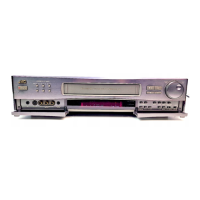
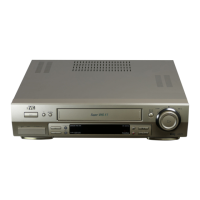
JVC HR-S6970AG - User Manual

JVC HR-S6970AG
24 pages
Print Icon
To Next Page IconTo Next Page
Loading...
September 15, 2004 11:23 am Page 1
ENGLISH
Master Page: Cover
EN
VIDEO CASSETTE RECORDER
HR-S6970AG
HR-S6970AJ
INSTRUCTIONS
LPT0958-001A
CONTENTS
SAFETY FIRST............................................................................... 1
Buttons, Connectors and Indicators ................................................ 3
Basic Connections.......................................................................... 4
Initial Settings .............................................................................. 5
Video Channel Set.................................................................. 5
Auto Set Up............................................................................ 5
Language setting..................................................................... 6
Clock setting........................................................................... 6
Playback ...................................................................................... 6
Recording..................................................................................... 8
Timer Recording.......................................................................... 10
G-CODE
TM
/SHOWVIEW
TM
System Setup ................................... 10
G-
CODE
TM
/SHOWVIEW
TM
Timer Programming ......................... 10
Express Timer Programming.................................................. 11
24H Express Timer Programming.......................................... 11
Automatic Satellite Program Recording................................. 12
Other functions........................................................................... 13
Function Settings .................................................................. 13
Special Features.......................................................................... 14
Remote Control Functions .................................................... 14
Tuner Setting .............................................................................. 16
Editing ....................................................................................... 17
Editing from a camcorder ..................................................... 17
Edit to or from Another Video Recorder................................ 18
System Connections .................................................................... 19
Connecting/Using a Stereo System ....................................... 19
Specifications.............................................................................. 19
Information on Multi-System Compatibility................................... 20
Troubleshooting .......................................................................... 22
Safety Precautions
The rating plate and the safety caution are on the rear of the unit.
WARNING: DANGEROUS VOLTAGE INSIDE
WARNING: TO PREVENT FIRE OR SHOCK HAZARD, DO NOT
EXPOSE THIS UNIT TO RAIN OR MOISTURE.
SAFETY FIRST
CAUTION
When you are not using the recorder for a long period of
time, it is recommended that you disconnect the power cord
from the mains outlet.
Dangerous voltage inside. Refer internal servicing to qualified
service personnel. To prevent electric shock or fire hazard,
remove the power cord from the mains outlet prior to
connecting or disconnecting any signal lead or aerial.
(For HR-S6970AJ)
Use the conversion plug depending on type of your AC wall
outlet.
ATTENTION
1. This recorder can also receive SECAM colour television
signals for recording and playback.
2. Recordings made of SECAM television signals produce
monochrome pictures if played back on another video
recorder of SECAM standard, or do not produce normal
colour pictures if played back on another video recorder of
PAL standard.
3. SECAM prerecorded cassettes or recordings made with a
SECAM video recorder produce monochrome pictures when
played back with this recorder.
IMPORTANT
Please read the various precautions on this page before
installing or operating the recorder.
It should be noted that it may be unlawful to re-record pre-
recorded tapes, records, or discs without the consent of the
owner of copyright in the sound or video recording, broadcast
or cable programme and in any literary, dramatic, musical, or
artistic work embodied therein.
HR-S6970AG.AJ_EN.fm Page 1 Wednesday, September 15, 2004 11:23 AM


Questions and Answers

  • P
    Patricia JonesSep 23, 2025
    Why did my manual channel settings change on my JVC HR-S6970AG?
    • K
      Kayla FowlerSep 23, 2025
      If channel settings that were made manually seem to have changed or disappeared on your JVC VCR, it's because Auto Channel Set was performed after the manual settings. Perform manual setting again.
  • A
    April WelchAug 25, 2025
    What to do if the playback picture is blurred on my JVC HR-S6970AG VCR?
    • L
      Lisa NormanAug 25, 2025
      If the playback picture on your JVC VCR is blurred or interrupted while TV broadcasts are clear, or if “USE CLEANING CASSETTE” appears on the screen, it probably means the video heads are dirty. You should clean the heads using a dry cleaning cassette –TCL-2– or consult your JVC dealer.
  • H
    hrothAug 25, 2025
    What to do if recording cannot be started on JVC HR-S6970AG?
    • E
      Emily PattersonAug 26, 2025
      If you can't start recording on your JVC VCR, it might be because there's no cassette loaded or the cassette has had its Record Safety tab removed. To fix this, insert a cassette, or if the tab is removed, reseal the slot using adhesive tape.
  • P
    Phyllis DuranAug 26, 2025
    Why does my JVC HR-S6970AG playback picture have a loss of colour?
    • K
      kbowmanAug 27, 2025
      If you're experiencing a loss of color in the playback picture on your JVC VCR, it's likely due to selecting the wrong color system for the tape. Ensure you select the correct color system. Note that once a tape is recorded with the wrong setting, it cannot be corrected, so always choose the right setting before recording.
  • R
    Ryan EvansSep 23, 2025
    Why are no channels stored in the memory of my JVC HR-S6970AG?
    • N
      nperezSep 23, 2025
      If no channels are stored in your JVC VCR's memory, it's likely because the TV aerial cable was not connected to the recorder when Auto Set Up was performed. Connect the TV aerial cable to the recorder properly and turn off the recorder power once, then turn the recorder power back on again. The recorder will try Auto Set Up again.
  • M
    Melody AndersonSep 13, 2025
    Why doesn't timer recording work on my JVC VCR?
    • M
      Misty CarneySep 13, 2025
      If timer recording isn't working on your JVC VCR, double-check that the clock and timer have been set correctly, and that the timer is engaged. Press # and make sure “#” is displayed on the display panel.
  • P
    Pamela McdonaldSep 12, 2025
    Why is tape-to-tape editing not possible on my JVC VCR?
    • M
      Michael HoweSep 12, 2025
      If tape-to-tape editing isn't working on your JVC VCR, make sure the source (another video recorder, camcorder) is properly connected, all necessary power switches are turned on, and the input mode is set correctly to “L-1”, “F-1”, “S-1” or “S-2.”
  • J
    Jason PerezSep 12, 2025
    Why is camcorder recording not possible on my JVC HR-S6970AG?
    • R
      Robert DouglasSep 12, 2025
      If you can't record with your camcorder on your JVC VCR, ensure that the camcorder is properly connected and that the input mode is correctly set to “L-1”, “F-1”, “S-1” or “S-2.”
  • A
    Amy CooperSep 4, 2025
    What to do if the playback picture does not appear while the tape is running on JVC HR-S6970AG VCR?
    • D
      David CollinsSep 4, 2025
      If the playback picture does not appear while the tape is running on your JVC VCR, and you're using the RF OUT connection, make sure the TV receiver's channel selector is set to the VIDEO channel and that the recorder's VIDEO channel has been correctly set. If you're using the AV or S-VIDEO connection, ensure the TV receiver is set to the AV mode.
  • O
    ogibsonSep 2, 2025
    Why is there whistling during camcorder recording on my JVC HR-S6970AG VCR?
    • G
      gclarkSep 2, 2025
      If you're hearing whistling or howling from the TV during camcorder recording with your JVC VCR, it's likely because the camcorder's microphone is too close to the TV or the TV's volume is too high. Try positioning the camcorder so its microphone is away from the TV and turn the TV's volume down.

Summary

Safety First and Precautions

Important Safety Precautions

Guidelines for preventing hazards such as electric shock, fire, and ensuring safe operation.

Initial Device Connections

Initial Setup Procedures

Automatic Setup Guide

Step-by-step guidance for setting language, clock, and tuner channels automatically.

Video Playback Operations

Basic Playback Steps

Instructions on how to load a cassette and start playback.

Video Recording Operations

Basic Recording Steps

Instructions for performing a standard recording.

Timer Recording Setup

Advanced Device Features

Remote Control Functions

Instructions for using remote control features like A/B code switching.

Troubleshooting: Power, Tape, Playback

Power Troubleshooting

Solutions for problems related to power supply and remote control.

Tape Transport Troubleshooting

Corrective actions for issues with tape rewinding or fast-forwarding.

Playback Troubleshooting

Solutions for playback issues like no picture, noise, or color loss.

Troubleshooting: Recording and Timer

Recording Troubleshooting

Solutions for problems encountered during recording or tape editing.

JVC HR-S6970AG Specifications

General IconGeneral
TypeVCR
Recording SpeedSP, LP, EP
Audio SystemHi-Fi Stereo
Number of heads4
Remote controlYes
TunerYes
Auto TrackingYes
On-Screen DisplayYes
Timer RecordingYes
Video FormatS-VHS
Playback SpeedSP, LP
ConnectionsComposite Video

Related product manuals