EasyManua.ls Logo

JVC JA-S310 - Page 6

JVC JA-S310
23 pages
Print Icon
To Next Page IconTo Next Page
To Previous Page IconTo Previous Page
Loading...
How
to
Replace
Main
Parts
(II)
JA-S310
No.
2355
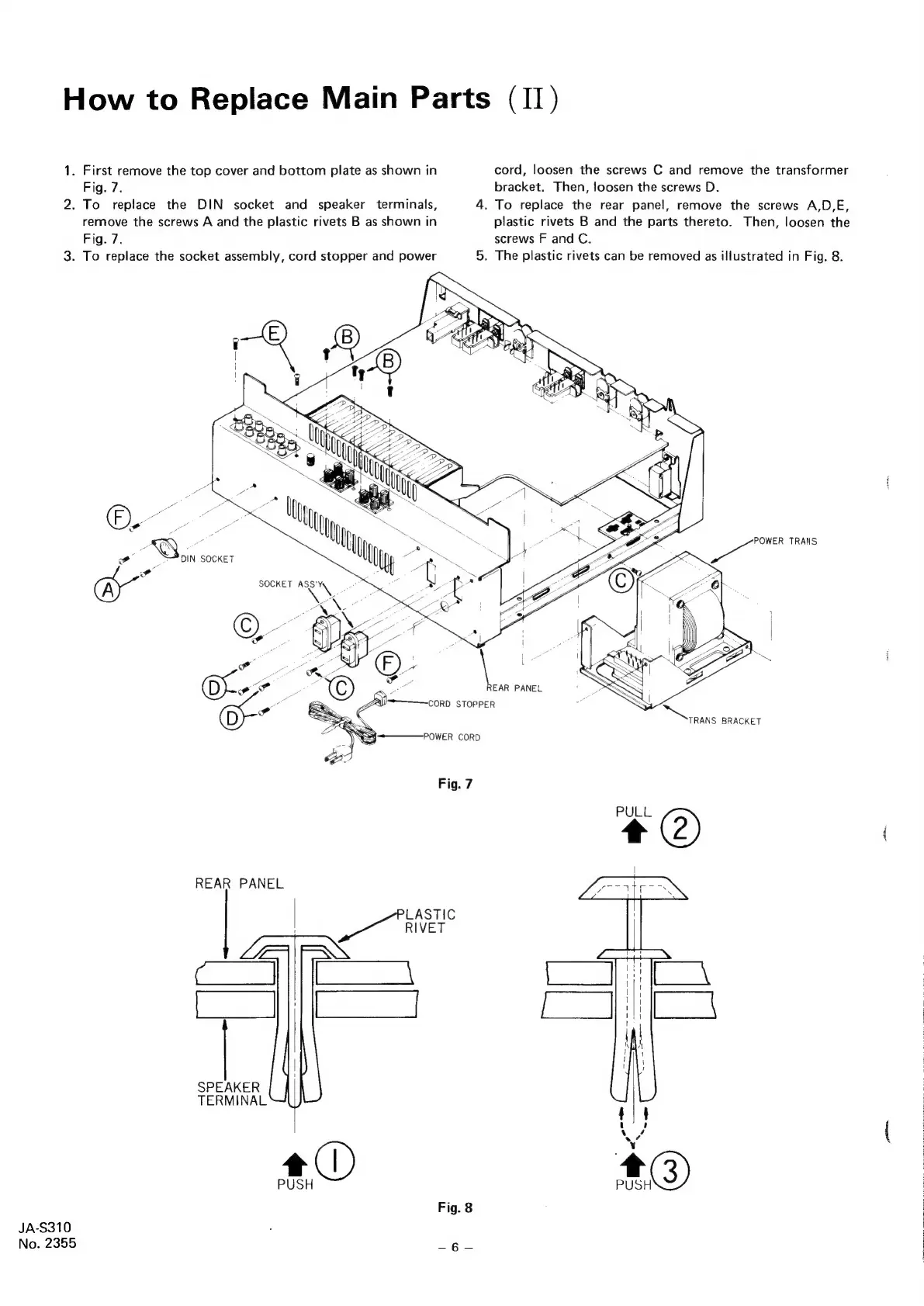
Fig.
7.
.
First
remove
the
top
cover
and
bottom
plate
as
shown
in
.
To
replace
the
DIN
socket
and
speaker
terminals,
remove
the
screws
A
and
the
plastic
rivets
B
as
shown
in
Fig.
7.
DIN
SOCKET
oo
REAR
PANEL
cd
[|
SPEAKER
TERMINAL
.
To
replace
the
socket
assembly,
cord
stopper
and
power
Fig.
7
LASTIC
a
River
a)
PUSH
Fig.
8
w-————CORD
STOPPER
cord,
loosen
the
screws
C
and
remove
the
transformer
bracket.
Then,
loosen
the
screws
D.
4.
To
replace
the
rear
panel,
remove
the
screws
A,D,E
phtyhy
plastic
rivets
B
and
the
parts
thereto.
Then,
loosen
the
screws
F
and
C.
5.
The
plastic
rivets
can
be
removed
as
illustrated
in
Fig.
8.
REAR
PANEL
TRANS
BRACKET
Aten,

Related product manuals