(No.MA151)1-7
SECTION 3
DISASSEMBLY
3.1 Main body section
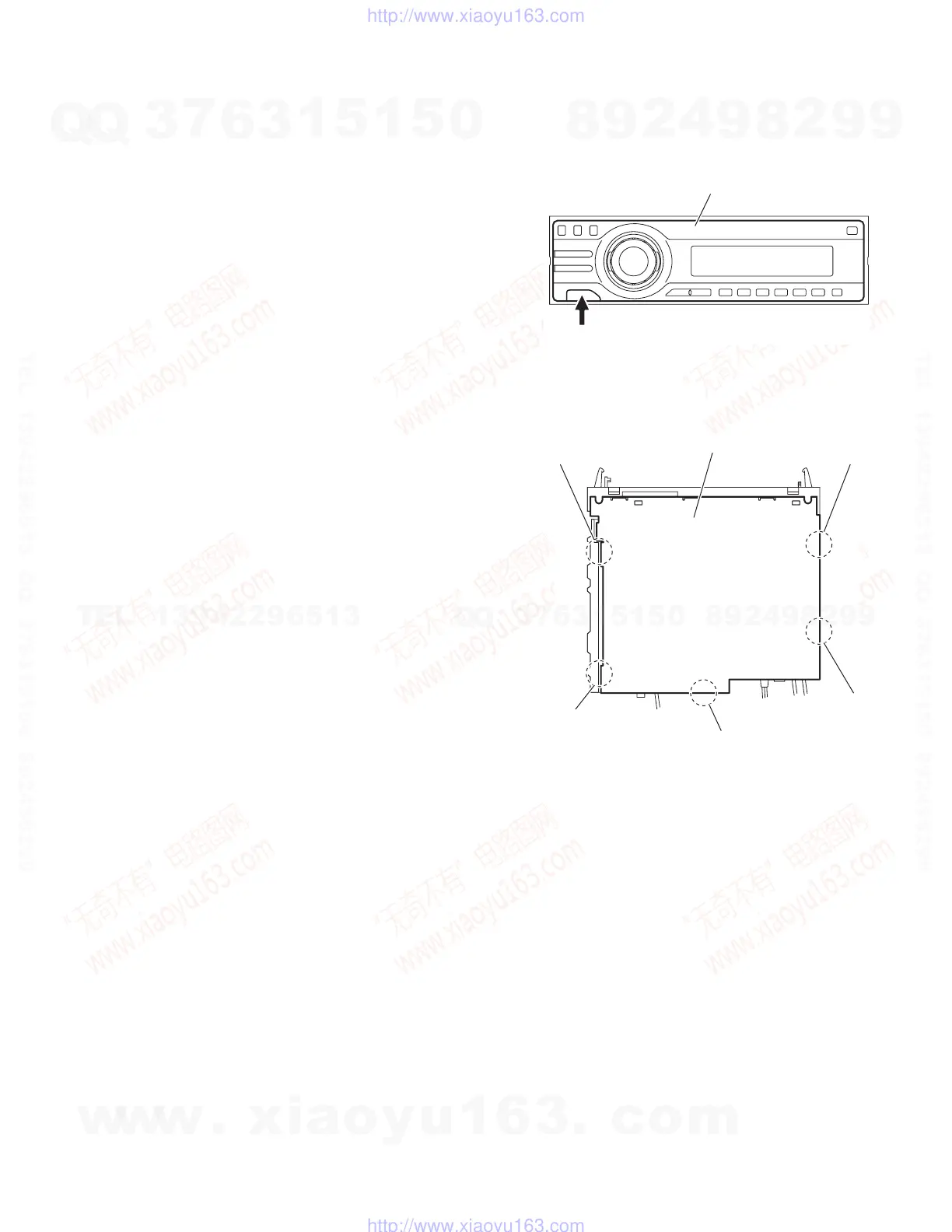
3.1.1 Removing the front panel assembly
(See Fig.1)
Push the detach button in the lower left part of the front panel as-
sembly and remove the front panel assembly.
Fig.1
3.1.2 Removing the bottom cover
(See Fig.2)
Reference:
Remove the front panel assembly as required.
(1) Release the two joints a, two joints b and joint c.
(2) Remove the bottom cover from the main body.
Caution:
Do not damage the main board when releasing the joints using
a screwdriver or a similar tool.
Fig.2
Front panel assembly
Detach button
Bottom cover
b
b
a
a
c
w
w
w
.
x
i
a
o
y
u
1
6
3
.
c
o
m
Q
Q
3
7
6
3
1
5
1
5
0
9
9
2
8
9
4
2
9
8
T
E
L
1
3
9
4
2
2
9
6
5
1
3
9
9
2
8
9
4
2
9
8
0
5
1
5
1
3
6
7
3
Q
Q
TEL 13942296513 QQ 376315150 892498299
TEL 13942296513 QQ 376315150 892498299
http://www.xiaoyu163.com
http://www.xiaoyu163.com



 To Next Page
 Loading...