EasyManua.ls Logo

JVC KD-DV5606 - User Manual

JVC KD-DV5606
37 pages
Print Icon
To Next Page IconTo Next Page
Loading...
EN
0110DTSMDTJEIN
© 2010 Victor Company of Japan, Limited
Having TROUBLE with operation?
Please reset your unit
Refer to page of How to reset your unit
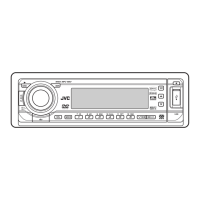
DVD/CD RECEIVER
INSTRUCTIONS
GET0654-001A
[U/UH/UI]
For canceling the display demonstration, see page 4.
For installation and connections, refer to the separate manual.
KD-DV5606/
KD-DV5605/KD-DV5604
CoverRear_KD-DV5606_001A_f.indd 1CoverRear_KD-DV5606_001A_f.indd 1 12/24/09 10:45:30 AM12/24/09 10:45:30 AM

Other manuals for JVC KD-DV5606

Questions and Answers

JVC KD-DV5606 Specifications

General IconGeneral
CategoryCar Receiver
BrandJVC
ModelKD-DV5606
TypeDVD Receiver
Max Power Output50W x 4
TunerAM/FM
Display TypeLCD
Built-in AmplifierYes
Audio InputAuxiliary input
BluetoothNo
Remote ControlYes
DIN SizeSingle DIN
Playback FormatsDVD, DVD-R/RW, CD, CD-R/RW, MP3, WMA
USB PortYes
Equalizer13-band graphic equalizer
Preamp Outputs3 pairs (Front, Rear, Subwoofer)

Summary

Important Laser Product Information

Laser Safety Precautions

Covers safety precautions for Class 1 laser products and reproduction of caution labels.

Safety Warnings

Operational and General Safety

Details warnings to prevent accidents and damage during installation and operation.

Basic Operations

Using the Control Panel

Explanation of buttons and functions on the unit's main control panel.

Operations

Tuner Operations

Listening to the Radio

Instructions for selecting stations, auto/manual search, and improving reception.

Disc Operations

USB Operations

Connecting and Detaching USB Devices

Instructions for connecting, operating, and detaching USB mass storage devices.

USB Device Compatibility and Usage

Details on USB device compatibility, file formats, and operational notes.

Sound Settings

Disc Setup Menu

Maintenance

Troubleshooting

General and FM;AM Issues

Solutions for common problems related to sound, unit operation, and radio reception.

Disc Playback Issues

Troubleshooting steps for discs not playing, ejecting, or being recognized.

Picture and Disc Recognition Problems

Resolving issues with no picture, incorrect video formats, or unrecognized discs.

Media File Playback Issues

Addressing problems with file playback, noise, or character display for media files.

USB Device Playback Issues

Solutions for common problems encountered during USB device playback.

Specifications

Related product manuals