EasyManua.ls Logo

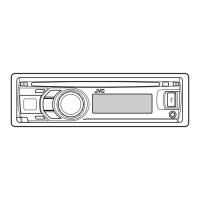
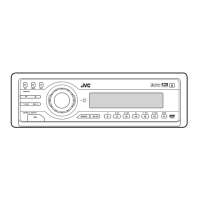
JVC KD-DV5606 - User Manual

JVC KD-DV5606
37 pages
Print Icon
To Next Page IconTo Next Page
Loading...
EN
0110DTSMDTJEIN
© 2010 Victor Company of Japan, Limited
Having TROUBLE with operation?
Please reset your unit
Refer to page of How to reset your unit
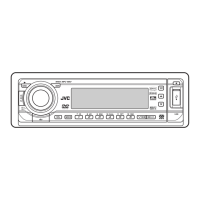
DVD/CD RECEIVER
INSTRUCTIONS
GET0654-001A
[U/UH/UI]
For canceling the display demonstration, see page 4.
For installation and connections, refer to the separate manual.
KD-DV5606/
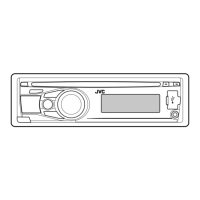
KD-DV5605/KD-DV5604
CoverRear_KD-DV5606_001A_f.indd 1CoverRear_KD-DV5606_001A_f.indd 1 12/24/09 10:45:30 AM12/24/09 10:45:30 AM

Other manuals for JVC KD-DV5606

Questions and Answers

  • S
    Sean JonesSep 1, 2025
    Why is there no sound when playing MPEG video on my JVC KD-DV5606?
    • E
      Emily BrownSep 1, 2025
      If no sound can be heard when a picture is displayed while playing a MPEG Video file on your JVC Car Receiver, record the audio track using MPEG1 Audio Layer 2 as the audio stream for MPEG Video files.
  • Z
    zturnerAug 31, 2025
    Why are tracks not playing as intended on my JVC KD-DV5606 Car Receiver?
    • C
      Christine GriffinAug 31, 2025
      If tracks on your JVC Car Receiver are not playing back as you intended, the playback order is determined when files are recorded.
  • J
    jacksonerinAug 30, 2025
    How to stop noise from JVC KD-DV5606?
    • D
      Derrick SullivanAug 30, 2025
      If you are experiencing noise with your JVC Car Receiver, skip to another track or change the disc.
  • J
    Jeffrey MartinezAug 29, 2025
    Why are sound and pictures interrupted on my JVC Car Receiver?
    • A
      Alyssa FowlerAug 29, 2025
      If the sound and pictures are sometimes interrupted or distorted on your JVC Car Receiver, stop playback while driving on rough roads. You can also try changing the disc, and check the cords and connections.
  • D
    Denise BarberAug 28, 2025
    What to do if disc cannot be played back nor ejected from JVC Car Receiver?
    • R
      Rebecca AllisonAug 28, 2025
      If a disc cannot be played back or ejected from your JVC Car Receiver, try to unlock the disc. If that doesn't work, forcibly eject the disc.
  • T
    Teresa BarrettAug 27, 2025
    How to fix JVC KD-DV5606 Car Receiver when disc cannot be played back?
    • R
      Rachel CamposAug 27, 2025
      If your JVC Car Receiver is unable to play back a disc, ensure that the disc is inserted correctly.
  • R
    Rebecca SmithAug 27, 2025
    Why is there static noise when listening to radio on my JVC KD-DV5606 Car Receiver?
    • S
      Sara HartmanAug 27, 2025
      If you are experiencing static noise while listening to the radio on your JVC Car Receiver, ensure that the antenna is firmly connected.
  • J
    Joel WilliamsAug 25, 2025
    What to do if “NO DISC” appears on JVC KD-DV5606 Car Receiver display?
    • K
      kwardAug 26, 2025
      If you see the message “NO DISC” on the display of your JVC Car Receiver, insert a playable disc into the loading slot.
  • D
    Dr. Mary ParsonsAug 25, 2025
    What to do if my JVC KD-DV5606 does not work?
    • K
      kkaufmanAug 25, 2025
      If your JVC Car Receiver is not working at all, try resetting the unit.

Summary

Important Laser Product Information

Laser Safety Precautions

Covers safety precautions for Class 1 laser products and reproduction of caution labels.

Safety Warnings

Operational and General Safety

Details warnings to prevent accidents and damage during installation and operation.

Basic Operations

Using the Control Panel

Explanation of buttons and functions on the unit's main control panel.

Operations

Tuner Operations

Listening to the Radio

Instructions for selecting stations, auto/manual search, and improving reception.

Disc Operations

USB Operations

Connecting and Detaching USB Devices

Instructions for connecting, operating, and detaching USB mass storage devices.

USB Device Compatibility and Usage

Details on USB device compatibility, file formats, and operational notes.

Sound Settings

Disc Setup Menu

Maintenance

Troubleshooting

General and FM;AM Issues

Solutions for common problems related to sound, unit operation, and radio reception.

Disc Playback Issues

Troubleshooting steps for discs not playing, ejecting, or being recognized.

Picture and Disc Recognition Problems

Resolving issues with no picture, incorrect video formats, or unrecognized discs.

Media File Playback Issues

Addressing problems with file playback, noise, or character display for media files.

USB Device Playback Issues

Solutions for common problems encountered during USB device playback.

Specifications

JVC KD-DV5606 Specifications

General IconGeneral
CategoryCar Receiver
BrandJVC
ModelKD-DV5606
TypeDVD Receiver
Max Power Output50W x 4
TunerAM/FM
Display TypeLCD
Built-in AmplifierYes
Audio InputAuxiliary input
BluetoothNo
Remote ControlYes
DIN SizeSingle DIN
Playback FormatsDVD, DVD-R/RW, CD, CD-R/RW, MP3, WMA
USB PortYes
Equalizer13-band graphic equalizer
Preamp Outputs3 pairs (Front, Rear, Subwoofer)

Related product manuals