EasyManua.ls Logo

JVC KD-DV5606 - User Manual

JVC KD-DV5606
37 pages
Print Icon
To Next Page IconTo Next Page
Loading...
EN
0110DTSMDTJEIN
© 2010 Victor Company of Japan, Limited
Having TROUBLE with operation?
Please reset your unit
Refer to page of How to reset your unit
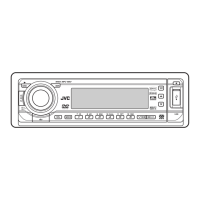
DVD/CD RECEIVER
INSTRUCTIONS
GET0654-001A
[U/UH/UI]
For canceling the display demonstration, see page 4.
For installation and connections, refer to the separate manual.
KD-DV5606/
KD-DV5605/KD-DV5604
CoverRear_KD-DV5606_001A_f.indd 1CoverRear_KD-DV5606_001A_f.indd 1 12/24/09 10:45:30 AM12/24/09 10:45:30 AM

Other manuals for JVC KD-DV5606

Questions and Answers

  • K
    Kimberly CooperSep 12, 2025
    Why is my JVC Car Receiver unable to play back the disc?
    • M
      Michelle HoweSep 12, 2025
      If your JVC Car Receiver is unable to play back a disc, try changing the disc. You can also record the tracks using a compliant application in the appropriate discs. Finally, add the extension code , , , , , , or to the file names.
  • G
    gregorycoleSep 12, 2025
    How to fix missing picture edges on my JVC KD-DV5606 Car Receiver monitor?
    • H
      holly79Sep 12, 2025
      If the left and right edges of the picture are missing on the monitor of your JVC Car Receiver, select “4:3 LETTERBOX”.
  • L
    Larry WalkerSep 9, 2025
    Why is my JVC KD-DV5606 monitor showing black and white wavy pictures?
    • D
      dianawilsonSep 10, 2025
      If the monitor of your JVC Car Receiver shows black and white wavy pictures, select an appropriate video format (PAL/NTSC) for your monitor.
  • A
    amy09Sep 8, 2025
    Why no picture appears on the monitor of my JVC Car Receiver?
    • P
      Pamela PowellSep 8, 2025
      If no picture appears on the monitor connected to your JVC Car Receiver, ensure that the video cord is correctly connected and that you have selected the correct input on the monitor.
  • C
    Christy PatelSep 7, 2025
    Why can't I play recordable discs on my JVC KD-DV5606?
    • M
      Michael WrightSep 7, 2025
      If recordable or rewritable discs cannot be played back or tracks cannot be skipped on your JVC Car Receiver, insert a finalized disc. Make sure you finalize the discs with the component used for recording.
  • T
    Thomas Peterson MDAug 23, 2025
    How to fix JVC Car Receiver when no sound is coming from the speakers?
    • M
      mmcgeeAug 23, 2025
      If you are not hearing sound from the speakers of your JVC Car Receiver, first, ensure that the volume is at an audible level. Also, verify that the unit is not muted or paused. Finally, check all cords and connections to make sure they are properly connected.
  • T
    teresa11Sep 5, 2025
    Why does my JVC Car Receiver say “CANNOT PLAY” or “NO USB”?
    • M
      mary02Sep 5, 2025
      If your JVC Car Receiver displays “CANNOT PLAY” or “NO USB”, or the unit cannot detect the USB device, connect a USB device that contains tracks encoded in an appropriate format. You may also try reconnecting the USB device.
  • K
    Kevin GardnerSep 4, 2025
    What does “CANNOT PLAY” mean on my JVC KD-DV5606?
    • D
      David VargasSep 4, 2025
      If your JVC Car Receiver displays “CANNOT PLAY”, it means the selected folder is empty or does not contain valid MP3/WMA/WAV tracks. Choose another folder that contains MP3/WMA/WAV tracks.
  • A
    Alex SimmonsSep 3, 2025
    Why is sound interrupted while playing track on my JVC Car Receiver?
    • P
      Phillip BennettSep 3, 2025
      If the sound is sometimes interrupted while playing a track on your JVC Car Receiver, the tracks have not been properly copied into the USB device. Copy tracks again into the USB device, and try again.
  • J
    Jason GuzmanSep 2, 2025
    Why is noise generated when playing tracks on my JVC Car Receiver?
    • G
      Gregory SnyderSep 2, 2025
      If you are experiencing noise with your JVC Car Receiver, the track played back is not an MP3/WMA/WAV track. Skip to another file. Do not add the extension code , , or to non-MP3/WMA/WAV tracks.

Summary

Important Laser Product Information

Laser Safety Precautions

Covers safety precautions for Class 1 laser products and reproduction of caution labels.

Safety Warnings

Operational and General Safety

Details warnings to prevent accidents and damage during installation and operation.

Basic Operations

Using the Control Panel

Explanation of buttons and functions on the unit's main control panel.

Operations

Tuner Operations

Listening to the Radio

Instructions for selecting stations, auto/manual search, and improving reception.

Disc Operations

USB Operations

Connecting and Detaching USB Devices

Instructions for connecting, operating, and detaching USB mass storage devices.

USB Device Compatibility and Usage

Details on USB device compatibility, file formats, and operational notes.

Sound Settings

Disc Setup Menu

Maintenance

Troubleshooting

General and FM;AM Issues

Solutions for common problems related to sound, unit operation, and radio reception.

Disc Playback Issues

Troubleshooting steps for discs not playing, ejecting, or being recognized.

Picture and Disc Recognition Problems

Resolving issues with no picture, incorrect video formats, or unrecognized discs.

Media File Playback Issues

Addressing problems with file playback, noise, or character display for media files.

USB Device Playback Issues

Solutions for common problems encountered during USB device playback.

Specifications

JVC KD-DV5606 Specifications

General IconGeneral
CategoryCar Receiver
BrandJVC
ModelKD-DV5606
TypeDVD Receiver
Max Power Output50W x 4
TunerAM/FM
Display TypeLCD
Built-in AmplifierYes
Audio InputAuxiliary input
BluetoothNo
Remote ControlYes
DIN SizeSingle DIN
Playback FormatsDVD, DVD-R/RW, CD, CD-R/RW, MP3, WMA
USB PortYes
Equalizer13-band graphic equalizer
Preamp Outputs3 pairs (Front, Rear, Subwoofer)

Related product manuals