EasyManua.ls Logo

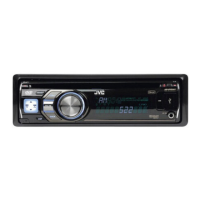
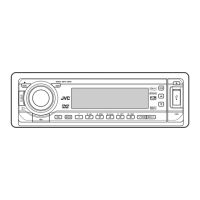
JVC KD-DV5604 - User Manual

JVC KD-DV5604
37 pages
Print Icon
To Next Page IconTo Next Page
Loading...
EN
0110DTSMDTJEIN
© 2010 Victor Company of Japan, Limited
Having TROUBLE with operation?
Please reset your unit
Refer to page of How to reset your unit
DVD/CD RECEIVER
INSTRUCTIONS
GET0654-001A
[U/UH/UI]
For canceling the display demonstration, see page 4.
For installation and connections, refer to the separate manual.
KD-DV5606/
KD-DV5605/KD-DV5604
CoverRear_KD-DV5606_001A_f.indd 1CoverRear_KD-DV5606_001A_f.indd 1 12/24/09 10:45:30 AM12/24/09 10:45:30 AM

Other manuals for JVC KD-DV5604

Questions and Answers

  • M
    Melissa GuerraSep 12, 2025
    Why is my JVC Car Receiver unable to play back the disc?
    • W
      watsonjenniferSep 12, 2025
      If your JVC Car Receiver is unable to play back a disc, try changing the disc. You can also record the tracks using a compliant application in the appropriate discs. Finally, add the extension code , , , , , , or to the file names.
  • D
    dkelleySep 12, 2025
    How to fix missing picture edges on my JVC KD-DV5604 monitor?
    • R
      Ryan PetersonSep 12, 2025
      If the left and right edges of the picture are missing on the monitor of your JVC Car Receiver, select “4:3 LETTERBOX”.
  • B
    Brendan DavisSep 9, 2025
    Why is my JVC KD-DV5604 monitor showing black and white wavy pictures?
    • T
      tamara12Sep 9, 2025
      If the monitor of your JVC Car Receiver shows black and white wavy pictures, select an appropriate video format (PAL/NTSC) for your monitor.
  • K
    Kaitlyn CervantesSep 8, 2025
    Why no picture appears on the monitor of my JVC KD-DV5604?
    • R
      Rebekah HarrisSep 8, 2025
      If no picture appears on the monitor connected to your JVC Car Receiver, ensure that the video cord is correctly connected and that you have selected the correct input on the monitor.
  • T
    Terrence HarrisSep 7, 2025
    Why can't I play recordable discs on my JVC KD-DV5604 Car Receiver?
    • K
      Kirk VaughanSep 7, 2025
      If recordable or rewritable discs cannot be played back or tracks cannot be skipped on your JVC Car Receiver, insert a finalized disc. Make sure you finalize the discs with the component used for recording.
  • S
    Steven SmithAug 23, 2025
    How to fix JVC Car Receiver when no sound is coming from the speakers?
    • D
      douglas22Aug 23, 2025
      If you are not hearing sound from the speakers of your JVC Car Receiver, first, ensure that the volume is at an audible level. Also, verify that the unit is not muted or paused. Finally, check all cords and connections to make sure they are properly connected.
  • V
    vwardSep 5, 2025
    Why does my JVC Car Receiver say “CANNOT PLAY” or “NO USB”?
    • M
      Matthew GardnerSep 5, 2025
      If your JVC Car Receiver displays “CANNOT PLAY” or “NO USB”, or the unit cannot detect the USB device, connect a USB device that contains tracks encoded in an appropriate format. You may also try reconnecting the USB device.
  • T
    Tyler NguyenSep 4, 2025
    What does “CANNOT PLAY” mean on my JVC KD-DV5604 Car Receiver?
    • A
      Alexis NicholsSep 4, 2025
      If your JVC Car Receiver displays “CANNOT PLAY”, it means the selected folder is empty or does not contain valid MP3/WMA/WAV tracks. Choose another folder that contains MP3/WMA/WAV tracks.
  • C
    cindycolemanSep 3, 2025
    Why is sound interrupted while playing track on my JVC KD-DV5604 Car Receiver?
    • M
      Michelle MoralesSep 3, 2025
      If the sound is sometimes interrupted while playing a track on your JVC Car Receiver, the tracks have not been properly copied into the USB device. Copy tracks again into the USB device, and try again.
  • G
    gloriahernandezSep 2, 2025
    Why is noise generated when playing tracks on my JVC KD-DV5604 Car Receiver?
    • T
      Tina MillerSep 2, 2025
      If you are experiencing noise with your JVC Car Receiver, the track played back is not an MP3/WMA/WAV track. Skip to another file. Do not add the extension code , , or to non-MP3/WMA/WAV tracks.

Summary

Important Laser Product Safety

Class 1 Laser Product Safety

Safety precautions for Class 1 laser products.

Laser Radiation Hazard

Warning about Class 1M laser radiation when open.

General Warnings and Precautions

Installation & Driving Operation Warnings

Cautions on installation location, driving operation, and parking brake.

Playable Disc Types

Basic Operations: Control Panel

Remote Controller Usage

Radio Operations

Manual Radio Presetting

Disc Operations

Control Panel Disc Operations

Remote Controller Disc Operations

Remote Controller Operations (VCD;MP3;WMA;WAV;CD)

Direct Search Function

Menu Driven Features (DVD;DVD-VR)

On-Screen Bar Operations

Control Screen Operations (Files)

List Screen Operations

List Screen (DVD-VR)

Disc Setup Menu

Disc Setup Menu Options

USB Operations

Preset Sound Modes

Menu Navigation

Menu Settings: Clock, Display, Tuner

Menu Settings: Audio & Source Select

Advanced USB Operations

Troubleshooting: General & Radio

Troubleshooting: Disc Playback & Ejection

Troubleshooting: Picture & File Playback

Troubleshooting: USB Playback Errors

Specifications: Audio & Tuner

Specifications: Player, USB & General

JVC KD-DV5604 Specifications

General IconGeneral
BrandJVC
ModelKD-DV5604
CategoryCar Receiver
LanguageEnglish

Related product manuals