ENGLISH
15
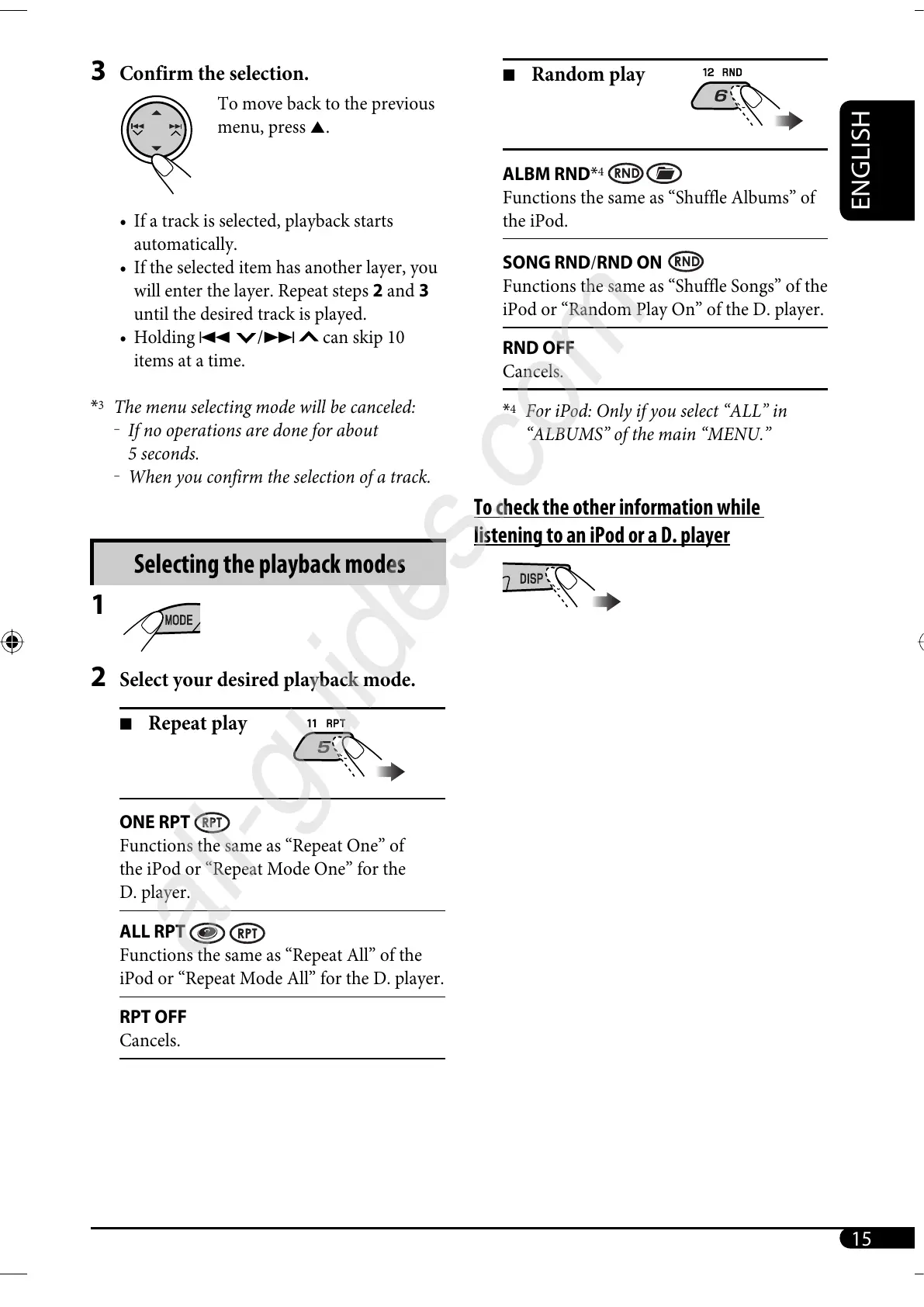
7 Random play
ALBM RND*
4
Functions the same as “Shuffle Albums” of
the iPod.
SONG RND/RND ON
Functions the same as “Shuffle Songs” of the
iPod or “Random Play On” of the D. player.
RND OFF
Cancels.
*
4
For iPod: Only if you select “ALL” in
“ALBUMS” of the main “MENU.”
To check the other information while
listening to an iPod or a D. player
3 Confirm the selection.
To move back to the previous
menu, press 5.
• If a track is selected, playback starts
automatically.
• If the selected item has another layer, you
will enter the layer. Repeat steps 2 and 3
until the desired track is played.
• Holding 4
/¢ can skip 10
items at a time.
*
3
The menu selecting mode will be canceled:
–
If no operations are done for about
5 seconds.
–
When you confirm the selection of a track.
Selecting the playback modes
1
2 Select your desired playback mode.
7 Repeat play
ONE RPT
Functions the same as “Repeat One” of
the iPod or “Repeat Mode One” for the
D. player.
ALL RPT
Functions the same as “Repeat All” of the
iPod or “Repeat Mode All” for the D. player.
RPT OFF
Cancels.
EN12-17_KD-G425[U_UH]f.indd 15EN12-17_KD-G425[U_UH]f.indd 15 11/25/05 12:07:12 PM11/25/05 12:07:12 PM


 To Next Page