EasyManua.ls Logo

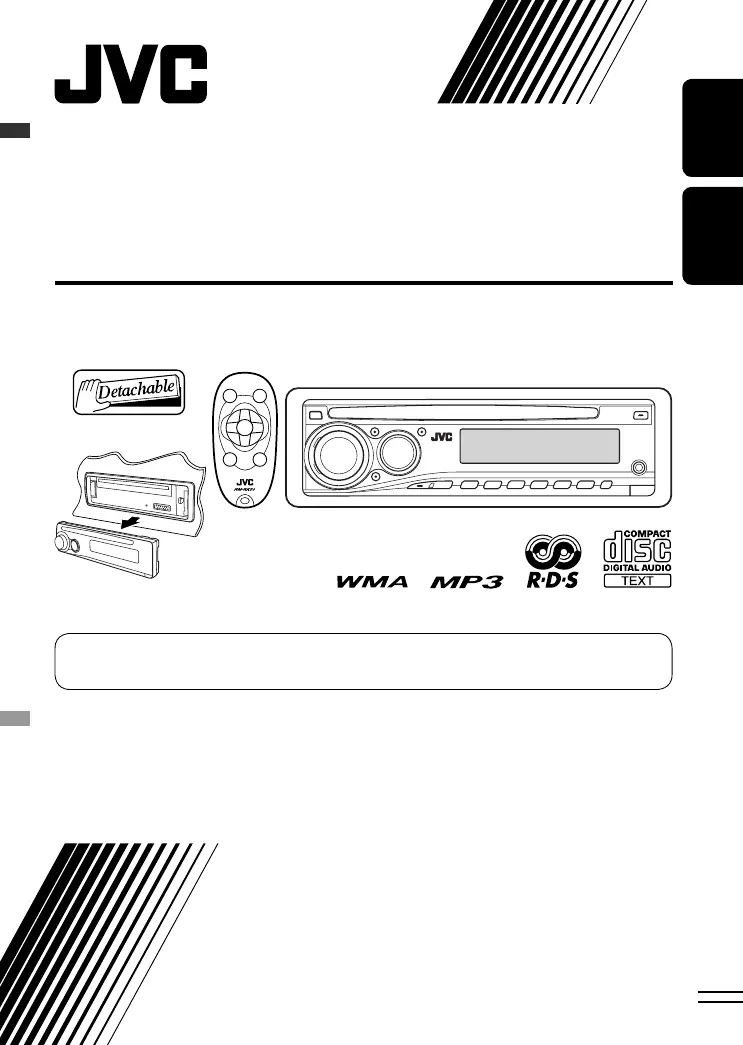
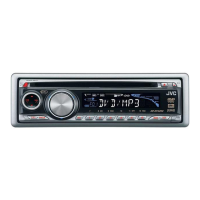
JVC KD-PDR31 - User Manual

JVC KD-PDR31
50 pages
Print Icon
To Next Page IconTo Next Page
Loading...
ENGLISH
FRANÇAIS
CD RECEIVER
RÉCEPTEUR CD
KD-PDR31
For installation and connections, refer to the separate manual.
Pour l’installation et les raccordements, se référer au manuel séparé.
INSTRUCTIONS
MANUEL D’INSTRUCTIONS
GET0469-003A
[EX/EU]
For canceling the display demonstration, see page 6.
Pour annuler la démonstration des affichages, référez-vous à la page 6.
Cover_KD-PDR31_003A_pre.indd 1Cover_KD-PDR31_003A_pre.indd 1 11/17/06 9:48:06 AM11/17/06 9:48:06 AM

Other manuals for JVC KD-PDR31

Questions and Answers

  • R
    Rebecca MckeeSep 9, 2025
    Why won't my JVC KD-PDR31 Car Receiver play my disc?
    • S
      Stephanie StrongSep 9, 2025
      Your JVC Car Receiver may not play the disc if it's not in the correct format. Make sure that you use a disc with MP3/WMA tracks recorded in the format compliant with ISO 9660 Level 1, Level 2, Romeo, or Joliet. Also, ensure that the file names have the correct extension code, either or .
  • A
    Aimee HebertAug 23, 2025
    What does 'RESET 8' on my JVC KD-PDR31 Car Receiver display mean and how to fix it?
    • E
      Elizabeth MannAug 23, 2025
      If 'RESET 8' appears on the display of your JVC Car Receiver, it indicates a connection problem. Check the connecting cable and its connection.
  • J
    Jackson HawkinsAug 25, 2025
    How to fix 'RESET 1' – 'RESET 7' error on JVC KD-PDR31 Car Receiver?
    • B
      Brittany OchoaAug 25, 2025
      If you see 'RESET 1' through 'RESET 7' on your JVC Car Receiver's display, try reconnecting the iPod.
  • M
    Melanie LongAug 27, 2025
    How to fix distorted sound on JVC Car Receiver?
    • H
      hilljaneAug 27, 2025
      If the sound from your JVC Car Receiver is distorted, try deactivating the equalizer either on the unit or the iPod.
  • P
    Peggy MurphyAug 28, 2025
    What to do if playback stops on JVC Car Receiver?
    • A
      apettyAug 28, 2025
      If playback stops on your JVC Car Receiver, turn the unit’s power off and then on again.
  • M
    Mary WeaverAug 29, 2025
    Why does JVC Car Receiver show “PLEASE” and “EJECT”?
    • H
      hamiltonbrittanyAug 29, 2025
      If “PLEASE” and “EJECT” appear alternately on the display of your JVC Car Receiver, insert a disc that contains MP3/WMA tracks.
  • S
    Sharon AndersonSep 18, 2025
    Why does my JVC KD-PDR31 unit become hot?
    • R
      Ricky DudleySep 18, 2025
      Your JVC Car Receiver may become hot if the speaker output lead is grounded, or if the negative terminals of the left and right speakers are grounded together.
  • A
    Alicia TorresSep 18, 2025
    How to fix JVC KD-PDR31 when noise interfere with sounds?
    • D
      Diana CarterSep 19, 2025
      To address noise interference with the sounds in your JVC Car Receiver, ensure that the rear ground terminal is connected to the car’s chassis using shorter and thicker cords.
  • S
    Susan SteeleSep 7, 2025
    What to do if my JVC KD-PDR31 says 'NO FILES'?
    • T
      Tina ContrerasSep 8, 2025
      If your JVC Car Receiver displays 'NO FILES', it means there are no tracks on the connected iPod. Import tracks to the iPod.
  • J
    Joseph PollardSep 4, 2025
    What to do if my iPod does not turn on or work with my JVC KD-PDR31 Car Receiver?
    • L
      Luis AvilaSep 5, 2025
      If your iPod isn't turning on or working with the JVC Car Receiver, start by checking the connecting cable and its connection. If the issue persists, try updating the firmware version or ensuring the iPod's battery is charged.

JVC KD-PDR31 Specifications

General IconGeneral
TypeCar Receiver
Max Power Output50W x 4
RMS Power22W x 4
TunerAM/FM
CD PlaybackYes
USB InputYes
BluetoothNo
DisplayLCD
AUX InputYes
MP3 PlaybackYes
WMA PlaybackYes
Detachable FaceYes
Channels4
Remote ControlYes
Preset EQYes
Built-in AmplifierYes
Subwoofer OutputYes

Related product manuals