EasyManua.ls Logo

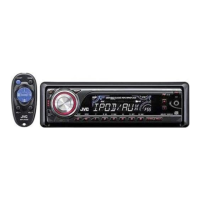
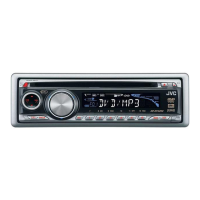
JVC KD-PDR55 - User Manual

JVC KD-PDR55
46 pages
Print Icon
To Next Page IconTo Next Page
Loading...
ENGLISH
INDONESIA
CD RECEIVER KD-PDR55
ALAT PENERIMA CD KD-PDR55
For canceling the display demonstration, see page 6.
Untuk membatalkan tampilan demonstrasi, lihat halaman 6.
For installation and connections, refer to the separate manual.
Untuk instalasi dan penyambungan, lihat buku pedoman terpisah.
INSTRUCTIONS
BUKU PETUNJUK
GET0426-004A
[UN]
Cover_KD-PDR55_004A_f.indd 1Cover_KD-PDR55_004A_f.indd 1 10/26/06 12:23:47 PM10/26/06 12:23:47 PM
Question and Answer IconNeed help?

Do you have a question about the JVC KD-PDR55 and is the answer not in the manual?

Summary

JVC CD Receiver KD-PDR55 Overview

Laser Safety and Operational Cautions

Class 1 Laser Product and Radiation Warning

Details on Class 1 laser product designation and radiation warnings.

Volume Setting Caution for Speaker Safety

Warning about low-noise discs and potential speaker damage from sudden volume increases.

Unit Reset and Disc Ejection Procedures

Instructions on how to reset the unit and forcibly eject a disc.

Control Panel and Mode Operations

Detaching and Attaching the Control Panel

Step-by-step guide for removing and reinstalling the detachable control panel.

Using the M MODE Button

Explanation of how the M MODE button changes the function of other buttons.

Driving and Temperature Safety Precautions

Safety advice regarding operation while driving and extreme vehicle temperatures.

Control Panel Identification

Control Panel Parts and Indicators

Detailed identification of buttons, display elements, and indicators on the control panel.

Remote Controller RM-RK50 Guide

Installing the Remote Battery

Instructions on how to install the CR2025 lithium coin battery into the remote controller.

Remote Controller Features and Functions

Explanation of the main buttons and their operations on the remote controller.

Battery Handling and Safety Warnings

Crucial safety warnings regarding battery storage, handling, and disposal.

Getting Started with Basic Operations

Powering On and Initial Adjustments

Steps for turning on the unit, using ATT, and adjusting volume and sound.

Basic Settings for Clock and Demonstrations

Guide to canceling display demonstrations and setting the unit's clock.

Radio Operations and Tuning

Tuning FM Stereo Broadcasts

How to improve reception for FM stereo broadcasts and switch to mono.

Storing and Selecting Radio Stations

Instructions for automatic (SSM) and manual presetting of radio stations.

Disc Playback and Navigation

Playing and Controlling Discs

Steps for playing discs, stopping playback, ejecting, and navigating tracks.

Folder and Track Selection for Discs

How to navigate folders and select specific tracks or numbers on discs.

Advanced Disc Functions and Display

Skipping Tracks and Prohibiting Ejection

Methods for quickly skipping tracks and preventing accidental disc ejection.

Customizing Display Information

How to change the display content for audio CDs and MP3/WMA tracks.

Playback Modes and iPod Connectivity

Selecting Repeat and Random Playback Modes

Guide to setting repeat (track/folder) and random playback modes.

Connecting and Operating an Apple iPod

Instructions for connecting an iPod and adjusting volume/sound during playback.

iPod Playback and Menu Navigation

iPod Playback Modes and Shuffle Options

Details on iPod-specific playback modes like repeat, shuffle albums, and songs.

Navigating iPod Menus for Track Selection

How to browse and select tracks from an iPod using the unit's menu system.

Sound Adjustments and Equalizer Settings

Using Preset Sound Modes (iEQ)

Selecting genre-specific sound modes for optimized listening experience.

Manual Sound Characteristic Adjustments

Fine-tuning bass, mid-range, treble, fader, super bass, and subwoofer levels.

General Settings and Customization

Display Demonstration and Clock Configuration

How to enable/disable display demonstrations and set the clock time.

Dimmer and Clock Display Settings

Adjusting the display dimmer and enabling/disabling the clock display when the unit is off.

Advanced General Settings and Audio Options

Scroll, Output Mode, and Woofer Settings

Configuring track scrolling, line output modes, and subwoofer cutoff frequency.

Auxiliary Input, Tag Display, Gain, and IF Band

Settings for auxiliary input level, tag display, amplifier gain, and intermediate frequency band.

External Components and Title Assignment

Connecting and Operating External Devices

How to connect and play audio from external components via the AUX input.

Assigning Custom Titles to Radio Stations

Process for naming up to 30 FM/AM station frequencies with custom titles.

Unit Features and Disc Playback Guidelines

Basic Operations and Tuner Memory Storage

Information on turning the unit on/off, changing sources, and storing tuner stations.

Disc Playback Compatibility and Precautions

Guidelines for playing CDs, CD-Rs, CD-RWs and DualDiscs.

MP3;WMA Playback and iPod Compatibility Details

MP3;WMA Disc Recording and Playback Rules

Requirements and limitations for playing MP3/WMA files on discs.

iPod Software Version Compatibility

List of iPod models and required software versions for unit control.

iPod Interaction and System Setting Notes

iPod Operation, Charging, and Display Text

Details on iPod charging, controlling playback, video display, and text information handling.

Title Assignment Limits and PSM Setting Adjustments

Notes on title assignment limits and how specific PSM settings might behave in vehicles.

Maintenance and Disc Care Procedures

Cleaning Connectors and Managing Moisture

Instructions for cleaning unit connectors and dealing with moisture condensation.

Disc Handling and Media Precautions

Guidelines for handling discs, cleaning them, and avoiding incompatible disc types.

Troubleshooting Common Issues

General and Radio Troubleshooting

Solutions for common problems like no sound, unit not working, or radio reception issues.

Disc and MP3;WMA Playback Troubleshooting

Remedies for disc errors, playback interruptions, and MP3/WMA file playback issues.

Troubleshooting Media and iPod Playback

MP3;WMA Playback and File Order Issues

Solutions for incorrect track order, display errors, and noise during MP3/WMA playback.

iPod Connection and Playback Troubleshooting

Remedies for iPod not turning on, no sound, "NO IPOD" errors, and playback stops.

Technical Specifications

Audio Amplifier and CD Player Specifications

Detailed technical specs for audio output, power, and CD player performance.

Tuner and General Unit Specifications

Technical details for FM/AM tuner sensitivity, dimensions, and operating conditions.

Summary

JVC CD Receiver KD-PDR55 Overview

Laser Safety and Operational Cautions

Class 1 Laser Product and Radiation Warning

Details on Class 1 laser product designation and radiation warnings.

Volume Setting Caution for Speaker Safety

Warning about low-noise discs and potential speaker damage from sudden volume increases.

Unit Reset and Disc Ejection Procedures

Instructions on how to reset the unit and forcibly eject a disc.

Control Panel and Mode Operations

Detaching and Attaching the Control Panel

Step-by-step guide for removing and reinstalling the detachable control panel.

Using the M MODE Button

Explanation of how the M MODE button changes the function of other buttons.

Driving and Temperature Safety Precautions

Safety advice regarding operation while driving and extreme vehicle temperatures.

Control Panel Identification

Control Panel Parts and Indicators

Detailed identification of buttons, display elements, and indicators on the control panel.

Remote Controller RM-RK50 Guide

Installing the Remote Battery

Instructions on how to install the CR2025 lithium coin battery into the remote controller.

Remote Controller Features and Functions

Explanation of the main buttons and their operations on the remote controller.

Battery Handling and Safety Warnings

Crucial safety warnings regarding battery storage, handling, and disposal.

Getting Started with Basic Operations

Powering On and Initial Adjustments

Steps for turning on the unit, using ATT, and adjusting volume and sound.

Basic Settings for Clock and Demonstrations

Guide to canceling display demonstrations and setting the unit's clock.

Radio Operations and Tuning

Tuning FM Stereo Broadcasts

How to improve reception for FM stereo broadcasts and switch to mono.

Storing and Selecting Radio Stations

Instructions for automatic (SSM) and manual presetting of radio stations.

Disc Playback and Navigation

Playing and Controlling Discs

Steps for playing discs, stopping playback, ejecting, and navigating tracks.

Folder and Track Selection for Discs

How to navigate folders and select specific tracks or numbers on discs.

Advanced Disc Functions and Display

Skipping Tracks and Prohibiting Ejection

Methods for quickly skipping tracks and preventing accidental disc ejection.

Customizing Display Information

How to change the display content for audio CDs and MP3/WMA tracks.

Playback Modes and iPod Connectivity

Selecting Repeat and Random Playback Modes

Guide to setting repeat (track/folder) and random playback modes.

Connecting and Operating an Apple iPod

Instructions for connecting an iPod and adjusting volume/sound during playback.

iPod Playback and Menu Navigation

iPod Playback Modes and Shuffle Options

Details on iPod-specific playback modes like repeat, shuffle albums, and songs.

Navigating iPod Menus for Track Selection

How to browse and select tracks from an iPod using the unit's menu system.

Sound Adjustments and Equalizer Settings

Using Preset Sound Modes (iEQ)

Selecting genre-specific sound modes for optimized listening experience.

Manual Sound Characteristic Adjustments

Fine-tuning bass, mid-range, treble, fader, super bass, and subwoofer levels.

General Settings and Customization

Display Demonstration and Clock Configuration

How to enable/disable display demonstrations and set the clock time.

Dimmer and Clock Display Settings

Adjusting the display dimmer and enabling/disabling the clock display when the unit is off.

Advanced General Settings and Audio Options

Scroll, Output Mode, and Woofer Settings

Configuring track scrolling, line output modes, and subwoofer cutoff frequency.

Auxiliary Input, Tag Display, Gain, and IF Band

Settings for auxiliary input level, tag display, amplifier gain, and intermediate frequency band.

External Components and Title Assignment

Connecting and Operating External Devices

How to connect and play audio from external components via the AUX input.

Assigning Custom Titles to Radio Stations

Process for naming up to 30 FM/AM station frequencies with custom titles.

Unit Features and Disc Playback Guidelines

Basic Operations and Tuner Memory Storage

Information on turning the unit on/off, changing sources, and storing tuner stations.

Disc Playback Compatibility and Precautions

Guidelines for playing CDs, CD-Rs, CD-RWs and DualDiscs.

MP3;WMA Playback and iPod Compatibility Details

MP3;WMA Disc Recording and Playback Rules

Requirements and limitations for playing MP3/WMA files on discs.

iPod Software Version Compatibility

List of iPod models and required software versions for unit control.

iPod Interaction and System Setting Notes

iPod Operation, Charging, and Display Text

Details on iPod charging, controlling playback, video display, and text information handling.

Title Assignment Limits and PSM Setting Adjustments

Notes on title assignment limits and how specific PSM settings might behave in vehicles.

Maintenance and Disc Care Procedures

Cleaning Connectors and Managing Moisture

Instructions for cleaning unit connectors and dealing with moisture condensation.

Disc Handling and Media Precautions

Guidelines for handling discs, cleaning them, and avoiding incompatible disc types.

Troubleshooting Common Issues

General and Radio Troubleshooting

Solutions for common problems like no sound, unit not working, or radio reception issues.

Disc and MP3;WMA Playback Troubleshooting

Remedies for disc errors, playback interruptions, and MP3/WMA file playback issues.

Troubleshooting Media and iPod Playback

MP3;WMA Playback and File Order Issues

Solutions for incorrect track order, display errors, and noise during MP3/WMA playback.

iPod Connection and Playback Troubleshooting

Remedies for iPod not turning on, no sound, "NO IPOD" errors, and playback stops.

Technical Specifications

Audio Amplifier and CD Player Specifications

Detailed technical specs for audio output, power, and CD player performance.

Tuner and General Unit Specifications

Technical details for FM/AM tuner sensitivity, dimensions, and operating conditions.

JVC KD-PDR55 Specifications

General IconGeneral
CategoryCar Receiver
BrandJVC
ModelKD-PDR55
TypeCD Receiver
TunerFM/AM
CD PlaybackYes
MP3 PlaybackYes
WMA PlaybackYes
USB InputYes
BluetoothNo
Subwoofer OutputYes
Display TypeLCD
Detachable FaceYes
AUX InputYes
Remote ControlYes
EQ3-Band Parametric
Preamp OutputsSubwoofer
Max Power Output50 Watts x 4 Channels
RMS Power22 Watts x 4 Channels

Related product manuals