EasyManua.ls Logo

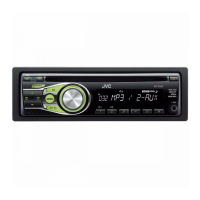
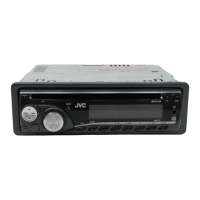
JVC KD-R322 - User Manual

JVC KD-R322
17 pages
Print Icon
To Next Page IconTo Next Page
Loading...
ENGLISH
FRANÇAIS
GET0678-003A
[E/EU]
EN, FR
0910DTSMDTJEIN© 2010 Victor Company of Japan, Limited
KD-R322/KD-R321
CD RECEIVER / RÉCEPTEUR CD
For canceling the display demonstration, see page 4. / Pour annuler la démonstration des
affichages, référez-vous à la page 4.
INSTRUCTIONS
MANUEL D’INSTRUCTIONS
For installation and connections, refer to the separate manual.
Pour l’installation et les raccordements, se référer au manuel séparé.
Dear Customer,
This apparatus is in conformance with the valid
European directives and standards regarding
electromagnetic compatibility and electrical safety.
European representative of Victor Company of
Japan, Limited is:
JVC Technical Services Europe GmbH
Postfach 10 05 04
61145 Friedberg
Germany
Cher(e) client(e),
Cet appareil est conforme aux directives et
normes européennes en vigueur concernant la
compatibilité électromagnétique et à la sécurité
électrique.
Représentant européen de la société Victor
Company of Japan, Limited:
JVC Technical Services Europe GmbH
Postfach 10 05 04
61145 Friedberg
Allemagne
Having TROUBLE with operation?
Please reset your unit
Refer to page of How to reset your unit
Vous avez des PROBLÈMES de fonctionnement?
Réinitialisez votre appareil
Référez-vous à la page intitulée Comment réinitialiser votre appareil
CoverRear_KD-R322_R321[E]_3.indd 1-2 8/3/10 10:49:25 AM

Other manuals for JVC KD-R322

Questions and Answers

  • M
    Mrs. Rebecca MartinSep 13, 2025
    Why can't my JVC Car Receiver play back a CD-R/CD-RW or skip tracks?
    • R
      rcoxSep 13, 2025
      If your JVC Car Receiver cannot play back a CD-R/CD-RW or skip tracks, make sure you are using a finalized disc. Finalize the CD-R/CD-RW with the component used for recording.
  • P
    Patricia MooreSep 12, 2025
    Why is my JVC Car Receiver interrupting sound while playing a disc?
    • M
      Monica TaylorSep 12, 2025
      If the sound from your JVC Car Receiver is sometimes interrupted while playing a disc, consider these potential solutions: * Stop playback while driving on rough roads. * Try changing the disc. * Check the cords and connections.
  • M
    Mary DavisSep 12, 2025
    What to do if my JVC Car Receiver displays 'PLEASE' and 'EJECT' alternately?
    • J
      jerrywrightSep 12, 2025
      If your JVC Car Receiver is showing “PLEASE” and “EJECT” alternately on the display, press the 0 button, and then insert the disc correctly.
  • D
    Daniel GouldSep 10, 2025
    Why is there static noise while listening to the radio on my JVC Car Receiver?
    • K
      Karen McdanielSep 10, 2025
      If you are experiencing static noise while listening to the radio on your JVC Car Receiver, ensure that the aerial is firmly connected.
  • S
    Sharon ClarkSep 9, 2025
    What to do if my JVC Car Receiver is not reading my disc and shows 'NO DISC'?
    • R
      Ryan ArmstrongSep 9, 2025
      If your JVC Car Receiver displays “NO DISC”, the solution is to insert a playable disc into the loading slot.
  • C
    charlenewilcoxSep 8, 2025
    What to do if my JVC Car Receiver displays 'MISWIRING CHK WIRING THEN RESET UNIT'?
    • K
      Kathleen AdamsSep 8, 2025
      If your JVC Car Receiver displays the message “MISWIRING CHK WIRING THEN RESET UNIT”, check that the terminals of the speaker leads are properly covered with insulating tape. After checking the wiring, reset the unit.
  • D
    Derek GreenAug 23, 2025
    Why is there no sound from my JVC Car Stereo System speakers?
    • B
      Brittany SmithAug 23, 2025
      If you can't hear any sound from the speakers, try these steps: First, adjust the volume to a suitable level. Second, ensure that the unit is not muted or paused. Finally, check the cords and connections to make sure they are properly connected.
  • P
    Pam BakerSep 6, 2025
    Why do tracks not play in the intended order on my JVC KD-R322 Car Stereo System?
    • T
      Timothy LaneSep 6, 2025
      If tracks do not play back in the order you have intended them to play on your JVC Car Stereo System, note that the playback order is determined when the files are recorded.
  • C
    Chad LoveSep 5, 2025
    Why doesn't SSM automatic presetting work on my JVC KD-R322?
    • L
      lisarhodesSep 5, 2025
      If SSM automatic presetting does not work on your JVC Car Stereo System, store stations manually.
  • A
    Andrea ClarkSep 4, 2025
    Why does 'READING' keep flashing on the display of my JVC Car Stereo System?
    • M
      Michelle GrahamSep 4, 2025
      If “READING” keeps flashing on the display of your JVC Car Stereo System, it means a longer readout time is required. Avoid using too many hierarchical levels and folders.

Summary

Laser Product Safety

Class 1 Laser Product Designation

Identifies the unit as a Class 1 laser product and warns against opening it.

Laser Radiation Warning

Cautions about visible/invisible laser radiation when open and not viewing directly.

Operational Safety and Precautions

Driving Safety

Emphasizes stopping the car before operation and maintaining awareness of external sounds.

Volume Level Adjustment

Advises on adjusting volume to avoid accidents and protect speakers from sudden increases.

Control Panel Operations

Resetting the Unit

Explains how to reset the unit, noting that preset adjustments will be erased.

Forcibly Ejecting a Disc

Provides steps to forcibly eject a disc if it doesn't eject normally.

Disc Information and Handling

Proper Disc Handling

Offers guidelines on touching, cleaning, and inserting discs to ensure proper playback.

Basic Unit Operations

Basic Controls: Power, Source, Volume, Dial Use

Covers turning the unit on/off, selecting sources, and adjusting volume.

FM Radio Data System (RDS) Features

PTY Search for Programmes

How to find stations broadcasting specific program types using PTY codes.

Audio Settings

Advanced Menu Settings

Audio and EQ Settings

Configuring fader, balance, loudness, volume, subwoofer, and HPF.

Radio and Source Selection Configuration

Troubleshooting Guide

General Unit Issues

Solutions for sound not heard, wiring errors, and unit not working.

Radio Reception Problems

Remedies for interrupted sound, static noise, and AM selection issues.

Disc Playback Errors

Troubleshooting for discs not playing, skipping, interruptions, and "NO DISC" messages.

MP3;WMA Playback Issues

Solutions for noise, reading errors, track order, time display, and character display.

Bluetooth Device Integration

Bluetooth Mobile Phone Operations

Managing calls, switching between handsfree/phone, and voice dialing.

Bluetooth Audio Playback

How to select and play audio from a connected Bluetooth device.

JVC KD-R322 Specifications

General IconGeneral
MP3 playbackYes
Audio formats supportedMP3, WMA
Preset stations quantity24
Output power200 W
Ready for iPod-
Audio output channels4.0 channels
Maximum power per channel50 W
I/O ports2 AUX In

Related product manuals