EasyManua.ls Logo

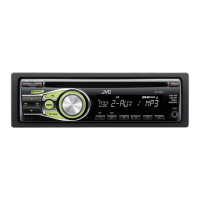
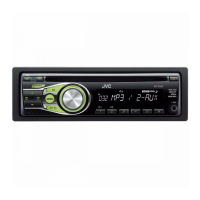
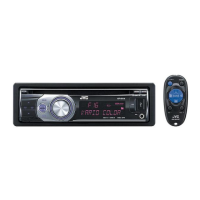
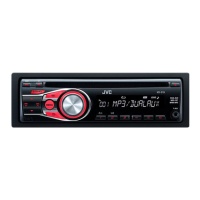
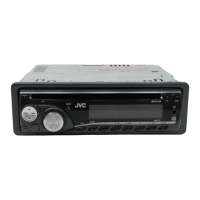
JVC KD-R46 - User Manual

JVC KD-R46
26 pages
Print Icon
To Next Page IconTo Next Page
Loading...
Data Size: B6L (182 mm x 128 mm)
Book Size: B6L (182 mm x 128 mm)
ENGLISH
B5A-0105-00 [J]
KD-AR765S / KD-R760 / KD-R660 / KD-AR565 / KD-R460
CD RECEIVER
INSTRUCTION MANUAL
Please read all instructions carefully before
operation to obtain the best possible performance
from the unit.
For customer Use:
Enter below the Model No. and Serial No. which are
located on the top or bottom of the cabinet. Retain this
information for future reference.
Model No.
Serial No.
JS_JVC_KD_AR765S_J_C.indd 1JS_JVC_KD_AR765S_J_C.indd 1 3/7/2014 9:42:31 AM3/7/2014 9:42:31 AM

Questions and Answers

  • B
    bullockrichardAug 16, 2025
    Why can't I hear any sound from my JVC KD-R46 Car Stereo System?
    • C
      Caleb ReynoldsAug 17, 2025
      If you cannot hear any sound from your JVC Car Stereo System, first, adjust the volume to the desired level. If the sound is still not audible, check the cords and connections to ensure they are properly connected.
  • P
    Peter PerezAug 19, 2025
    What to do if my iPod/iPhone doesn't turn on or work with my JVC KD-R46?
    • D
      danachavezAug 19, 2025
      If your iPod/iPhone is not turning on or working with the JVC Car Stereo System, verify the connection between the unit and your device. If the issue persists, detach and reset the iPod/iPhone using a hard reset.
  • B
    brookecollinsAug 22, 2025
    How to eject a disc that is stuck in my JVC KD-R46?
    • P
      parksamandaAug 22, 2025
      If the disc cannot be ejected from your JVC Car Stereo System, press and hold the eject button to forcibly eject the disc. Be careful not to drop the disc when it is ejected.
  • L
    Laura SmithAug 25, 2025
    What does “CANNOT PLAY” flashing on my JVC Car Stereo System mean?
    • R
      robert38Aug 26, 2025
      If “CANNOT PLAY” flashes on your JVC Car Stereo System, check whether the connected device is compatible with the unit and ensure the files are in supported formats. If compatibility isn't the issue, try reattaching the device.
  • A
    Adam Nolan DDSAug 28, 2025
    Why does “READING” keep flashing on my JVC KD-R46 Car Stereo System?
    • M
      Mary GonzalezAug 29, 2025
      If “READING” keeps flashing on your JVC Car Stereo System, avoid using too many hierarchical levels and folders. Additionally, try reloading the disc or reattaching the USB device.
  • F
    Frank BrownAug 31, 2025
    Why can't I playback in [AUTO MODE] on my JVC Car Stereo System?
    • R
      richardwellsAug 31, 2025
      If you cannot playback at [AUTO MODE] on your JVC Car Stereo System, ensure that the JVC MUSIC PLAY APP is installed on your Android device. If it is installed, try reconnecting the Android device and select the appropriate control mode. If the issue persists, the connected Android device may not support [AUTO MODE].
  • J
    jonesdamonSep 3, 2025
    Why is the playback order wrong on my JVC KD-R46?
    • Q
      qkingSep 4, 2025
      The playback order on your JVC Car Stereo System is determined by the file name (USB) or the order in which files were recorded (disc).
  • M
    Michael ValenciaSep 6, 2025
    What does “CHK ANTENNA” mean on my JVC KD-R46?
    • M
      Matthew Snyder DDSSep 6, 2025
      If your JVC Car Stereo System displays “CHK ANTENNA”, check that the antenna and its connection are in good condition.
  • C
    Cindy LloydSep 9, 2025
    What does it mean when “PLEASE” and “EJECT” appear alternately on my JVC KD-R46?
    • D
      Darlene ParkSep 9, 2025
      If “PLEASE” and “EJECT” appear alternately on your JVC Car Stereo System, press the eject button, then insert the disc correctly.
  • K
    kingbrittanySep 12, 2025
    What does “NO SIGNAL” mean on my JVC KD-R46 Car Stereo System?
    • J
      James MilesSep 12, 2025
      If your JVC Car Stereo System displays “NO SIGNAL”, make sure the antenna is mounted outside the vehicle.

JVC KD-R46 Specifications

General IconGeneral
Power Output50W x 4
CD PlaybackYes
MP3/WMA PlaybackYes
USB InputYes
BluetoothNo
DisplayLCD
AUX InputYes
Detachable FaceplateYes
Channels4
RMS Power22W x 4
TunerAM/FM
Remote ControlOptional

Related product manuals