1
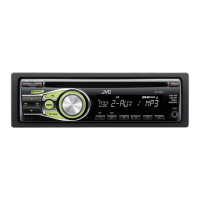
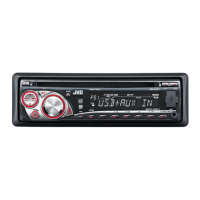
KD-R332/KD-R331
Installation/Connection Manual
Manuel d’installation/raccordement
0811DTSMDTJEIN
EN, FR
© 2011 JVC KENWOOD Corporation
GET0758-010A
[E/EU]
Bracket / Support *
Pocket / Poche
Flat head screws (M5 × 8 mm) /
Vis à tête plate (M5 × 8 mm)*
INSTALLATION / INSTALLATION
When installing the unit without using the sleeve / Lors de l’installation de
l’appareil scans utiliser de manchon
In-dash mounting / Montage encastré
WARNINGS / AVERTISSEMENTS
Removing the unit / Retrait de l’appareil
Release the rear section first... / Ouvrez la section arrière en premier...
Do the required electrical connections. /
Réalisez les connexions électriques.
Bend the appropriate tabs to hold the sleeve
firmly in place. / Tordez les languettes appropriées
pour maintenir le manchon en place.
Install the unit at an angle
of less than 30˚. / Installez
l’appareil avec un angle de
moins de 30˚.
* Not supplied for this unit.
* Non fourni avec cet appareil.
Part list / Liste de pièces
A
Control panel / Panneau de
commande (×1)
B
Sleeve / Manchon (×1)
C
Trim plate / Plaque d’assemblage (×1)
D
Power cord / Cordon d’alimentation
(×1)
E
Handles / Poignées (×2)
• You need the installation kits which corresponds to your car.
• If you have any questions or require information regarding installation kits, consult your JVC IN-CAR
ENTERTAINMENT dealer or a company supplying kits.
• The unit can only be installed in a car with a 12 V DC power supply, negative ground.
• Disconnect the battery’s negative terminal and make all electrical connections before installing the unit.
• Connect speakers with a maximum power of more than 50 W (impedance of 4 Ω to 8 Ω). Otherwise,
change the <AMP GAIN> setting. (See page 12 of the INSTRUCTIONS.)
• Insulate unconnected wires with vinyl tape or other similar material. To prevent a short circuit, do not
remove the caps on the ends of the unconnected wires or the terminals.
• If the fuse blows, first make sure the wires are not touching to cause a short circuit, then replace the old
fuse with one that has the same rating.
• Install this unit in the console of your vehicle.
• Mount the unit so that the mounting angle is 30° or less.
• Be sure to ground this unit to the car's chassis again after installation.
• After the unit is installed, check whether the brake lamps, blinkers, wipers, etc. on the car are working
properly.
• Do not touch the metal part of this unit during and shortly after the use of the unit. Metal part such as the
heat sink and enclosure become hot.
• Vous avez besoin des kits d’installation correspondants à votre voiture.
• Si vous avez des questions ou avez besoin d’information sur des kits d’installation, consulter votre revendeur
d’autoradios JVC ou une compagnie d’approvisionnement.
• L’appareil peut uniquement être installé dans une voiture avec une alimentation de 12 V CC, à masse négative.
• Déconnectez la borne négative de la batterie et réaliser toutes les connexions avant d’installer l’appareil.
• Connectez des enceintes avec une puissance maximum de 50 W (impédance de 4 Ω à 8 Ω). Sinon, changez le
réglage <AMP GAIN>. (Voir la page 12 du MANUEL D’INSTRUCTIONS.)
• Isolez les câbles non-connectés avec un ruban de vinyle ou d’un autre matériel similaire. Pour éviter les courts-
circuits, ne retirez pas non plus les capuchons à l’extrémité des câbles non-connectés ou des prises.
• Si un fusible saute, assurez-vous d’abord que les câbles n’ont pas causé de court-circuit puis remplacez le vieux
fusible par un nouveau de même valeur.
• Installez cet appareil dans la console de votre véhicule.
• Monter l’unité de façon à ce que l’angle de montage soit de 30˚ ou moins.
• Assurez-vous de raccorder de nouveau la mise à la masse de cet appareil au châssis de la voiture après
l’installation.
• Après avoir installé l’appareil, vérifiez si les lampes de frein, les indicateurs, les clignotants, etc. de la voiture
fonctionnent correctement.
• Ne touchez pas la partie métallique de cet appareil pendant ou juste après son utilisation. Les parties métalliques,
comme le dissipateur de chaleur et le boîtier, deviennent chaudes.
PRECAUTIONS on power supply and speaker connections
• DO NOT connect the speaker leads of the power cord to the car battery; otherwise, the unit will be
seriously damaged.
• BEFORE connecting the speaker leads of the power cord to the speakers, check the speaker wiring in
your car.
PRECAUTIONS sur l’alimentation et la connexion des enceintes
• NE CONNECTEZ PAS les fils d’enceintes du cordon d’alimentation à la batterie; sinon, l’appareil serait
sérieusement endommagé.
• AVANT de connecter les fils d’enceintes du cordon d’alimentation aux enceintes, vérifiez le câblage des enceintes
de votre voiture.
ENGLISH / FRANÇAIS
Install_KD-R332_010A_2.indd 1Install_KD-R332_010A_2.indd 1 8/10/11 12:23:38 PM8/10/11 12:23:38 PM


 To Next Page
 General