A
anthonybrownSep 6, 2025
Why the sound is distorted on JVC KD-R425?
- JJoseph ClarkSep 6, 2025
If the sound is distorted on your JVC Car Receiver, deactivate the equalizer either on the unit or on the iPod/iPhone.


 To Next PageTo Next Page


Why the sound is distorted on JVC KD-R425?
If the sound is distorted on your JVC Car Receiver, deactivate the equalizer either on the unit or on the iPod/iPhone.
What to do if noise is generated on JVC KD-R425?
If noise is generated on your JVC Car Receiver, turn off the “VoiceOver” feature of the iPod.
 General
| Tuner | AM/FM |
|---|---|
| CD Playback | Yes |
| MP3 Playback | Yes |
| WMA Playback | Yes |
| USB Input | Yes |
| Bluetooth | No |
| Display Type | LCD |
| Subwoofer Output | Yes |
| AUX Input | Yes |
| Detachable Face | Yes |
| Channels | 4 |
| Preset EQ | Yes |
| Wireless Remote Control | No |
| Power Output | 50W x 4 |
| RMS Power | 22W x 4 |
Details on Class 1 Laser Product safety, including warnings about not opening the unit and laser radiation.
Key warnings and cautions for safe operation, including volume adjustment and DualDisc playback.
Instructions for safely attaching and detaching the control panel of the unit.
Procedures for resetting the unit and forcibly ejecting a disc when needed.
Guidance on cleaning the unit and connectors, plus advice on condensation and car temperature.
Steps to disable the automatic display demonstration mode on the unit.
Instructions for setting the current time on the unit's clock display.
Guide on preparing the remote controller, replacing its battery, and associated safety warnings.
Information on compatible discs, discs that cannot be used, and proper handling procedures.
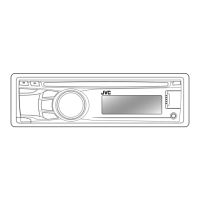
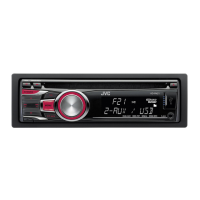
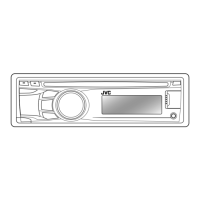
Overview of the main unit's buttons, display, and remote sensor, with their functions.
Explanation of the primary functions performed by buttons like SOURCE, VOL, EQ, BACK, and DISP.
Tips for improving FM signal reception and restoring stereo effect.
Methods for manually and automatically presetting stations, and selecting preset stations.
How to change display information and use the remote controller for radio functions.
Instructions for stopping playback, ejecting discs, and handling discs that are not removed promptly.
How to select tracks, folders, and fast search through MP3/WMA content.
Options for repeat and random playback modes, and how to change display information.
Details on connecting portable audio players and Bluetooth devices using front and rear auxiliary jacks.
Steps to select and play audio from connected external components.
Guide to connecting USB mass storage devices and playing MP3/WMA files.
Important warnings regarding USB device connection, data backup, and compatibility.
Instructions for connecting your iPod/iPhone and selecting control terminals.
How to browse menus, select desired tracks, and fast search within the iPod/iPhone library.
Choosing sound modes suitable for music genres and adjusting subwoofer/tone levels.
Managing repeat/random playback modes and changing display content for iPod/iPhone.
Steps to save personalized sound adjustments as a user-defined mode.
Overview of menu items like DEMO, CLOCK, and COLOR setup for unit customization.
Customizing display brightness, button colors for day/night, and scroll behavior.
Adjusting speaker balance, loudness, volume levels, and subwoofer output.
Configuring subwoofer low-pass filter, level, and high-pass filter for rear speakers.
Managing source availability (AM, AUX, BT), tuner modes (Mono, IF Band), and iPod switch settings.
Resolving sound issues, wiring checks, unit non-responsiveness, and auxiliary input selection problems.
Addressing disc read errors, playback interruptions, and file format compatibility problems.
Solutions for USB device detection, playback order, and iPod/iPhone connection errors.
Information on supported USB file formats, bit rates, and character limits for file/folder names.
Troubleshooting sound distortion, playback stops, and compatibility issues with iPod/iPhone.
Steps for registering (pairing) a Bluetooth device with the KS-BTA100 adapter.
Guide to making calls, handling incoming calls, and playing audio via Bluetooth.
Technical details for audio output power, frequency response, and tuner sensitivity.
Technical data for CD playback, USB standards, power requirements, and physical dimensions.