Need help?
Do you have a question about the JVC KD-R431 and is the answer not in the manual?
Wipe off the dirt on the panel with a dry silicon or soft cloth.
Wipe off dirt on the connector of the unit and panel. Use a cotton swab or cloth.
The display demonstration is always turned on unless you cancel it.
Procedure to set the clock time and format (12/24 hour) on the unit.
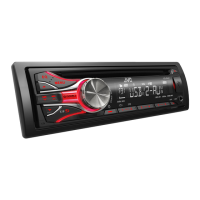
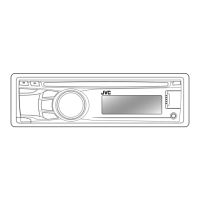
Diagram and description of the control panel and its components.
Details on the function of each button when pressed or held.
Steps for finding radio stations using auto or manual search.
How to manually preset and auto preset radio stations.
How to select a previously stored radio station.
Procedure to set the unit to tune into a station at a specific time.
How to search for radio stations based on programme type.
Enables switching to Traffic Announcement or News programmes.
Automatically tunes to a stronger station of the same network.
Searches for stations when the selected station signal is weak.
Instructions for connecting and playing audio from CD or USB.
How to navigate and select music files from folders and tracks.
Method for selecting specific tracks or folders from a displayed list.
Options for repeat and random playback modes.
Connecting and playing audio from an iPod or iPhone.
Choosing between HEAD, IPOD, or EXT control modes for iPod/iPhone.
Steps to select a specific track or chapter from the connected device.
How to select tracks from various categories like playlists, artists, etc.
Available playback modes like repeat and shuffle for iPod/iPhone.
Connecting and playing audio from external devices via AUX input.
Steps for preparing and pairing a Bluetooth device with the unit.
Choosing from various preset sound modes for different music genres.
How to save custom equalizer settings.
Adjusting subwoofer level and tone levels for custom sound.
Detailed adjustment of Bass, Middle, and Treble frequencies and levels.
Settings related to the display demonstration.
Settings for clock adjustment and format.
Adjusting display and button illumination based on headlights.
Setting brightness levels for different zones.
Controlling display information scrolling behavior.
Showing TAG information for MP3/WMA tracks.
Reference to Pro Equalizer settings on page 11.
Various audio settings including Fader, Balance, Loudness, EQ, and Subwoofer.
Adjusts the balance between front and rear speakers.
Adjusts the balance between left and right speakers.
Enhances low and high frequencies at low volumes.
Presets volume levels for different sources.
Configures output mode for speakers or subwoofer.
Enables and configures subwoofer output.
Sets low-pass filter frequencies for the subwoofer.
Adjusts the output level of the subwoofer.
Activates High Pass Filter to cut off low frequencies from speakers.
Turns the keypress tone on or off.
Mutes audio during incoming cellular calls.
Sets amplifier gain for optimal power output.
Settings related to radio tuning and reception.
Automatic station preset function for FM.
Enables/disables regional FM broadcast tracking.
Enables/disables News Standby Reception.
Activates or deactivates Programme Search.
Switches between stereo and monaural FM reception.
Adjusts tuner selectivity for interference reduction.
Reference to Radio Timer settings on page 6.
Reference to iPod/iPhone control modes on page 9.
Enables or disables various input sources like AM, AUX, BT.
Instructions for replacing the battery in the remote controller.
How to aim and operate the remote controller effectively.
Explanation of functions for each button on the remote control.
Information on playable and unplayable CD formats and handling.
Guidelines for handling CDs to ensure proper playback.
Information regarding the compatibility of DualDisc playback.
Details on playable audio file formats, bit rates, and sampling frequencies.
List of audio file types and encodings that are not supported.
Character limits for file and folder names on discs.
Information on WMA Tag, ID3 Tag, and search function.
Precautions and specifications for connecting USB devices.
Important cautions for connecting and using USB devices.
List of compatible iPod and iPhone models.
Information on trademarks and licenses, including Apple products.
Solutions for common problems like no sound or unit not working.
Troubleshooting for radio reception and station presets.
Solutions for playback errors, device detection, and connection problems.
Technical specifications for the audio amplifier.
Technical specifications for the FM and AM tuners.
Technical specifications for the CD player.
Technical specifications for the USB interface.
General specifications like power, dimensions, and operating temperature.
 General
| Preamp Outputs | 2-channel |
|---|---|
| Subwoofer Output | Yes |
| Auxiliary Input | Front |
| USB Input | Front |
| Playback Formats | MP3, WMA |
| Tuner | AM/FM |
| Detachable Face | Yes |
| Bluetooth | No |
| Preset EQ | Yes |
| Built-in Amplifier | Yes |
| Type | Car Receiver |
| Power Output | 50W x 4 Channels |
| RMS Power | 22W x 4 Channels |
| Display | LCD |


 To Next Page