EasyManua.ls Logo

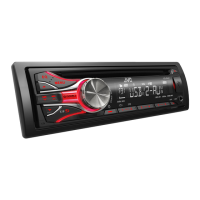
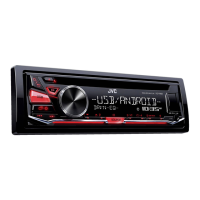
JVC KD-R435 - User Manual

JVC KD-R435
82 pages
Print Icon
To Next Page IconTo Next Page
Loading...
CD RECEIVER / РЕСИВЕР С ПРОИГРЫВАТЕЛЕМ
КОМПАКТ-ДИСКОВ / ϟΦυϙϧϏΩϟχΕλ CD
For canceling the display demonstration, see page 4. /
Информацию об отмене демонстрации функций дисплея см. на стр. 4. /
ζϛιϗϧύλΖϔ 4 ϟπϙϧϏτΣϟχϖΣΣϔυόϔκϖηςϔπνυϒΣϏμ
ENGLISH
РУCCKИЙ
ไทย
INSTRUCTIONS
ИНСТРУКЦИИ ПО ЭКСПЛУАТАЦИИ
ΦϕϠλϒλϕ
GET0770-001A
[U]
KD-R536/KD-R436/
KD-R435
For installation and connections, refer to the separate manual.
Указания по установке и выполнению соединений приводятся в отдельной инструкции.
ΣυϚεϔζϛΦϛΕσϙϏιϗϧϠτΣηΕϔΩύϔΣ ϢλΣϔυηϖζηϓϨΩϠχϒΣϔυϟάϙϧϏσηΕϏ
Question and Answer IconNeed help?

Do you have a question about the JVC KD-R435 and is the answer not in the manual?

JVC KD-R435 Specifications

General IconGeneral
BrandJVC
ModelKD-R435
CategoryCar Receiver
LanguageEnglish

Summary

Important Safety Information

Laser Product Precautions

Warnings regarding laser radiation and unit servicing.

Safe Operation Guidelines

Advice on safe driving, volume, temperature, and condensation.

Maintenance and Manual Usage

Instructions for cleaning the unit and understanding the manual.

Remote Controller Setup

Preparation and Battery Replacement

Initial setup steps and battery replacement for the remote control.

Panel Detachment and Disc Ejection

Procedures for removing the control panel and ejecting discs.

Initial Setup and Basic Operations

Display Demonstration and Clock Setting

How to cancel the demo and set the unit's clock.

Display Information Navigation

How to change and scroll through display information.

Basic Operation Controls

Control Panel Overview

Identifies and describes the main control panel buttons and functions.

Remote Control Overview

Identifies and describes the remote control buttons and functions.

Radio Operations

Station Search and Presets

Methods for finding and saving radio stations.

Radio Timer Function

Setting a timer for automatic radio playback.

CD;USB Media Playback

Playing CDs and USB Devices

Connecting and playing audio from CDs and USB storage.

File Navigation and Playback Modes

Selecting folders, tracks, and playback modes like repeat/random.

iPod;iPhone Playback

Control Modes and Track Selection

Connecting and selecting control modes, tracks, and playback modes for iPod/iPhone.

External Components

Connecting External Audio Sources via AUX

How to play audio from external devices using AUX inputs.

Bluetooth Connectivity

Preparation and Pairing

Initial steps for pairing and connecting a Bluetooth device.

Illumination Color Adjustments (KD-R536 Only)

Preset and Custom Colors

Selecting preset colors and saving custom illumination settings.

Brightness and Sound Adjustments

Brightness Control

Adjusting brightness levels for the unit's buttons and display.

Sound Customization

Selecting preset sound modes and using the Easy Equalizer.

Menu Operations - Display and Audio

Display Settings

Controls for demo, clock, color, brightness, scroll, tag display.

Audio Settings

Controls for EQ, fader, balance, loudness, volume, L/O mode.

Menu Operations - Tuner, Source, and Subwoofer

Tuner Settings

Settings for SSM, mono, IF band, and radio timer.

Source Selection and Subwoofer Controls

Settings for audio sources (AM, AUX, Bluetooth) and subwoofer.

Additional Information - Discs and Audio Files

Disc Compatibility and Handling

Details on CD compatibility, handling, and unplayable discs.

Supported Audio File Formats

Information on supported and unsupported audio file types.

Additional Information - USB and iPod;iPhone

USB Device Usage and Compatibility

Details on connecting and using USB storage devices.

iPod;iPhone Usage and Compatibility

Information on compatible iPod/iPhone models and their operation.

Troubleshooting - General and Media Issues

General Troubleshooting

Resolving common problems like sound or operation errors.

Media Playback Troubleshooting

Troubleshooting issues with CD, USB, iPod, and iPhone.

Specifications

Audio, Tuner, and CD Player Specifications

Technical details of the audio amplifier, tuner, and CD player.

USB and General Specifications

Technical details of the USB interface and general unit specifications.

Related product manuals