Need help?
Do you have a question about the JVC KD-R450 and is the answer not in the manual?
Covers warnings, cautions, and general advice for safe operation and handling of the unit.
Details how to clean and care for the unit and its components.
Explains how to interpret the manual's instructions, references, and symbols.
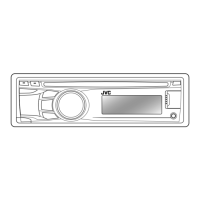
Describes the buttons, knobs, and display on the unit's front panel for basic operation.
Explains the operation of the included remote control for accessing various features.
Instructions to disable the demo mode for normal device operation.
Step-by-step guide to setting the unit's clock time.
How to adjust initial settings for the device, such as BEEP and SRC SELECT.
How to begin audio playback from CD, USB, or iPod sources.
Methods for selecting audio files, folders, and navigating media libraries.
Using buttons for pause, skip, repeat, and random play modes.
Special considerations for connecting and controlling Apple devices.
Selecting tracks or songs by list, name, or character search.
Choosing different storage drives connected via USB for playback.
Adjusting the playback speed for audiobooks sourced from iPod/iPhone.
How to find and tune radio stations manually or automatically.
Saving favorite stations for quick access via preset buttons or menu.
Finding stations based on broadcast program categories.
Adjusting parameters like SSM, IF BAND, MONO, and AREA for reception.
Instructions for connecting external audio devices via the auxiliary input jack.
Pairing and using a Bluetooth adapter for wireless audio streaming.
Preparing and starting music playback from the Pandora application.
Creating new Pandora stations and searching registered ones.
Saving favorite songs or artists for later reference within Pandora.
Preparing and starting music playback from the iHeartRadio application.
Finding stations by category or city for live streaming.
Quickly navigating city lists for station selection.
Choosing from pre-defined sound profiles for different music genres.
Adjusting EQ, bass, treble, and subwoofer levels for personalized sound.
Configuring settings like LOUD, HPF, FADER, and BALANCE for optimal audio.
Adjusting screen brightness and illumination settings.
Setting day/night brightness and display text scrolling behavior.
Selecting colors, color flow patterns, and user-defined display settings.
Supported CD formats and audio file types (MP3, WMA, WAV).
Requirements for USB mass storage devices, including file system and power.
List of supported Apple device models and connection notes.
Details on JVC Playlist Creator and JVC Music Control applications.
Notes on Pandora availability and third-party service status.
Notes on iHeartRadio availability and third-party service status.
Common operational issues and their remedies, including wiring and display errors.
Specific troubleshooting steps for Pandora and iHeartRadio functionalities.
Technical details for radio reception (FM/AM) and CD playback.
Performance metrics for audio output, power, and USB connectivity.
Power requirements, voltage, dimensions, weight, and operating temperature.
Steps for installing the main unit into the vehicle's dashboard or console.
Detailed instructions for connecting all necessary power, speaker, and antenna wires.
 General
| CD Playback | Yes |
|---|---|
| USB Port | Yes |
| Bluetooth | No |
| Audio Formats Supported | MP3, WMA |
| Subwoofer Output | Yes |
| AUX Input | Yes |
| Display Type | LCD |
| Detachable Face | Yes |
| Remote Control | Yes |
| Steering Wheel Control | Yes (with adapter) |
| Channels | 4 |
| Power Output | 50W x 4 |
| RMS Power | 22W x 4 |
| Tuner | FM/AM |
| Preset Stations | 18 FM / 6 AM |


 To Next Page