EasyManua.ls Logo

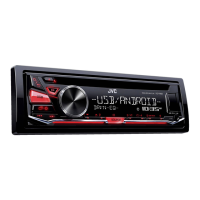
JVC KD-R455 - User Manual

JVC KD-R455
18 pages
Print Icon
To Next Page IconTo Next Page
Loading...
Data Size: B6L (182 mm x 128 mm)
Book Size: B6L (182 mm x 128 mm)
ENGLISH
GET0942-001A [U/UI]
KD-R756 / KD-R656 / KD-R556 /
KD-R456 / KD-R455 / KD-R454
CD RECEIVER
INSTRUCTION MANUAL
Please read all instructions carefully before
operation to obtain the best possible performance
from the unit.
EN_KD-R756[U]1.indd 1EN_KD-R756[U]1.indd 1 9/20/2013 11:40:17 AM9/20/2013 11:40:17 AM

Questions and Answers

JVC KD-R455 Specifications

General IconGeneral
Power Output50W x 4
RMS Power22W x 4
TunerAM/FM
CD PlaybackYes
USB PortYes
Aux InputYes
Preamp Voltage2.5V
Display TypeLCD
MP3 PlaybackYes
WMA PlaybackYes
AAC PlaybackYes
Subwoofer OutputYes
Detachable FaceYes
Display ColorWhite
Button IlluminationRed
Channels4
Remote ControlYes
Steering Wheel ControlYes (with adapter)
High-Pass FilterYes
Low-Pass FilterYes
Presets18 FM, 6 AM
Equalizer3-band
Dimensions (W x H x D)178mm x 50mm x 159mm

Summary

Before Use and Safety

Safety Warnings

Important safety precautions for operation and handling.

Getting Started and Initial Setup

Audio Source: CD, USB, iPod;iPhone

USB Device Operation

Connecting and operating USB storage devices.

iPod;iPhone Connection and Control

Connecting and managing iPod/iPhone for music playback.

Radio Operation and Features

Radio Features and External Inputs

Portable Audio Player Connection

Connecting external devices via the AUX input.

Bluetooth Device Pairing

Steps for pairing and connecting Bluetooth devices.

Pandora App Integration

Pandora Setup and Playback

Preparing and starting music playback using the Pandora app.

Audio Settings and Sound Customization

Advanced Equalizer (PRO EQ)

Fine-tuning Bass, Middle, Treble, and Q factor.

Subwoofer and Bass Boost Options

Configuring Bass Boost, Loudness, Subwoofer level, and LPF.

Audio and Display Settings

Display Color Customization

Troubleshooting Common Issues

Audio, Wiring, and Reception Problems

Solutions for sound, wiring, source, and radio reception issues.

Display and Disc Error Solutions

Addressing display messages and problems with disc ejection or playback.

Technical Specifications

Installation and Connection Guide

In-Dash Mounting Procedure

Step-by-step instructions for installing the unit in the dashboard.

Basic Installation and Wiring Steps

Core procedures for connecting wires and installing the unit.

Wiring Connections and Installation Parts

Detailed Wiring Diagrams

Visual guide for connecting the unit's harness and components.

Related product manuals