10
iHeartRadio®
(for
KD-R775S
/
KD-R670
)
Preparation:
Install the latest version of iHeart Link for JVC application on your device (iPhone/ iPod
touch), then create an account and log in to iHeartRadio.
• Select [
ON
] for [
IHEART
] in [
SRC SELECT
].
( 4)
Start listening
1
Open the iHeart Link application on your device.
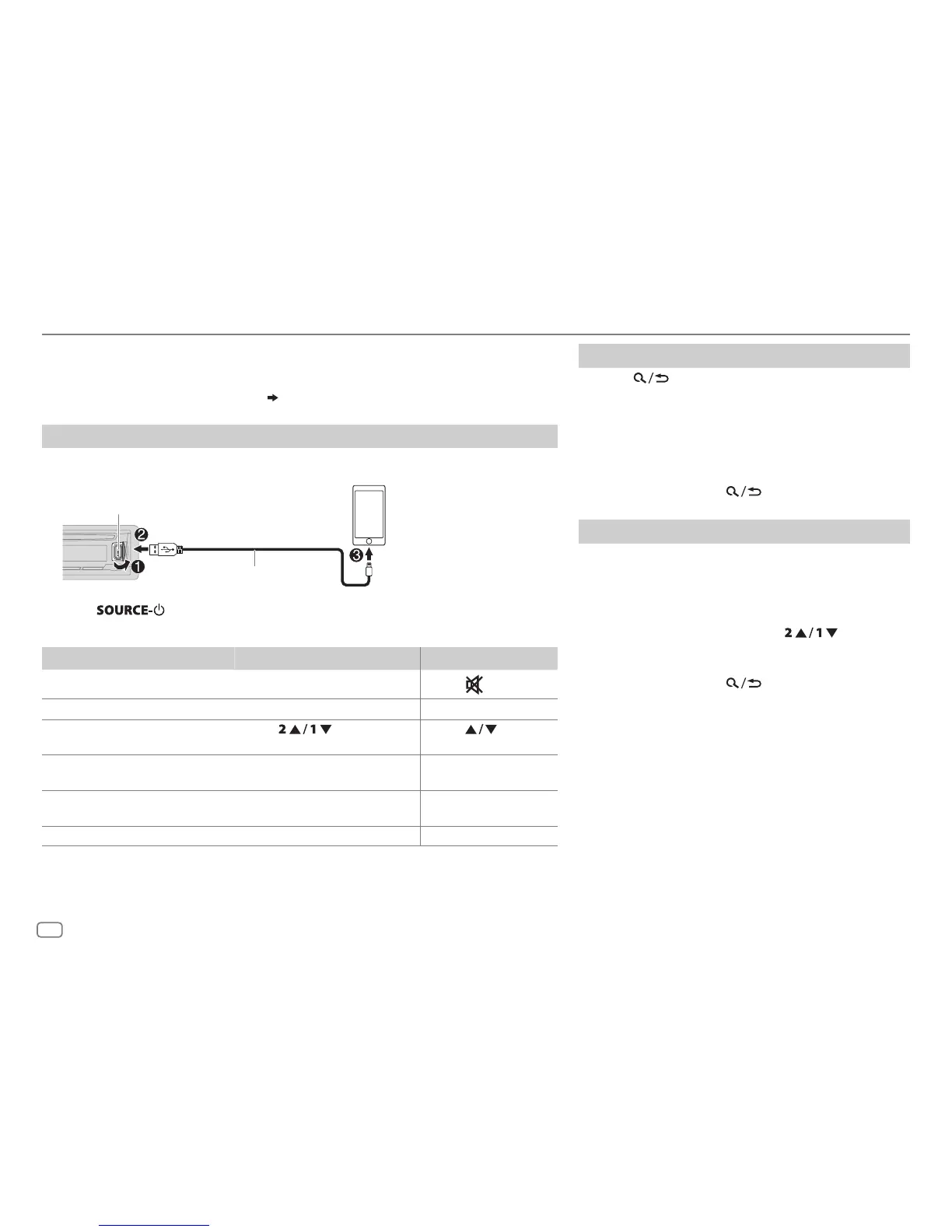
2 Connect your device to the USB input terminal.
3 Press repeatedly to select IHEARTRADIO.
Broadcast starts automatically
To
On the faceplate On the remote control
Playback / pause Press the volume knob.
Press
.
Skip a track for custom station
Press T. Press I.
Thumbs up or thumbs down
for custom station*
2
Press . Press .
Create a new/custom station Press and hold the volume
knob.
( Not available )
Add to favorite stations for live
station
Press 3.
( Not available )
Scan for live station Press 4. ( Not available )
*
1
Do not leave the cable inside the car when not using.
*
2
If thumbs down is selected, the current track is skipped.
Search for a station
1
Press .
2 Turn the volume knob to select a category, then
press the knob.
3 Turn the volume knob to select the desired station,
then press the knob.
When a city list appears, you can skip cities in
alphabetical order.
To cancel, press and hold
.
Skip cities by alphabetical order
While a city list appears during search...
1 Turn the volume knob quickly to enter character
search.
You can search through the list quickly according to
the first character (A to Z).
2 Turn the volume knob or press to select
the character to be searched for.
3 Press the volume knob to start searching.
To cancel, press and hold
.
USB input terminal
(Accessory of the iPod/iPhone)
*
1



 To Next Page
 Loading...