11
BLUETOOTH®
Bluetooth audio player
Operations and display indications may differ according to their availability on the
connected device.
To Do this
Playback
1 Press L SOURCE to select BT AUDIO.
2 Operate the Bluetooth audio player to start playback.
Pause or
resume
playback
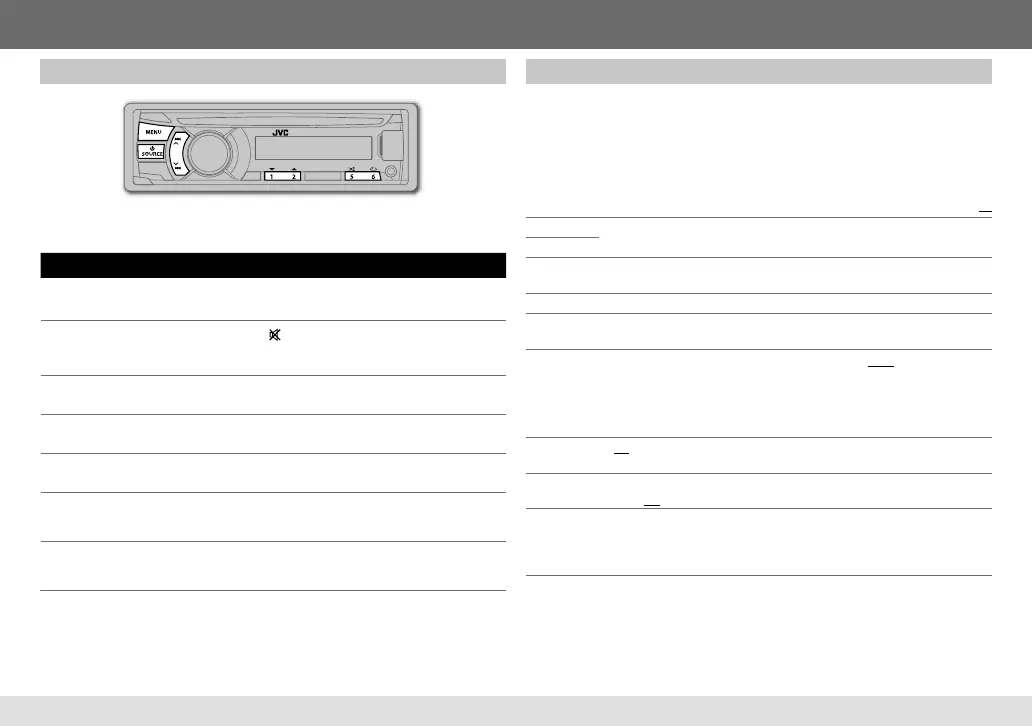
Press MENU (or
on RM-RK52).
Select group or
folder
Press 1 ∞ / 2 5 (or 5 / ∞ on RM-RK52).
Reverse/
forward skip
Press E / F (or 2 / 3 on RM-RK52).
Reverse/fast-
forward
Press and hold E / F (or 2 / 3 on RM-RK52).
Repeat play Press 6 B repeatedly to make a selection.
TRACK RPT, ALL RPT, RPT OFF
Random play Press 5 A repeatedly to make a selection.
GROUP RND, ALL RND, RND OFF
Bluetooth settings
1 Press and hold MENU.
2 Turn the volume knob to select
[BLUETOOTH]
, then press the knob.
3 Turn the volume knob to make a selection (see the following table), then
press the knob.
Repeat step 3 until the desired item is selected.
4 Press MENU to exit.
Default:
XX
PHONE
*
1
CONNECT / DISCONNECT: Connects or disconnects the Bluetooth phone or
Bluetooth audio player.
AUDIO
APPLICATION
CONNECT / DISCONNECT: Connects or disconnects the JVC Smart Music Control
*
2
in the smart phone.
DELETE PAIR Selects the registered (paired) device to delete.
P.BOOK WAIT
Copies up to 400 numbers from the phonebook memory of a connected phone to
the unit via OPP.
SET PINCODE
Changes the PIN code (up to 6 digits). (Default PIN code: 0000)
1
Turn the volume knob to select a number.
2
Press
E / F
to move the entry position.
Repeat steps
1
and
2
until you finish entering the PIN code.
3
Press the volume knob to confirm.
AUTO CNNCT
ON: Connects automatically with the Bluetooth device when the unit is turned on. ;
OFF: Cancels.
INITIALIZE
YES: Initializes all the Bluetooth settings (including stored pairing, phonebook, and
etc.). ; NO: Cancels.
INFORMATION
PH CNNT DEV / AU CNNT DEV / APP CNT DEV
*
3
: Displays connected phone/
audio/application device name. ; MY BT NAME: Displays the unit name (JVC
UNIT). ; MY ADDRESS: Shows address of this unit. ; BT VERSION: Shows the
Bluetooth version of this unit.
*
1
[CONNECT]
will not be displayed if two Bluetooth phones are connected at the
same time.
*
2
JVC Smart Music Control is designed to view JVC car receiver status and perform
simple control operations on Android smart phones.
For JVC Smart Music Control operations, visit JVC website:
<http://www3.jvckenwood.com/english/car/index.html> (English website only).
*
3
Displayed only when a Bluetooth phone/audio player/application is connected.
ENGLISH
EN_KD-R746BT[U]001A_f.indd 11EN_KD-R746BT[U]001A_f.indd 11 2/27/13 9:55:28 AM2/27/13 9:55:28 AM


 To Next Page
 Loading...