EasyManua.ls Logo

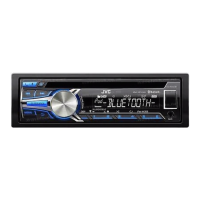
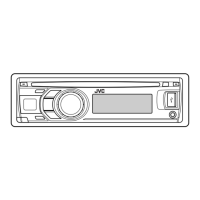
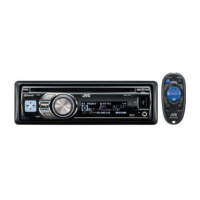
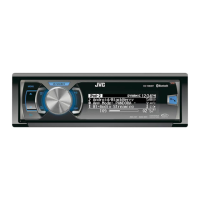
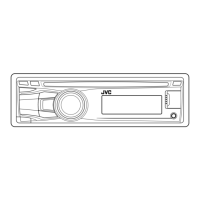
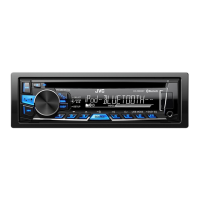
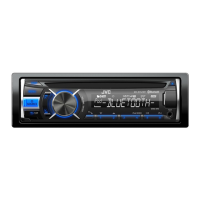
JVC KD-R85MBS - User Manual

JVC KD-R85MBS
35 pages
Print Icon
To Next Page IconTo Next Page
Loading...
ENGLISH
ESPAÑOL
FRANÇAIS
GET0981-001B [J]
KD-AR959BS / KD-R950BT / KD-R85MBS /
KD-AR855BT / KD-R850BT
CD RECEIVER
INSTRUCTION MANUAL
RECEPTOR CON CD
MANUAL DE INSTRUCCIONES
RÉCEPTEUR CD
MANUEL D’INSTRUCTIONS
Please read all instructions carefully before
operation to obtain the best possible performance
from the unit.
Por favor lea detenidamente este manual para
comprender a fondo todas las instrucciones y
obtener un máximo disfrute de esta unidad.
Veuillez lires les instructions attentivement avant
d’utiliser l’appareil afin d’obtenir les meilleures
performances possibles de l’appareil.
For customer Use:
Enter below the Model No. and Serial No. which are
located on the top or bottom of the cabinet. Retain this
information for future reference.
Model No.
Serial No.

JS_JVC_KD_AR959_J_C001B.indd 1 20/10/2014 2:46:08 PM

Questions and Answers

  • C
    Courtney NortonAug 14, 2025
    How to fix JVC Car Receiver when no sound can be heard?
    • C
      chelseamaynardAug 14, 2025
      If you cannot hear any sound from your JVC Car Receiver, first, make sure that the volume is adjusted to an audible level. If the volume is okay, check the cords and connections to ensure they are properly connected.
  • W
    Walter BurkeAug 18, 2025
    What to do if JVC Car Receiver shows 'MISWIRING CHK WIRING THEN RESET UNIT'?
    • C
      cynthiaconwayAug 18, 2025
      If your JVC Car Receiver displays 'MISWIRING CHK WIRING THEN RESET UNIT', it indicates a wiring issue. Check that the terminals of the speaker wires are properly insulated. After confirming the wiring, reset the unit.
  • J
    Jorge FreemanAug 21, 2025
    How to stop JVC KD-R85MBS Car Receiver from skipping Bluetooth audio?
    • F
      Frank WillisAug 21, 2025
      If the sound is being interrupted or skipped during Bluetooth playback on your JVC Car Receiver, try reducing the distance between the unit and the Bluetooth audio player. If the issue persists, turn off and then turn on the unit, and try connecting again.
  • T
    terri02Aug 25, 2025
    What to do if JVC Car Receiver shows “BT ERROR PLS UPDATE”?
    • J
      Joseph JonesAug 26, 2025
      If your JVC Car Receiver displays “BT ERROR PLS UPDATE”, you should update the Bluetooth firmware.
  • R
    Raymond PhillipsAug 28, 2025
    What to do if my JVC KD-R85MBS flashes “CANNOT PLAY”?
    • M
      Mathew WalkerAug 28, 2025
      If your JVC Car Receiver flashes “CANNOT PLAY” or fails to detect the connected device, verify that the connected device is compatible with the unit and that the files are in a supported format. If compatibility isn't the issue, try reattaching the device.
  • D
    Daniel FigueroaAug 31, 2025
    How to reduce echo or noise on JVC KD-R85MBS Car Receiver?
    • M
      Miguel ThomasAug 31, 2025
      If you are experiencing echo or noise with your JVC Car Receiver, try adjusting the microphone unit’s position. You can also check the [ECHO CANCEL] setting.
  • C
    Caroline StephensSep 3, 2025
    Why can't I control my Bluetooth player with my JVC KD-R85MBS Car Receiver?
    • A
      Anthony SpencerSep 3, 2025
      If you cannot control the connected Bluetooth audio player with your JVC Car Receiver, verify that the connected Bluetooth audio player supports Audio/Video Remote Control Profile (AVRCP). If it does, try disconnecting and reconnecting the Bluetooth player.
  • T
    Taylor CampbellSep 7, 2025
    What to do if JVC KD-R85MBS does not copy phonebook?
    • S
      Stephanie BriggsSep 7, 2025
      If the unit does not respond when you try to copy the stored phonebook to the unit, press DISP or G PTY to exit.
  • M
    mcconnellreginaSep 10, 2025
    How to unlock channel on JVC Car Receiver?
    • L
      Linda HughesSep 10, 2025
      If your JVC Car Receiver displays “CH LOCKED”, enter the correct pass code to unlock.

Summary

Instruction Manual

Customer Information Recording

Instructions for recording model and serial numbers for future reference.

Before Use

Safety and Operational Cautions

Warnings and cautions for safe operation and avoiding hazards.

Unit Maintenance and Disc Handling

Procedures for cleaning the unit and handling discs properly.

Basics

Faceplate and Remote Control Identification

Overview of the unit's faceplate and remote control layout.

Fundamental Operations

Steps for powering on/off, adjusting volume, and source selection.

Getting Started

Initial Setup and Configuration

Guide to cancelling the demonstration, setting the clock, and basic settings.

CD, USB, and iPod Playback

Starting Playback and Navigation

How to begin playback and navigate tracks/files.

File and Folder Management

Methods for selecting specific files, folders, and playback modes.

CD, USB, and iPod Advanced Features

List Searching and Audiobook Speed

Advanced search by name and adjusting audiobook playback speed.

Radio Functionality

Station Tuning and Presets

Procedures for tuning stations, storing presets, and PTY search.

Radio Settings and Features

Advanced radio settings like Timer, SSM, and IF BAND.

AUX Input Operation

Connecting and Playing External Audio

How to connect and play audio from an external device via AUX.

Pandora Streaming Service

Pandora Application Integration

Steps for connecting and using the Pandora app with the unit.

iHeartRadio Streaming Service

iHeartRadio Application Integration

Steps for connecting and using the iHeartRadio app with the unit.

SiriusXM Satellite Radio

SiriusXM Tuner Setup and Listening

Connecting the SiriusXM tuner and initiating listening.

Channel Management and Replay

Storing channels and utilizing the SiriusXM Replay feature.

SiriusXM Advanced Functions

Smart Favorites and Channel Locking

Configuring Smart Favorites and setting channel locks.

Bluetooth Device Integration

Microphone and Initial Pairing

Connecting the microphone and performing the initial Bluetooth device pairing.

Bluetooth Phone Call Handling

Managing incoming and outgoing phone calls via Bluetooth.

Bluetooth Mobile Phone Features

Hands-Free Mode and Voice Control

Activating hands-free mode and using voice recognition for phone control.

Contact Management for Calls

Selecting contacts by name and making calls from memory.

Bluetooth Settings and Controls

Audio and Call Quality Adjustments

Adjusting mic level, noise reduction, and echo cancellation.

Phonebook Access and Dialing

Navigating the phonebook and initiating calls.

Bluetooth Contact and Message Features

Text Messages and Voice Commands

Handling text message notifications and using voice commands.

Storing and Recalling Contacts

Saving contacts to memory and recalling them for calls.

Bluetooth Mode Configuration

Device Pairing and Priority Settings

Managing device pairing, priority, and PIN code settings.

Automatic Connection and System Info

Configuring auto-connect and accessing unit information.

Bluetooth Streaming Services

Internet Radio via Bluetooth

Streaming Pandora and iHeartRadio over Bluetooth.

Bluetooth Audio Player Control

Operating playback for Bluetooth audio devices.

Audio Settings

Equalizer Presets and Customization

Selecting and adjusting equalizer presets for preferred sound.

Bass, Loudness, and Subwoofer Configuration

Adjusting bass, loudness, and subwoofer output settings.

Display Settings

Illumination and Brightness Control

Adjusting dimmer and brightness levels for display and buttons.

Color Scheme Customization

Setting custom colors for display zones and patterns.

More Information

Supported Media and File Formats

Details on compatible discs and audio file types.

Device and Service Compatibility Details

Information on compatibility with USB, iPod/iPhone, Pandora, iHeartRadio, and Bluetooth.

Troubleshooting Common Problems

Issue Diagnosis and Resolution

Guidance on identifying and resolving common operational issues.

Installation and Connection Guide

Unit Mounting and Removal

Instructions for installing and removing the main unit from the vehicle.

Wiring and Harness Connections

Diagrams and instructions for connecting the wiring harness.

Technical Specifications

Tuner, CD, USB, and Auxiliary Specifications

Detailed technical data for tuner, CD, USB, and auxiliary functions.

Bluetooth, Audio, and General Specifications

Technical data for Bluetooth, audio output, and general unit parameters.

JVC Canada Warranty Information

Canada Warranty Terms and Conditions

Specific warranty terms and conditions for products sold in Canada.

JVC USA Limited Warranty

USA Warranty Coverage and Limitations

Details on JVC USA's limited warranty, what's covered, and exclusions.

JVC KD-R85MBS Specifications

General IconGeneral
DIN Size1 DIN
Faceplate SecurityDetachable
Channels4
RMS Power Output22 Watts
Peak Power Output50 Watts
CD PlaybackNo
USB PortYes
USB InputYes
BluetoothYes
AM/FM TunerYes
DisplayLCD
Remote ControlYes
Subwoofer Preamp OutputYes
SiriusXM ReadyYes
HD RadioNo
Pandora ControlYes
iHeartRadio ControlYes
Spotify ControlYes
Marine ReadyYes
AUX InputYes
Compatible FormatsMP3, WMA

Related product manuals