To Next PageTo Next Page
 Need help?
Do you have a question about the JVC KD-R950BT and is the answer not in the manual?
 General
| Brand | JVC |
|---|---|
| Model | KD-R950BT |
| Category | Car Receiver |
| Language | English |
General warnings about controls, adjustments, and potential radiation exposure.
Details regarding FCC regulations for radio frequency energy and digital device interference.
Warning regarding potential exposure to Perchlorate Material in button cell lithium batteries.
Guidelines for proper disposal of electrical/electronic equipment and batteries.
Information regarding Industry Canada's license-exempt RSS standards for devices.
Compliance with FCC/IC radiation exposure limits and guidelines for safe operation.
FCC ID and IC for the Bluetooth module used in the unit.
Do not operate functions that distract from safe driving.
Adjust volume to hear outside sounds and avoid speaker damage from sudden level changes.
Handling discs, unit cleaning, connector care, and general operational advice.
Instructions for handling the remote control and its battery.
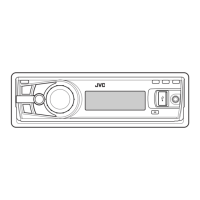
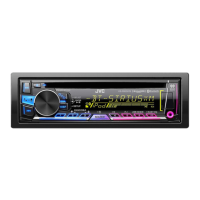
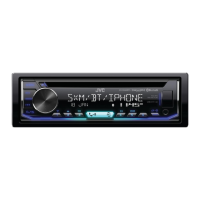
Identification of controls and display elements on the unit's faceplate.
Information on the optional remote control, including setup and battery replacement.
Step-by-step guides for turning on/off, adjusting volume, selecting sources, and changing display.
Procedure to disable the unit's demonstration mode.
Instructions for manually setting the clock time and format.
Guide to configuring fundamental system settings like BEEP, SRC SELECT, and F/W UPDATE.
How playback begins automatically when a source is selected.
Methods for selecting tracks and folders for playback from CD, USB, or iPod.
Details on reverse, fast-forward, repeat, and random playback modes.
How to select tracks or files from lists or by searching by name.
Selecting different storage drives connected via USB.
Adjusting the playback speed for audiobooks from an iPod/iPhone.
Procedures for searching for radio stations automatically or manually.
How to save favorite radio stations for quick access.
Searching for radio stations based on program type.
Setting up the radio timer and using SSM for automatic station presets.
Adjusting IF BAND, MONO, and AREA settings for optimal reception.
How to connect and play audio from an external device via the AUX input.
Steps to prepare and start listening to Pandora via Bluetooth or USB.
How to pause, resume, skip tracks, and use thumbs up/down for Pandora.
Creating new stations and searching for existing ones.
How to bookmark songs or artists within the Pandora application.
How to prepare and begin listening to iHeartRadio content.
Controls for playback, creating stations, and managing favorites.
How to search for stations by city and navigate lists.
Connecting the tuner, activating subscription, and storing channels.
How to select channels, search manually, and use the Replay feature.
How to assign, cancel, and reassign Smart Favorites channels.
Setting up channel locks using passcodes and manual edits.
Adjusting settings like signal level, buffer usage, and resetting the unit.
Instructions for connecting the external microphone.
List of Bluetooth profiles supported by the unit.
Step-by-step guide to pairing a Bluetooth device with the unit.
How to receive, reject, end calls, and manage hands-free mode.
Adjusting phone call volume and improving audio quality during conversations.
How to switch between two connected Bluetooth phones.
Adjusting microphone level, noise reduction, echo cancel, and auto answer.
Using voice commands and setting ring tones and colors.
Entering and navigating Bluetooth mode functions.
Handling text message notifications and using voice recognition for calls.
Selecting, storing, and deleting contacts from memory.
How to initiate calls using stored contacts.
Connecting/disconnecting phones/audio, deleting paired devices, and setting priority.
Managing phonebook entries and changing the Bluetooth PIN code.
Configuring auto-connect, initialization, and displaying unit information.
Streaming Pandora and iHeartRadio over Bluetooth.
Operating playback, skipping tracks, and managing groups/folders for audio players.
Selecting and adjusting various equalizer presets and custom sound profiles.
Detailed settings for Bass, Mid Bass, Mid, Mid High, and High frequencies.
Adjusting bass boost and loudness for improved sound.
Configuring subwoofer output level and low-pass filter settings.
Settings for HPF, Fader, Balance, Volume, Amp Gain, D.T.EXP, and L/0 Mode.
Adjusting display brightness, dimming, and scrolling behavior.
Selecting and customizing colors for different display zones and patterns.
Setting custom colors for day and night modes, linked to headlights.
Information on compatible CD types and audio file formats.
Details on supported USB devices, iPod/iPhone models, and file limitations.
Details about Pandora and iHeartRadio services and their limitations.
Information on JVC Playlist Creator, Music Control, and Bluetooth device compatibility.
How to cycle through different display information screens.
Troubleshooting steps for sound, wiring errors, source selection, radio reception, and display issues.
Solutions for issues related to Pandora and iHeartRadio services.
Resolving problems with SiriusXM reception and Bluetooth connectivity.
Resolving problems with device detection, pairing, and full device lists.
Addressing issues with audio playback interruptions, echo, and poor call quality.
Instructions for updating the Bluetooth firmware.
Step-by-step guide for installing the unit into a dashboard.
How to remove the unit from its sleeve and install the mounting sleeve.
Core procedures for wiring, mounting, and connecting the unit.
Diagram and explanation of connecting the unit to the vehicle's wiring harness.
Color-coded wire connections for power, antenna, remote, and speakers.
Wiring diagram and color code for KD-R950BT/KD-AR855BT/KD-R850BT models.
List and identification of included installation parts.
Technical details for FM/AM tuner, CD playback, and USB capabilities.
Technical specifications for Auxiliary input, Bluetooth connectivity, and general unit characteristics.
Details on audio output power, impedance, and voltage requirements.
Express warranty conditions, limitations, and standards for products sold in Canada.
Instructions and benefits of registering the JVC product.
Details of the limited warranty for US purchasers, including coverage and exclusions.
Steps for obtaining warranty service and what is not covered by the warranty.
Guidance on registering the product in the USA and its implications.