7
ENGLISH
1
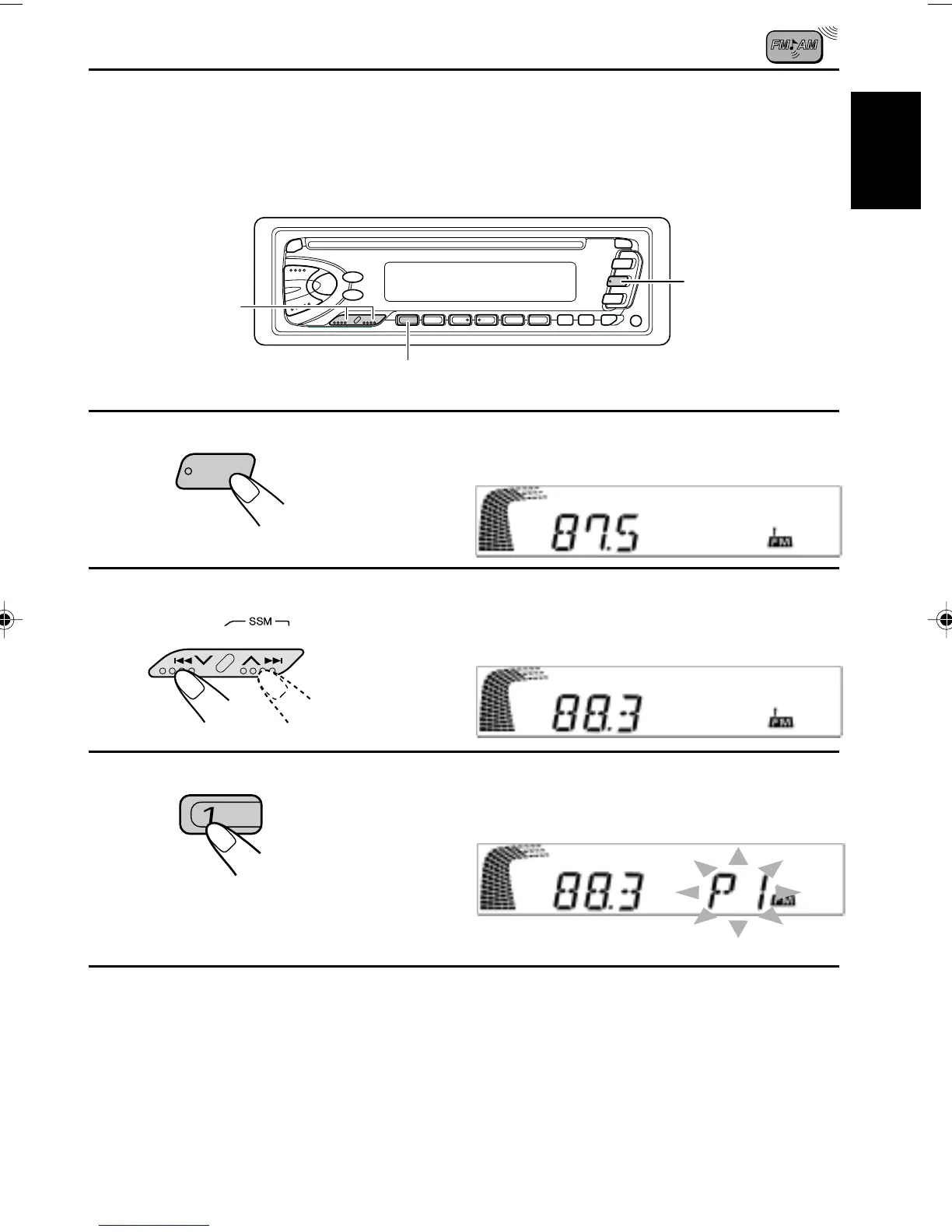
Select the FM1 band.
2
Tune into a station of 88.3 MHz.
See page 5 to tune into a station.
3
Press and hold the button for more than 2
seconds.
4
Repeat the above procedure to store other stations into other
preset numbers.
Notes:
• A previously preset station is erased when a new station is stored in the same preset number.
• Preset stations are erased when the power supply to the memory circuit is interrupted (for example,
during battery replacement). If this occurs, preset the stations again.
F M
Manual preset
You can preset up to 6 stations in each band (FM1, FM2, FM3 and AM) manually.
EXAMPLE: Storing an FM station of 88.3 MHz into the preset number 1 of the FM1 band
1
2
3
“P1” flashes for a few seconds.
EN05-08.KD-S70R/S7R[E] 25/3/05, 4:34 AM7


 To Next Page
 Loading...