
 To Next PageTo Next Page
 Need help?
Do you have a question about the JVC KD-SC900R and is the answer not in the manual?
 General
| Brand | JVC |
|---|---|
| Model | KD-SC900R |
| Category | Car Receiver |
| Language | English |
Instructions on how to reset the unit's microcomputer and its implications.
Important precautions and advice to follow before operating the unit for the first time.
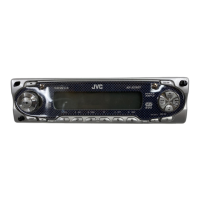
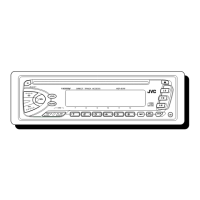
Details about the main unit's control panel layout and labeled components.
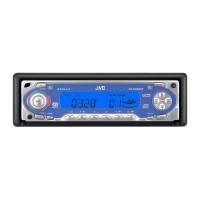
Explains the various indicators and information displayed on the unit's screen.
Steps to power the unit on and off, including notes on one-touch operation.
How to switch between different audio sources like FM/AM radio and CD/MP3 playback.
Guide on how to control the audio volume level using the unit's controls.
Instructions for making temporary sound adjustments and dropping volume.
Explains how to tune into radio stations using auto or manual search methods.
Guide on how to save favorite radio stations for quick access.
How to recall and listen to previously stored radio stations.
Explains the features and information provided by the Radio Data System.
Details on how the unit automatically retunes to stronger signals for continuous listening.
How to set up the unit to temporarily switch to traffic announcements.
How to set up the unit to switch to programs based on Programme Type.
Guide on how to search for programs by PTY code and store favorite types.
How to customize the information displayed on the screen when receiving FM RDS.
How to preset the volume level for traffic announcements.
Step-by-step guide on how to insert and play a standard audio CD.
How to fast-forward, reverse, or directly select tracks on a CD.
Explains how to set playback modes like random and repeat play for CDs.
How to view additional disc information like title and track name from CD Text discs.
How to lock a disc in the loading slot to prevent accidental ejection.
Explanation of the MP3 file format and its compression capabilities.
Information on the unit's compatibility with ID3v1 tags for MP3 metadata.
Guidance on how MP3 files are organized and played back from discs.
Steps to insert and start playback of MP3 discs.
How to navigate and select MP3 files, including fast-forwarding and skipping.
Explains playback modes like folder random, disc random, track repeat, and folder repeat for MP3s.
How to select pre-defined sound modes suitable for different music genres.
Guide on how to fine-tune bass, treble, balance, fader, and loudness.
How to adjust various system settings like clock, display, and reception modes.
Instructions on how to replace the front decorative plate.
Steps to remove and attach the detachable control panel for security.
Common problems like no sound or unit not working, and their solutions.
Troubleshooting tips for radio reception and preset functions.
Solutions for problems related to CD and MP3 disc playback.
Guidelines for proper handling, cleaning, and care of CDs and MP3 discs.
Precautions and potential issues when playing recordable or rewritable discs.
Technical specifications for the audio amplifier output and performance.
Technical specifications for the FM and AM radio tuner performance.
Technical specifications for the CD player and MP3 decoding capabilities.
Step-by-step instructions for installing the unit into the dashboard.
Detailed guide for making all necessary electrical connections to the unit.
Specific instructions on how to connect the various wires correctly to avoid damage.