Need help?
Do you have a question about the JVC KD-SD631 and is the answer not in the manual?
Identifies the unit as a Class 1 Laser Product for safety.
Warning against opening the unit cover due to laser hazards.
Caution regarding invisible Class 1M laser radiation when open.
Details the caution label placed on the exterior of the unit.
Advises stopping the car before operating the unit for safety.
Caution to adjust volume to hear external sounds to prevent accidents.
Warning against using USB/SD/iPod/iPhone if it hinders driving safety.
Advice to lower volume for digital sources to prevent speaker damage.
Guidance on operating the unit after temperature extremes and condensation.
Instructions for cleaning the panel with a dry silicon or soft cloth.
Procedure for cleaning the unit and panel connectors.
Steps to cancel the automatic display demonstration mode.
Instructions for setting the unit's clock, including 24H/12H format.
How to change and scroll through display information.
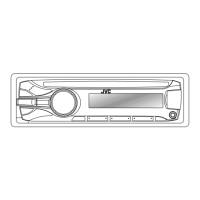
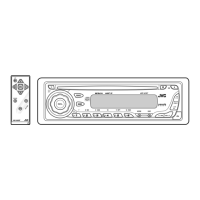
Diagrams and identification of control panel and remote controller parts.
Explanation of functions when pressing or holding control panel/remote buttons.
Methods for searching FM/AM stations, auto and manual.
Procedure for manually and automatically presetting stations.
How to tune into stored preset stations.
Instructions for setting the unit to tune to a station at a specific time.
Searching for stations based on programme type (PTY) codes.
Activating temporary switching to Traffic Announcement or News.
Automatically tuning to another station for better reception of the same program.
Searching for stations when a selected preset station signal is weak.
Connecting and playing music from CD or USB devices.
Choosing repeat and random playback modes for music.
Navigating and selecting music files within folders.
Steps to insert and play music from an SD card.
Procedure for safely removing the SD card from the unit.
Connecting and controlling iPod/iPhone playback through the unit.
Choosing how the iPod/iPhone is controlled: unit or device.
Navigating lists and choosing playback options like repeat and random.
Connecting and selecting portable audio players via AUX input.
Steps for registering a Bluetooth device with the KS-BTA100 adapter.
Choosing from pre-defined illumination color settings.
Saving user-defined day and night illumination color settings.
Choosing pre-defined sound profiles like Dynamic or Bass Boost.
Saving user-adjusted sound settings for each source.
Adjusting bass, mid, and treble levels for custom sound.
Detailed adjustment of bass, middle, and treble frequencies and Q values.
Configuration options for display demo, clock, and illumination color.
Configuration options for dimmer control and display information.
Configuration options for equalizer and audio settings like fader/balance.
Audio configuration for volume adjustment, subwoofer, and filters.
Tuner settings for station memory, tracking, and news standby.
Tuner settings for intermediate frequency band and radio timer.
Source selection settings for iPod, AM, and auxiliary inputs.
Instructions for initial use and battery replacement of the remote controller.
Guide on how to replace the coin battery in the remote controller.
Details on playable and unplayable discs, handling, and DualDisc compatibility.
Information on playable audio file formats, bit rates, and character limits.
Specifications and compatibility for USB devices and SD cards.
Precautions for handling USB devices and SD cards, including electrostatic shock.
List of compatible iPod and iPhone models for the unit.
Legal information regarding trademarks and licenses.
Solutions for common issues like no sound or unit non-response.
Specific troubleshooting for FM/AM radio reception and station preset issues.
Solutions for playback errors, device detection, and compatibility issues.
Technical details of the audio amplifier, including power and frequency response.
Technical details for FM and AM tuner performance, sensitivity, and selectivity.
Technical details of the CD player, including signal detection and channels.
Technical details for USB interface, including standard, transfer rate, and file systems.
Technical details for SD card interface, including file system and storage.
General specifications including power, dimensions, and mass.
 General
| Brand | JVC |
|---|---|
| Model | KD-SD631 |
| Category | Car Receiver |
| Language | English |

 To Next Page