22
ENGLISH
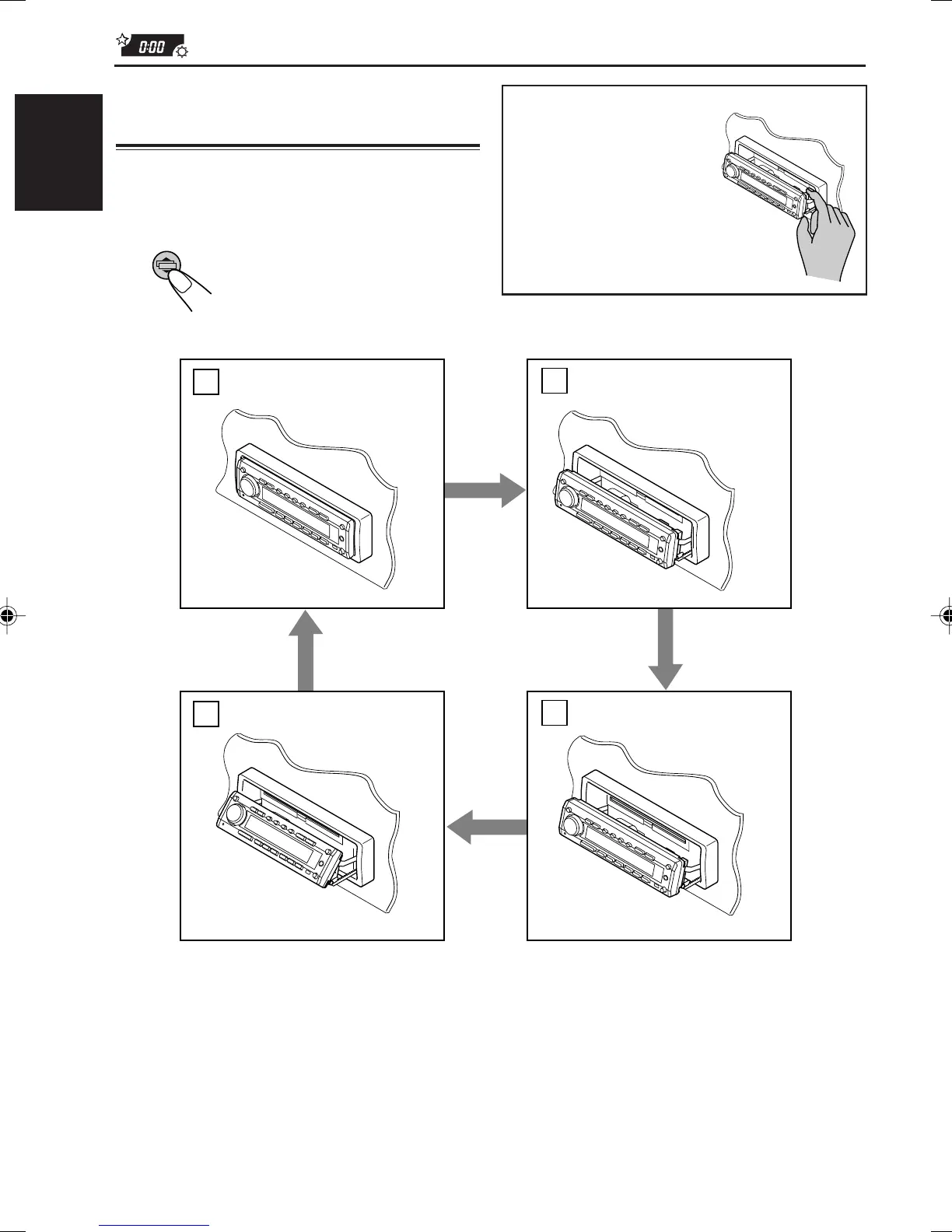
Changing the control panel
angle
You can change the angle of the control panel in
three positions.
Adjust the angle to the position you want.
Each time you press the button,
the panel angle changes as
follows:
When using the remote control
Press ANGLE ∞ repeatedly. Each time you press the button, the control panel changes its angle — Å,
ı, Ç, then Î positions in sequence.
To restore the control panel to the original position,
press ANGLE 5. Each time you press the button, the control panel reverses its angle — Î, Ç, ı,
then Å positions in sequence.
CAUTION:
NEVER insert your finger
between the control panel
and the unit, as it may get
caught and hurt.
A
B
D
C
EN17-23.KD-SH77_55[J]f 01.1.9, 4:32 PM22



 To Next Page