EasyManua.ls Logo

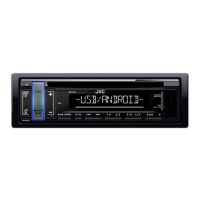
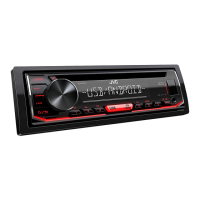
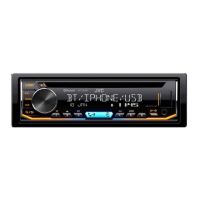
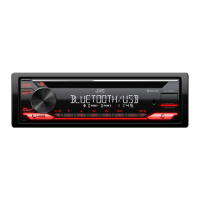
JVC KD-T408 - User Manual

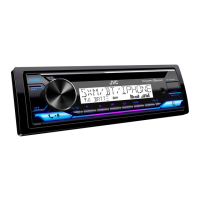
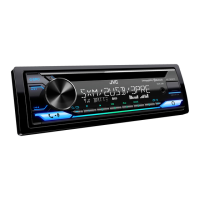
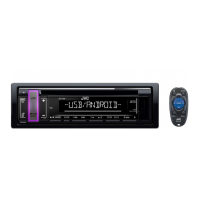
JVC KD-T408
84 pages
Print Icon
To Next Page IconTo Next Page
Loading...
Data Size: B6L (182 mm x 128 mm)
Book Size: B6L (182 mm x 128 mm)
ENGLISH

B5A-2618-00 [M]
KD-T408 / KD-T406 / KD-T401
CD RECEIVER
INSTRUCTION MANUAL

CD
คูมือการใชงาน
JS_JVC_KD_T408_M_C.indd 1JS_JVC_KD_T408_M_C.indd 1 6/6/2018 2:12:24 PM6/6/2018 2:12:24 PM

Questions and Answers

  • K
    Kristen PrestonSep 10, 2025
    What does it mean when my JVC Car Receiver displays 'READING'?
    • A
      Angela KellySep 12, 2025
      If your JVC Car Receiver keeps flashing “READING”, avoid using too many hierarchical levels and folders. Try reloading the disc or reattaching the USB device.
  • N
    Norman HernandezSep 9, 2025
    What to do if my JVC Car Receiver displays 'NO DEVICE'?
    • R
      Ryan CamposSep 9, 2025
      If your JVC Car Receiver shows “NO DEVICE”, connect a USB device and switch the source to USB again.
  • K
    kristina16Sep 8, 2025
    What does it mean when my JVC KD-T408 Car Receiver displays 'NO DISC'?
    • J
      Jennifer MillerSep 8, 2025
      If your JVC Car Receiver shows “NO DISC”, insert a playable disc into the loading slot.
  • W
    watsonkelseyAug 22, 2025
    How to fix sound not working on my JVC KD-T408 Car Receiver?
    • J
      John CastanedaAug 23, 2025
      If you cannot hear any sound from your JVC Car Receiver, first, adjust the volume to the desired level. If the issue persists, check the cords and connections to ensure they are properly connected.
  • S
    Scott MillerSep 5, 2025
    What to do if my JVC KD-T408 Car Receiver displays 'MISWIRING CHECK WIRING THEN PWR ON'?
    • L
      lopezscottSep 6, 2025
      If your JVC Car Receiver shows the message “MISWIRING CHECK WIRING THEN PWR ON”, turn off the power. Check the speaker wires to ensure the terminals are properly insulated. After checking, turn the power back on.
  • B
    Becky DiazSep 4, 2025
    What to do if 'IN DISC' appears and disc won't eject from JVC KD-T408 Car Receiver?
    • T
      Thomas DaviesSep 4, 2025
      If “IN DISC” appears on your JVC Car Receiver and the disc cannot be ejected, ensure nothing is blocking the loading slot when you try to eject the disc.
  • D
    Deborah StarkSep 3, 2025
    Why is the playback order wrong on my JVC Car Receiver?
    • J
      Joe LopezSep 3, 2025
      The playback order on your JVC Car Receiver is determined by the order in which files were recorded (disc) or the file name (USB).
  • D
    danielhodgesSep 2, 2025
    Why are the characters displayed incorrectly on my JVC KD-T408 Car Receiver?
    • F
      franklintammySep 2, 2025
      Your JVC Car Receiver can only display uppercase letters, numbers, and a limited number of symbols. Also, depending on the selected display language, some characters may not be displayed correctly.
  • C
    Charles GarciaSep 1, 2025
    Why does my JVC Car Receiver skip during Android playback?
    • B
      Brandon BradfordSep 1, 2025
      If the playback is intermittent, or the sound skips when using an Android device with your JVC Car Receiver, turn off the power saving mode on the Android device.
  • R
    Ronnie RamseyAug 31, 2025
    How to reduce static noise on JVC Car Receiver radio?
    • G
      Gregory JohnsonAug 31, 2025
      If you are hearing static noise while listening to the radio on your JVC Car Receiver, adjust the volume to the optimum level.

JVC KD-T408 Specifications

General IconGeneral
DIN SizeSingle DIN
Detachable FaceYes
Preamp Voltage2.5V
Peak Output50W x 4
Sub Preamp OutputYes
Display TypeLCD
BluetoothYes
USB InputYes
AUX InputYes
iPod CompatibilityYes
Pandora ControlYes
SiriusXM ReadyNo
HD RadioNo
Radio TunerAM/FM
CD PlaybackYes
MP3 PlaybackYes
WMA PlaybackYes
FLAC PlaybackNo
Remote ControlYes
RMS Power Output22 watts
RMS Power Output (CTA-2006)22W x 4
Output Power50W x 4
Preamp Outputs2 pairs (front + rear)

Related product manuals