10
ENGLISH
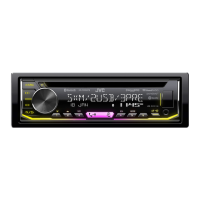
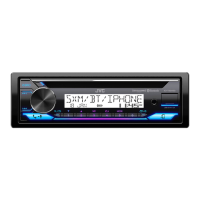
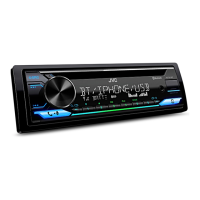
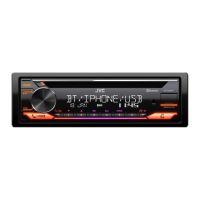
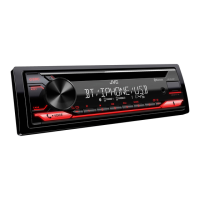
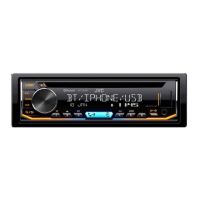
For key layout on the faceplate, see page 3 or page 4.
To On the faceplate On the remote control
Reverse/
Fast-forward*3
Press and hold S / T. Press and hold H / I.
Select a track/file
Press S / T. Press H / I.
Select a folder*4
Press 2 J / 1 K. Press J / K.
Repeat play*3*5
Press 4 repeatedly.
[TRACK REPEAT]
/
[ALL REPEAT]
: Audio CD
[TRACK REPEAT]
/
[FOLDER REPEAT]
/
[ALL REPEAT]
: MP3/WMA/AAC/
WAV/FLAC file
[ONE REPEAT]
/
[ALL REPEAT]
/
[REPEAT OFF]
: iPod
Random play*3*5
Press 3 repeatedly.
[ALL RANDOM]
/
[RANDOM OFF]
: Audio CD
[FOLDERRANDOM]
/
[ALL RANDOM]
/
[RANDOM OFF]
: MP3/WMA/AAC/
WAV/FLAC file
[SONG RANDOM]
/
[ALL RANDOM]
/
[RANDOM OFF]
: iPod
*3 Not applicable for ANDROID.
*4 For CD: Only for MP3/WMA/AAC files. This does not work for iPod/ANDROID.
*5 For iPod: Applicable only when [HEAD MODE] is selected.
CD/USB/iPod/ANDROID
Select music drive
While in USB source, press 5 MODE repeatedly.
Stored songs in the following drive will be played back.
• Selected internal or external memory of a smartphone (Mass
Storage Class).
• Selected drive of a multiple drive device.
Settings to use JVC Remote application
JVC Remote application is designed to control the JVC car receiver’s
operations from the iPhone/iPod (via USB input terminal).
Preparation:
Install the latest version of JVC Remote application on your device
before connecting. For more information, visit
<http://www.jvc.net/cs/car/>.
You can make the settings in the same way as connection via
Bluetooth. (Page 19)
Select control mode
While in iPodUSB source (or iPodBT source), press 5 MODE
repeatedly.
[HEAD MODE]
: Control iPod from this unit.
[IPHONE MODE]
: Control iPod using the iPod itself. However, you can
still perform play/pause, file skip, fast-forward or fast-
reverse from this unit.

 To Next Page
 Loading...