EasyManua.ls Logo

JVC KD-X130M - User Manual

JVC KD-X130M
60 pages
Print Icon
To Next Page IconTo Next Page
Loading...
Data Size: B6L (182 mm x 128 mm)
Book Size: B6L (182 mm x 128 mm)
ENGLISH
FRANÇAIS
РУCCKИЙ
TÜRKÇE
B5A-0820-00 [M2]
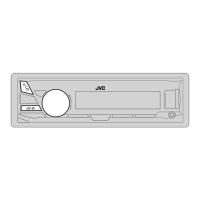
KD-X130M
DIGITAL MEDIA RECEIVER
INSTRUCTION MANUAL
RÉCEPTEUR MULTIMÉDIA NUMÉRIQUE
MANUEL D’INSTRUCTIONS
ЦИФРОВОЙ МУЛЬТИМЕДИЙНЫЙ РЕСИВЕР
ИHCTPУKЦИЯ ПO ЭKCПЛУATAЦИИ
DİJİTAL MEDYA ALICISI
KULLANIM KILAVUZU
JS_JVC_KD_X130_M2_C00.indd 1JS_JVC_KD_X130_M2_C00.indd 1 19/8/2015 11:51:02 AM19/8/2015 11:51:02 AM

Questions and Answers

  • W
    William HollowayJul 31, 2025
    What to do if my JVC KD-X130M Car Receiver displays “MISWIRING CHECK WIRING THEN PWR ON”?
    • R
      Robert FrancisJul 31, 2025
      If the message “MISWIRING CHECK WIRING THEN PWR ON” appears, turn the power off, then check to be sure the terminals of the speaker wires are insulated properly. Turn the power on again.
  • J
    Jared GarrettAug 4, 2025
    Why can't I playback in AUTO MODE on my JVC Car Receiver?
    • T
      thomaswilliamsAug 4, 2025
      If you cannot playback in [AUTO MODE], make sure JVC MUSIC PLAY APP is installed on the Android device. Also, try reconnecting the Android device and selecting the appropriate control mode. If this does not solve the problem, the connected Android device does not support [AUTO MODE].
  • T
    tracinelsonAug 8, 2025
    Why does my JVC Car Receiver say “CANNOT PLAY” flashes and/ or connected device cannot be detected?
    • F
      Frank BensonAug 8, 2025
      If “CANNOT PLAY” flashes and/ or the connected device cannot be detected, check whether the connected device is compatible with this unit and ensure the files are in supported formats. Also, try reattaching the device.
  • T
    Terri WallerAug 12, 2025
    Why are correct characters not displayed on my JVC Car Receiver?
    • Z
      zchoiAug 12, 2025
      This unit can only display uppercase letters, numbers, and a limited number of symbols. Depending on the display language you have selected, some characters may not be displayed correctly.
  • B
    Brandon BeckAug 17, 2025
    Why is the playback order not as intended on my JVC KD-X130M Car Receiver?
    • C
      christinezimmermanAug 17, 2025
      The playback order is determined by the file name.
  • M
    Megan BradleyAug 21, 2025
    Why is the elapsed playing time not correct on my JVC Car Receiver?
    • C
      Crystal PhamAug 21, 2025
      The accuracy of the elapsed playing time depends on the recording process.
  • L
    laurenroblesAug 27, 2025
    Why does “NOT SUPPORT” appear and file skips on my JVC KD-X130M?
    • D
      David MartinAug 27, 2025
      If “NOT SUPPORT” appears and the file skips, check whether the file is in a playable format.

Summary

Before Use

Important Safety and Usage Information

Essential warnings, cautions, and general usage guidelines for safe operation.

Basics

USB; Android

USB Playback Operations

How to play music files from a USB storage device.

Android Device Connectivity

Connecting and controlling an Android device for playback.

Audio Settings

Troubleshooting

General Troubleshooting Issues

Solutions for common sound, wiring, and service issues.

Radio and USB Troubleshooting

Resolving problems related to radio reception and USB device playback.

Android Device Troubleshooting

Solutions for issues encountered when using Android devices with the unit.

Specifications

Tuner and USB Specifications

Technical details for FM, MW, LW tuners and USB interface.

Auxiliary, Audio, and General Specifications

Technical data for auxiliary input, audio output, and general unit parameters.

Installation; Connection

Installation Safety Precautions

Important warnings and cautions for safe installation.

Wiring Connection Diagram

Detailed diagram showing how to connect the unit's wiring harness.

JVC KD-X130M Specifications

General IconGeneral
DIN Size1 DIN
Preamp Voltage2.5 V
Sub Preamp OutputYes
BluetoothYes
USB InputYes
USB Port1
iPod/iPhone ControlYes
Android ControlYes
TunerAM/FM
CD PlaybackNo
Compatible FormatsMP3, WMA, FLAC
MP3 PlaybackYes
WMA PlaybackYes
FLAC PlaybackYes
Display TypeLCD
Display ColorWhite
FaceplateDetachable
TypeReceiver
Max Power Output50 W
RMS Power Output22 W
Auxiliary InputYes (Front)
Button ColorVariable
Peak Output (CTA-2006)50 W
Preamp Outputs2 Pairs

Related product manuals