EasyManua.ls Logo

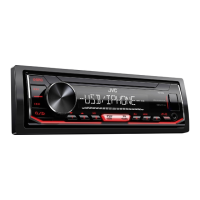
JVC KD-X280BT - User Manual

JVC KD-X280BT
124 pages
Print Icon
To Next Page IconTo Next Page
Loading...
Data Size: B6L (182 mm x 128 mm)
Book Size: B6L (182 mm x 128 mm)
ENGLISH
FRANÇAIS
ESPAÑOL
B5A-3840-00 [K]
KD-X38MBS / KD-X280BT / KD-XD28BT / KD-SX27BT
DIGITAL MEDIA RECEIVER
INSTRUCTION MANUAL
RÉCEPTEUR MULTIMÉDIA NUMÉRIQUE
MANUEL D’INSTRUCTIONS
RECEPTOR DE MEDIOS DIGITALES
MANUAL DE INSTRUCCIONES
For customer Use:
Enter below the Model No. and Serial No. which are
located on the top or bottom of the cabinet. Retain this
information for future reference.
Model No.
Serial No.
KD-X38MBS_K_B5A-3840-00_Cover_1st Draft.indd 1KD-X38MBS_K_B5A-3840-00_Cover_1st Draft.indd 1 23/8/2021 4:36:56 PM23/8/2021 4:36:56 PM

Table of Contents

Other manuals for JVC KD-X280BT

Questions and Answers

  • J
    John HallSep 10, 2025
    What to do if the USB port is drawing more power than the design limit on JVC KD-X280BT Car Stereo System?
    • A
      April OlsonSep 10, 2025
      If the USB port is drawing more power than the design limit on your JVC Car Stereo System: 1. Turn the power off and unplug the USB device. Then, turn on the power and reattach the USB device. 2. If this does not solve the problem, turn the power off (or reset the unit) before replacing with another USB device.
  • M
    Mr. Kyle GordonAug 25, 2025
    What to do if JVC KD-X280BT does not work at all?
    • J
      Jacob HolmesAug 25, 2025
      If the JVC Car Stereo System does not work at all, reset the unit.
  • H
    Heather BallAug 25, 2025
    What to do if no Bluetooth device is detected on JVC KD-X280BT?
    • D
      Dylan WilliamsAug 26, 2025
      If no Bluetooth device is detected by your JVC Car Stereo System: 1. Search from the Bluetooth device again. 2. Reset the unit.
  • M
    Matthew LeonardSep 23, 2025
    Why is sound being interrupted or skipped during playback of a Bluetooth audio player on JVC KD-X280BT Car Stereo System?
    • N
      nicolewoodwardSep 23, 2025
      If sound is being interrupted or skipped during playback of a Bluetooth audio player on your JVC Car Stereo System: 1. Reduce the distance between the unit and the Bluetooth audio player. 2. Turn off, then turn on the unit and try to connect again. 3. Other Bluetooth devices might be trying to connect to the unit.
  • K
    Katherine ClarkSep 12, 2025
    What to do if iPod/iPhone does not turn on or does not work with JVC KD-X280BT Car Stereo System?
    • M
      Matthew WestSep 12, 2025
      If the iPod/iPhone does not turn on or does not work with your JVC Car Stereo System: 1. Check the connection between this unit and iPod/iPhone. 2. Disconnect and reset the iPod/iPhone using hard reset.
  • S
    scottduranSep 15, 2025
    What does “NO INFO”/“NO DATA” mean on JVC KD-X280BT?
    • K
      Karen ArroyoSep 15, 2025
      If the message “NO INFO”/“NO DATA” appears on your JVC Car Stereo System, it means the Bluetooth device cannot get the contact information.
  • C
    codylawrenceSep 4, 2025
    What to do if “NOT SUPPORT” appears and file skips on JVC Car Stereo System?
    • S
      Shane VargasSep 4, 2025
      If the message “NOT SUPPORT” appears and the file skips on your JVC Car Stereo System, check whether the file is a playable format.
  • B
    brandon66Sep 5, 2025
    What to do if “READING” keeps flashing on JVC KD-X280BT Car Stereo System?
    • K
      Kimberly RobinsonSep 5, 2025
      If the message “READING” keeps flashing on your JVC Car Stereo System, try these steps: 1. Do not use too many hierarchical levels and folders. 2. Reattach the device (USB/iPod/iPhone).
  • K
    Kim MartinezSep 23, 2025
    Why correct characters are not displayed on JVC Car Stereo System?
    • M
      Ms. Jacqueline King DDSSep 23, 2025
      This JVC Car Stereo System unit can only display uppercase letters, numbers, and a limited number of symbols. Also, depending on the display language you have selected, some characters may not be displayed correctly.
  • D
    Danielle FosterAug 30, 2025
    What to do if “UNRESPONSIVE DEVICE” appears on JVC KD-X280BT?
    • J
      Joshua FrazierAug 30, 2025
      If the message “UNRESPONSIVE DEVICE” appears on your JVC Car Stereo System, make sure the USB device is not malfunctioning and reattach the USB device.

Summary

Before Use

Important Usage Instructions

Key usage instructions, warnings, and cautions for proper product operation.

Safety Warnings

Critical safety warnings regarding operation and potential hazards.

Getting Started and Initial Setup

Initial System Configuration

Guide through initial setup steps like crossover type and clock settings.

Radio Operation Guide

USB and iPod;iPhone Media

Connecting External Media Devices

Steps for connecting USB drives and iPod/iPhone devices to the unit.

Bluetooth Device Pairing

Connecting and Pairing Bluetooth Devices

Steps to pair mobile phones and audio devices with the unit via Bluetooth.

Bluetooth Phone Operations

Managing Calls and Auto Pairing

Instructions for receiving incoming calls and enabling automatic Bluetooth pairing.

Bluetooth Voice and Call Quality Adjustments

Optimizing Voice Quality During Calls

Adjusting microphone gain, noise reduction, and echo cancellation for calls.

Bluetooth Calling and Voice Control

Making Calls and Using Voice Recognition

Methods for making calls via history, phonebook, direct dial, or voice commands.

Bluetooth Audio Streaming

Playing Audio Content via Bluetooth

Instructions for playing music and controlling playback from Bluetooth audio devices.

Audio Settings - Equalizer and Tone

Sound Profile and Equalizer Adjustments

Adjusting sound profiles using presets, EQ, and custom equalizer settings.

Audio Settings - Balance and Effects

Fader, Balance, and Volume Level Controls

Controls for adjusting speaker output balance and source-specific volume levels.

Audio Settings - Speaker Output Configuration

Audio Settings - Crossover Frequency Tuning

Audio Settings - Digital Time Alignment

Maintenance and General Troubleshooting

Troubleshooting Bluetooth

Installation and Connection Procedures

Installation Safety, Parts, and Basics

Safety precautions, list of installation parts, and basic installation steps.

Wiring and External Component Connections

Wiring Harness Connection Guide

Diagram and explanation for connecting the unit's wiring harness to the vehicle.

Connecting External Amplifiers

Instructions for connecting external amplifiers via output terminals for enhanced audio.

JVC KD-X280BT Specifications

General IconGeneral
BluetoothYes
Built-in AmplifierYes
DisplayYes
Display ColorWhite
MP3 PlaybackYes
WMA PlaybackYes
AM/FM TunerYes
Display TypeLCD
USB PortYes
Aux InputYes
DIN Size1-DIN
Peak Power Output50 watts
Max Power Output50W x 4
Steering Wheel ControlYes (adapter required)
Dimensions178mm x 50mm x 159mm

Related product manuals