EasyManua.ls Logo

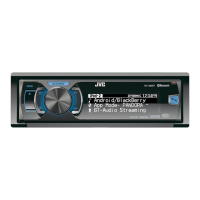
JVC KD-X80BT - User Manual

JVC KD-X80BT
53 pages
Print Icon
To Next Page IconTo Next Page
Loading...
DIGITAL MEDIA RECEIVER / RECEPTOR DE MEDIOS
DIGITALES / RÉCEPTEUR MULTIMÉDIA NUMÉRIQUE
For canceling the display demonstration, see page 4. /
Para cancelar la demostración en pantalla, consulte la página 4. /
Pour annuler la démonstration des affichages, référez-vous à la page 4.
ENGLISH
ESPAÑOL
FRANÇAIS
INSTRUCTIONS
MANUAL DE INSTRUCCIONES
MANUEL D’INSTRUCTIONS
GET0804Ɩ001A
[J]
KD-X80BT
For installation and connections, refer to the separate manual.
Para la instalación y las conexiones, refiérase al manual separado.
Pour l’installation et les raccordements, se référer au manuel
séparé.
For Customer Use:
Enter below the
Model No. and Serial
No. which are located
on the top or bottom
of the cabinet. Retain
this information for
future reference.
Model No.
Serial No.
KD-X80BTJ_Cover.indd 1 2/24/2012 4:55:34 PM

Other manuals for JVC KD-X80BT

Questions and Answers

  • T
    Tracy GardnerSep 1, 2025
    Why my iPhone is not working with JVC KD-X80BT?
    • S
      Shelby ArnoldSep 1, 2025
      If the iPod/iPhone does not turn on or does not work with your JVC Car Receiver, check the connection between the unit and the iPod/iPhone. You can also detach and reset the iPod/iPhone using a hard reset. Also, verify that the setting is appropriate.
  • M
    Marissa SandersSep 12, 2025
    Why is sound interrupted during playback on JVC Car Receiver?
    • M
      Melissa MarshallSep 12, 2025
      If the sound is being interrupted or skipped during playback of a Bluetooth audio player on your JVC Car Receiver, reduce the distance between the unit and the Bluetooth audio player. Alternatively, turn off and then turn on the unit and try to connect again.
  • N
    Norman NavarroAug 30, 2025
    What does “Not Support” mean on JVC Car Receiver?
    • M
      Megan MartinezAug 30, 2025
      If your JVC Car Receiver displays “Not Support”, check whether the track is a playable file format.
  • N
    Natasha GomezSep 14, 2025
    Why does JVC KD-X80BT Car Receiver say “Not Support” when trying voice dial?
    • J
      Jordan RhodesSep 14, 2025
      If “Not Support” appears when trying to perform voice dial on your JVC Car Receiver, the connected phone does not support this feature.
  • R
    Richard WalkerSep 13, 2025
    Why is voice calling not successful on JVC Car Receiver?
    • J
      Jeffrey BarnesSep 13, 2025
      If “Voice” calling method is not successful on your JVC Car Receiver, use the “Voice” calling method in a quieter environment. You can also try reducing the distance from the microphone when speaking the name or change to “Off” and try again.
  • M
    Melissa GriffithSep 18, 2025
    Why does JVC Car Receiver say “BT Device Not Found”?
    • C
      Caitlin WattsSep 18, 2025
      If your JVC Car Receiver displays “BT Device Not Found”, the unit failed to search for the registered Bluetooth devices during Auto Connect.
  • M
    Michael MartinezSep 23, 2025
    How to fix no sound when receiving HD Radio stations on JVC KD-X80BT?
    • J
      Julie ByrdSep 23, 2025
      To fix no sound can be heard when receiving HD Radio stations on JVC Car Receiver, if is selected when receiving all digital broadcast of HD Radio station, select or . If is selected when receiving weak digital signals or receiving conventional radio broadcast, select or .
  • A
    Anthony LevyAug 27, 2025
    How to fix “Antenna Error” on JVC KD-X80BT Car Receiver?
    • C
      Cynthia TorresAug 27, 2025
      If your JVC Car Receiver displays "ANTENNA ERROR" or "CHECK ANTENNA", check your Satellite Radio antenna connection and ensure it is firmly attached.
  • K
    Kimberly TurnerAug 26, 2025
    Why does my JVC KD-X80BT Car Receiver say “acquiring signal” or “no signal”?
    • J
      James DeanAug 26, 2025
      If your JVC Car Receiver displays "ACQUIRING SIGNAL" or "NO SIGNAL", ensure your Satellite Radio antenna is mounted outside your vehicle. If the problem persists, move your vehicle to an area with a clear view of the sky.
  • D
    Daniel GarciaAug 25, 2025
    What to do if “Miswiring Check Wiring Reset The Unit” appears on JVC KD-X80BT Car Receiver?
    • A
      andreaalexanderAug 26, 2025
      If you're seeing "Miswiring Check Wiring Reset The Unit" on your JVC Car Receiver's display and can't do anything, make sure the speaker lead terminals are properly insulated with tape. If the message persists, it is best to consult your JVC car audio dealer or kits supplying company.

Summary

JVC KD-X80 BT Digital Media Receiver

Customer Information Section

Basic information for the customer regarding the product.

Safety, Cautions, and Regulatory Information

USA Regulatory Compliance

Information regarding FCC rules and compliance for US users.

General Cautions

General warnings and important notes for product usage.

Operational Safety and Maintenance

Operational Safety Warnings

Safety warnings related to volume, car temperature, and driving.

Maintenance Procedures

Instructions for cleaning the unit and its connectors.

Initial Setup and Basic Operations

Initial Setup Procedures

Steps for canceling display demonstration and setting the clock.

Control Panel and Remote Functions

Overview of control panel buttons and remote controller functions.

Radio Operations

Display Information Modes

How to change and view display information for various sources.

Radio Tuning and Presets

How to search for stations and store them in memory.

HD Radio Tuner Control

Controls and operations for the HD Radio tuner.

Satellite Radio Tuner Control

Instructions for activating and controlling Satellite Radio.

Media Playback Features

USB Media Playback

Connecting, navigating, and playing USB media files.

iPod;iPhone Connectivity

Connecting and controlling iPod/iPhone devices for playback.

Pandora Internet Radio

Setup, listening, and features for Pandora® internet radio.

Advanced Search and Bluetooth Connectivity

Quick Search Functionality

How to quickly search for files or contacts.

Bluetooth Device Pairing and Management

Steps for pairing and managing Bluetooth devices.

Mobile Phone Features

Managing calls, contacts, and settings for Bluetooth phones.

Bluetooth Audio Player

Playing and controlling audio via Bluetooth.

Bluetooth Usage by Country

List of countries where the Bluetooth function can be used.

Customization and Settings Menu

Illumination and Brightness Settings

Adjusting display illumination color and brightness levels.

Sound and Audio Adjustments

Configuring sound modes, equalizer, and audio levels.

Menu Navigation and System Configuration

Overview of menu operations for system settings.

Troubleshooting Guide

General and Radio Issues

Resolving common problems with sound, radio, and media.

Media and Bluetooth Issues

Troubleshooting USB, iPod/iPhone, Pandora, and Bluetooth problems.

Product Specifications

Detailed Technical Specifications

Comprehensive technical data for the unit's components.

Installation and Connection Procedures

General Installation Warnings and Cautions

Important safety warnings for installation.

Unit Mounting and Wiring

Steps for mounting the unit and making electrical connections.

Connecting External Devices

Instructions for connecting external components like microphones.

Regulatory Compliance and Disposal

Declaration of Conformity

Statements of compliance with directives in multiple languages.

Equipment and Battery Disposal Guidelines

Information on proper disposal of electronic products and batteries.

Warranty and Product Registration

Product Registration Process

Instructions for registering the product online or via mail.

Warranty Terms and Conditions

Details on warranty coverage, exclusions, and claims.

Additional Information and Customer Support

File Compatibility and USB Device Guidelines

Information on supported audio file formats and USB device usage.

iPod;iPhone, Bluetooth, and Trademark Notices

Notices regarding device compatibility and trademarks.

Customer Support and Operation Assistance

Information on obtaining help with operation or locating service.

JVC KD-X80BT Specifications

General IconGeneral
Power Output50W x 4
RMS Power Output22W x 4
RMS Power Output (CTA-2006)22W x 4
BluetoothYes
USB PortYes
AUX InputYes
Display TypeLCD
Sub Preamp OutputYes
Radio TunerAM/FM
Remote ControlYes
Detachable FaceYes
iPod CompatibilityYes
Satellite Radio ReadyYes
HD RadioNo
CD PlaybackNo
Pandora ControlYes
Spotify ControlYes
Audio Formats SupportedMP3, WMA, FLAC
Display ColorVariable Color
Button ColorVariable Color
Preamp Outputs3 (Front, Rear, Sub)
Preamp Voltage4 Volts
Built-in Equalizer13-band

Related product manuals